
Lieferung heute & morgen

Qualitätsgarantie

Willkommens-Angebote freischalten: KOSTENLOSE Lieferung | Bis zu 80 % RABATT | Kostenlose 30-Tage-JoyPlus-Testphase
App herunterladen
A portable monitor can significantly boost your productivity while working from home or travelling, and elevate your on-the-go gaming experience to a new level. However, the market is flooded with models whose marketing promises often suggest more than the technology can deliver. As your Joybuy Product Recommendation Officer, I'm here to help you identify the crucial features and steer clear of typical buyer's remorse.
Before you make a decision, you should be aware of the most common issues lurking within many seemingly attractive offers.
To avoid these pitfalls, you should base your selection on objective technical criteria. Pay attention to the following three points to find a model that truly meets your needs.
A future-proof portable monitor needs more than just one port.
The quality of the panel is the heart of any monitor.
Depending on your usage profile, other features become more important.
Here are some models that represent a considered choice for specific user groups, based on the criteria mentioned.
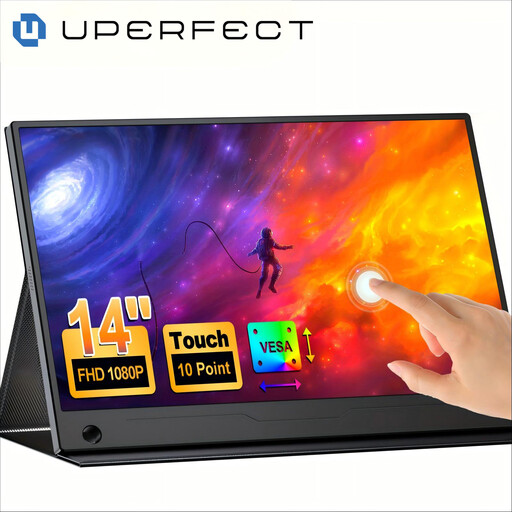
Why This Fits Their Persona: Ideal for users who need maximum portability and interactivity. Its light weight, slim design, and touchscreen make it the perfect companion for meetings, lectures, or working in a café.
With a specified 100% sRGB colour gamut coverage, it bypasses the trap of vague colour specs. The integrated, 180° adjustable stand provides a stable and ergonomic setup, avoiding the problem of wobbly constructions.
The touch functionality boosts productivity during presentations and document editing. VESA compatibility also allows for a fixed mounting setup.
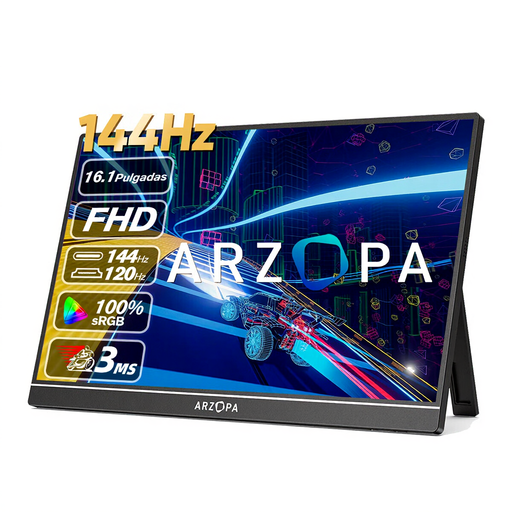
Why This Fits Their Persona: Designed for gamers who don't want to compromise on performance, even on the go. The high refresh rate and large 16.1-inch display offer an immersive gaming experience for laptops, PS5, or Xbox.
With a specified 144Hz refresh rate, it is clearly geared towards gaming and not just a rebranded office monitor. Two USB-C ports and a Mini-HDMI port debunk the "single-cable myth" by ensuring flexible and stable connections.
The high refresh rate ensures extremely smooth visuals. The 106% sRGB colour gamut coverage (according to the manufacturer) also delivers vibrant images.
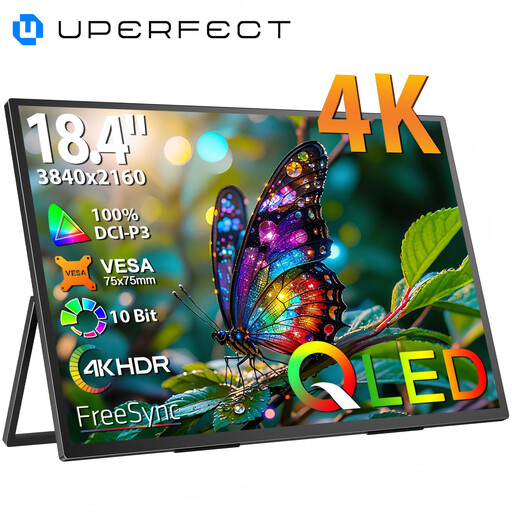
Why This Fits Their Persona: For users who need maximum screen real estate and the highest resolution for video editing, photography, or complex multitasking. The 18.4-inch 4K display provides a workspace that nearly rivals a desktop monitor.
With a clear specification of 3840 x 2160 (4K UHD) on a large 18.4-inch panel, it avoids the trap of undersized "pro" monitors. The metal chassis and VESA mount signify a robust and durable construction.
The combination of 4K resolution and QLED technology ensures outstanding sharpness and colour brilliance. The large screen enables efficient work with multiple windows.
We have compiled a complete, real-time updated list of products that fully meet these strict selection criteria and all relevant safety standards.
1. Does a portable monitor require a separate power supply? That depends on the monitor and the connected device. Many modern laptops can supply enough power to run a monitor via a full-featured USB-C port. If your laptop doesn't support this, or if you're connecting a game console, an external power source via a second USB-C cable and a power adapter is typically required.
2. Can I use any portable monitor with a PS5 or Nintendo Switch? No. To connect to game consoles, the portable monitor must have an HDMI input (usually in the form of Mini-HDMI). Additionally, the monitor will always require a separate power supply in this use case, as consoles do not deliver power through their video output.
3. Is a 4K display worth it on a portable monitor? A 4K display offers visibly greater sharpness, which is particularly advantageous when editing high-resolution photos and videos, or for displaying fine text. However, on screen sizes under 16 inches, the difference compared to a 2K resolution is less pronounced for many users. For general productivity tasks, Full HD or 2K is often a good compromise between sharpness and cost.