
Lieferung heute & morgen

Qualitätsgarantie

Willkommens-Angebote freischalten: KOSTENLOSE Lieferung | Bis zu 80 % RABATT | Kostenlose 30-Tage-JoyPlus-Testphase
App herunterladen
A portable monitor expands a laptop’s workspace without the need to carry a stationary display. This is useful for business travellers, students, programmers, creatives and stock market or multitasking users. An additional screen can also be used while gaming for chat, streaming or system information.
However, some marketing claims can quickly lead to the wrong purchase. Screen size and resolution are not the only decisive factors. Connection type, power supply, weight and actual compatibility with your device are often even more important.
A USB-C connection only supports video transmission and power delivery if the laptop’s port supports DisplayPort Alt Mode or comparable video output. If the USB-C port is data-only or used solely for charging, the screen may remain blank.
You should therefore check the following before buying:
Some devices may require driver installation. Even with a USB-C monitor featuring a one-cable setup, device compatibility is therefore an important point to check.
Many models are advertised as “Full HD”. On a 15-inch screen, 1920 × 1080 may be sufficient for office applications. However, a 16:10 aspect ratio with 1920 × 1200 pixels is another practical option if you want more vertical workspace.
You should also consider:
An FHD portable monitor is often suitable for word processing, spreadsheets and video conferences. For colour-critical tasks, you should take a closer look at the colour space and colour profile. An OLED laptop with a dual-screen design, on the other hand, can provide an integrated multi-screen concept, but is usually a larger investment than a laptop screen extender.
An additional screen has to be carried in your rucksack together with your laptop, power adapter and cables. A device weighing 600 grams may be more comfortable for daily travel than a model weighing more than one kilogram. At the same time, larger panels, integrated stands and additional ports can increase the weight.
Check the following before buying:
A larger screen can make sense for a triple-screen setup. For train journeys, lecture theatres or co-working spaces, however, the most compact setup possible is often more important.
A portable monitor can be connected via USB-C, HDMI or a combination of USB-C and USB-A. HDMI generally transmits the picture, while power can be supplied separately. With USB-C, practical use depends on the features supported by the specific port.
If the laptop provides only limited power via USB-C, an additional power adapter may be required. This affects portability and ongoing energy consumption. If you want to use the monitor with a smartphone or games console, you should also check whether an adapter or external power source is needed.
A 14-inch display is often a good match for smaller laptops and is easy to store. A 15.3- or 15.6-inch screen provides more space but requires more room in your luggage. Compared with 16:9, a 16:10 panel offers slightly more vertical space, which can be useful for programming, reading and working with long documents.
A portable monitor for Mac and Windows should be compatible not only with the operating system but also with the ports available on your specific laptop. With macOS, the number of externally supported displays can vary depending on the model. Under Windows, different options may be available depending on the graphics hardware and connections.
For a dual-screen setup, you should also decide whether the monitor will sit beside the laptop, be attached to the back or be used as a standalone screen. A portable second monitor with an integrated stand does not require an additional mount.
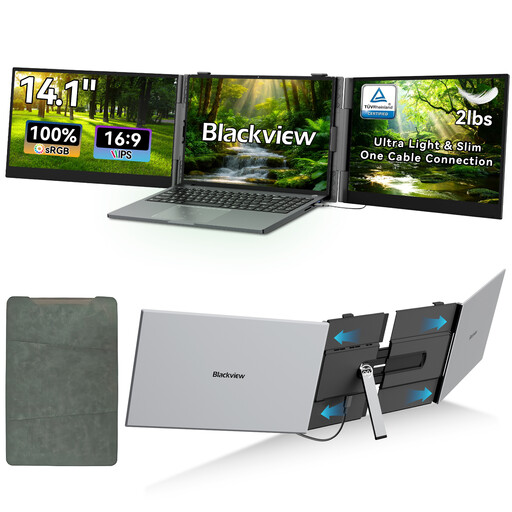
Why this product suits this profile: The 14-inch format with 1920 × 1080 pixels is aimed at users looking for a compact laptop screen extender for studying, travelling or office tasks.
The specified cables include USB-C, USB-C-to-USB-A and HDMI. This provides more connection options, depending on the laptop, than a one-cable-only model.
14-inch FHD resolution, integrated speaker and stated compatibility with laptops from 13 to 17.3 inches.
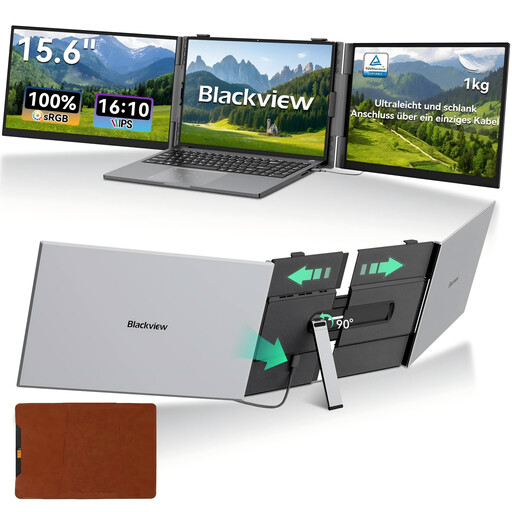
Why this product suits this profile: This model combines a 15.3-inch IPS panel, a 16:10 format and a stated weight of 1.2 kg for mobile workstations with a larger viewing area.
The product specifications list two full-function USB-C ports and a one-cable connection. Before buying, you should still check whether your laptop supports the required video output.
1920 × 1200 pixels, 100% sRGB according to the product specifications, 300 cd/m² and TÜV details covering flicker-free and low-blue-light properties.
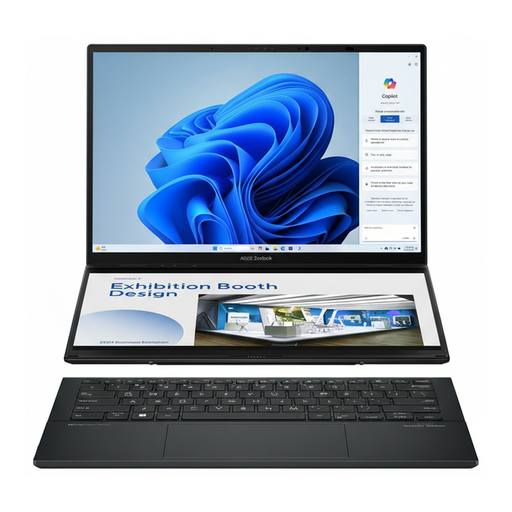
Why this product suits this profile: If you do not want to carry a separate portable monitor, this integrated dual-screen laptop concept gives you two 14-inch OLED touchscreens and powerful specification details.
The screens are built into the device. This removes the need to separately check an external monitor, additional mounts and multiple connection cables.
Intel Core Ultra 9 285H, 32 GB RAM, 2 TB SSD and an OLED touchscreen with 2880 × 1800 pixels and 120 Hz according to the product description.
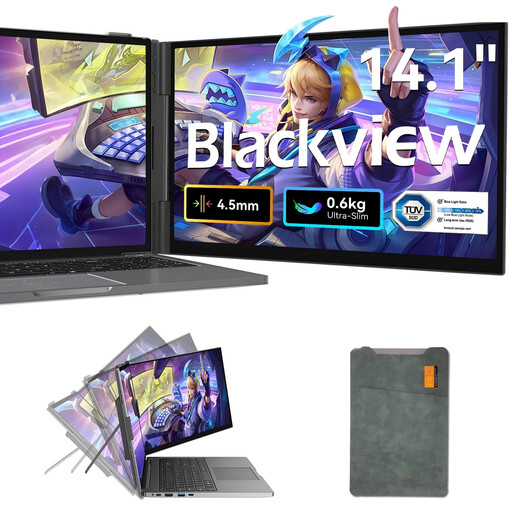
Why this product suits this profile: With a stated weight of 600 grams and thickness of 4.5 mm, this model is designed to be as easy to carry as possible.
The product data lists an integrated stand, a USB-C-to-USB-A adapter and an HDMI cable. This can make setup easier when working in different locations.
14-inch IPS panel with 1920 × 1080 pixels, integrated speaker and stated support for Mac, Windows and Android.
We have put together a complete, regularly updated list of products that fully meet these strict selection criteria and the safety regulations applicable in the EU.
A quick checklist can help reduce returns later:
This depends on the model and laptop. A full-function USB-C port may support video transmission and power delivery at the same time. Alternatively, HDMI can be used for the picture and USB for power. Before buying, you should check the technical specifications provided by the laptop manufacturer.
Many models are designed for both operating systems. However, actual use depends on the Mac or Windows laptop, the available ports and the maximum number of external displays supported. Special features such as portrait orientation or touch control may require additional software or system requirements.
Electricity costs depend on power consumption, daily usage time and your electricity tariff. A USB-powered monitor often draws energy from the laptop, while a device with a power adapter is supplied separately. As power consumption varies depending on the model and brightness, you should consult the data sheet for a specific calculation.