
Lieferung heute & morgen

Qualitätsgarantie

Willkommens-Angebote freischalten: KOSTENLOSE Lieferung | Bis zu 80 % RABATT | Kostenlose 30-Tage-JoyPlus-Testphase
App herunterladen
A portable monitor can significantly boost productivity in a home office or on the go, and enhance the gaming experience on consoles like the PS5 or Nintendo Switch. However, the market is flooded with devices that have seemingly identical specifications. Many buyers invest in a model that proves to be impractical or incompatible in practice. This guide highlights the crucial criteria to avoid a costly mistake and find the right device for your needs.
Before we dive into the technical details, it's important to understand the three most common problems that can arise when choosing a portable monitor.
To avoid these pitfalls, you should check three core areas before buying. These will determine whether an external monitor for your laptop will truly enhance your daily routine.
Connectivity is the cornerstone of any portable monitor. Look for a combination of modern and established ports to ensure maximum compatibility.
Choosing the right screen size and resolution depends heavily on your intended use case.
As a second screen for on the go, weight and build quality are crucial. Models under 1 kg are ideal for frequent travel. A sturdy aluminium housing protects the device better than pure plastic. Additional features like a built-in stand, VESA mounting options, or touchscreen functionality can further enhance user convenience.
Here are some models tailored to specific user needs that avoid the pitfalls mentioned.
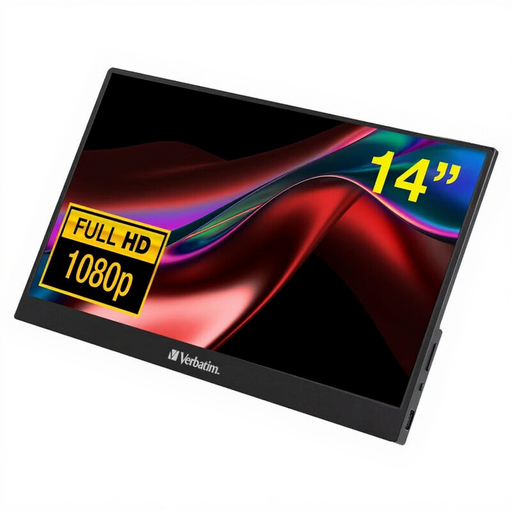
Why This Fits Their Persona: Ideal for professionals and students who need a straightforward and lightweight solution for working on the train, in a café, or at their home office. Its low weight of just 540g and compact 14-inch size make it the perfect companion.
Thanks to its HDMI and USB-C ports, it bypasses the compatibility trap. It can connect to almost any modern laptop and, with many devices, requires only a single USB-C cable for both video and power.
Extremely lightweight (540g), Full HD resolution, and a durable aluminium housing. All necessary cables (USB-C, HDMI) are included in the box.
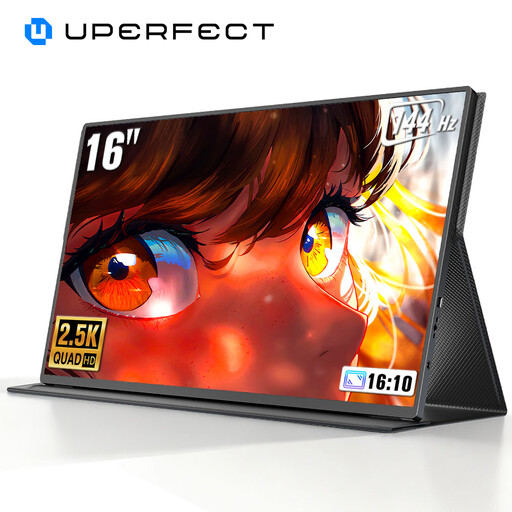
Why This Fits Their Persona: Designed for gamers who refuse to compromise on refresh rates, even on the go or with their console (PS5, Xbox). The high frequency ensures an extremely smooth and responsive gaming experience.
This model avoids the trap of misleading claims by offering a clear, measurable performance metric: a refresh rate of up to 144Hz, which makes all the difference in fast-paced games.
High 2K resolution (2560 x 1600) for sharp details and a refresh rate of up to 144Hz. HDR support enhances contrast in games and movies.
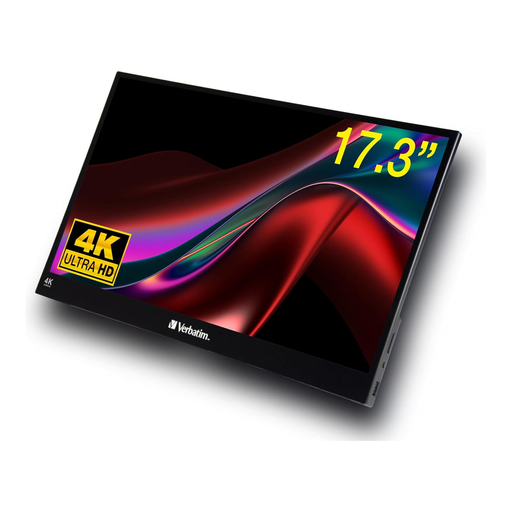
Why This Fits Their Persona: Perfect for designers, photographers, and video producers who need precise colour accuracy and maximum detail on the go. The touch functionality simplifies the use of creative software and navigation.
With a true 4K UHD resolution (3840 x 2160) and an IPS panel with 16.7 million colours, this monitor delivers objectively high image quality, avoiding the trap of vague marketing promises.
Razor-sharp 4K resolution on a large 17.3-inch display. The responsive touchscreen functionality offers a genuine productivity boost.
We've compiled a complete, up-to-date list of products that fully meet these strict selection criteria and all relevant safety regulations.
Do I always need an external power source for a portable monitor? Not always. Many modern portable monitors can be powered and receive a video signal via a single USB-C cable, provided your laptop or tablet's USB-C port supports DP Alt Mode and delivers enough power (typically 10-15 watts). If you use the HDMI port or your device doesn't supply enough power, the included power adapter or a connection to a second USB port is usually required.
Can I use any portable monitor with a PS5 or Nintendo Switch? Most portable monitors with an HDMI port are compatible with the PS5 and the Nintendo Switch dock. However, you will need an external power supply for the monitor, as the consoles do not provide it via HDMI. For a direct connection to the Nintendo Switch (without the dock), you need a monitor that can receive the video signal via USB-C while also powering itself, which is not a feature on all models.
How important is the response time for a travel monitor? For general office work, web browsing, or watching videos, a response time of under 10ms (milliseconds) is perfectly adequate. Most IPS panels in portable monitors fall within this range. Only for highly competitive gaming, where every millisecond counts, would an extremely low response time of 1-3ms be relevant, which is rare to find in portable monitors.