Laptop users organising an event
If you want to read your schedule and bullet points alongside your laptop, check the video connection and power supply first. ASUS and Philips list specific connection requirements for their respective models.


Choose your monitor based first on your source device’s video output. For USB-C, it must support video output via DisplayPort Alt Mode; otherwise, look for a suitable HDMI input. Next, consider whether everyone at the table can see the screen, how it can be positioned and whether you have an appropriate power supply. A manufacturer’s brightness rating won’t tell you how easy it will be to read your notes at a particular café table.
If you want to read your schedule and bullet points alongside your laptop, check the video connection and power supply first. ASUS and Philips list specific connection requirements for their respective models.
If several people need to read the screen, consider the stand angle, available space and how visible it is from each seat. Lenovo and ViewSonic list adjustable positioning options for some models.
If you use different source devices, an alternative video input can be useful. And if you want to interact with your notes directly on the screen, check touch compatibility too. ViewSonic lists Mini-HDMI for the VG1655, while Lenovo lists 10-point touch for the ThinkVision M14t Gen 2.
First, match your device’s video outputs to the monitor’s inputs. Then check readability, power and the space available at your intended table.
| Consideration | What to check before buying | Who is this important to? |
|---|---|---|
| Connecting to your device | Check your device’s video output, the inputs on the exact monitor model and which cables are compatible. | When I connect my laptop or another device, I want to be sure it can output a picture. Around 36% of consumers put connection reliability first. |
| Sharing the screen | Consider text size, viewing distance, viewing angle, potential reflections and the table space required. | If other people at the café table need to read the screen, the text must be clear from where they’re sitting. Around 29% of consumers prioritise readability for everyone. |
| Power supply | Check the exact model’s power requirements, whether a socket is available and how long you plan to use the source device. | If I want to display notes throughout the event, I’d rather sort out the power supply in advance. Around 21% of consumers prioritise a dependable power source for the display. |
| Space and portability | Check the monitor’s dimensions with the stand set up, its weight and tilt angle, and whether there’s room for a protective case. | If space on the table and in my bag is limited, I want a model that’s easy to carry without overlooking how it will fit on the table. Around 14% of consumers prioritise space and portability. |
For the 16B1P3302D/01, Philips specifically requires the source device to have USB-C with DisplayPort Alt Mode for video transmission.
Check your device’s video output and the inputs on the exact monitor model before relying on a USB-C cable.
Verbatim also requires a power adapter when using HDMI with its portable touch model #32238.
For the model you’re considering, check its power requirements, the included power adapter and what comes in the box. Make sure a suitable socket will be available at the venue.
ASUS and ViewSonic list a typical brightness of 250 cd/m² for their respective models. This manufacturer’s rating doesn’t show how easy the notes will be to read in a particular lighting setup or seating arrangement.
Consider the text size, screen position and possible reflections at your intended spot.
The ZenScreen MB16ACV is an anti-glare 15.6-inch option for use as a personal second screen.
The ThinkVision M14t Gen 2 is aimed at anyone considering a compact display with touch controls and an adjustable stand.
The portable Business Monitor 16B1P3302D/01 combines a 15.6-inch Full HD display with two USB-C ports and a tilting stand.
The VG1655 is a portable Full HD option with several connection choices.
The portable touch model #32238 combines touch controls with USB-C and HDMI.
The portable second screens below offer USB-C and/or HDMI connectivity; the selection also includes a touch model.
 No image available
An option for displaying event notes on a portable second screen with HDMI and USB-C ports.
15.6-inch IPS screen with 1080p FHD; the stand supports portrait and landscape orientations. The product name also specifies 60 Hz.
 No image available
A portable option if you want to display event notes on a 16-inch second screen.
2560 × 1600 pixels, 16:10, QLED, plus Mini-HDMI and Type-C; the product name specifies 144 Hz.
 No image available
A portable option for displaying notes on an 18.5-inch screen.
1920 × 1080 pixels, a matte IPS display, plus USB-C and Mini-HDMI; the product name specifies 120 Hz.
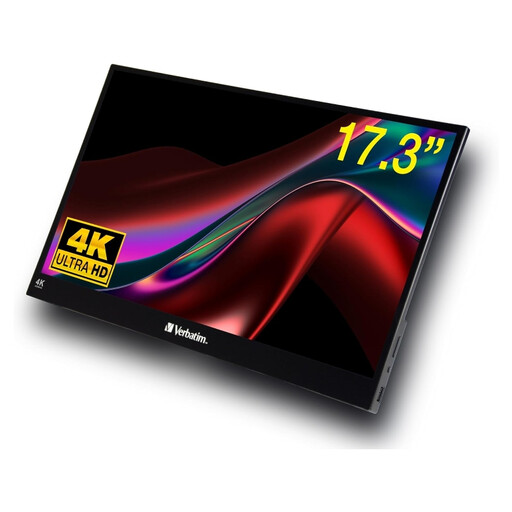 No image available
A portable touch option if you want to interact with your notes directly on the extra screen.
17.3-inch Full HD touchscreen with USB-A, USB-C and HDMI. The product description also lists an included power adapter and protective case.
 No image available
A portable second-screen option with USB-C and HDMI ports.
15.6-inch IPS screen with 1920 × 1080 pixels; the product description lists a weight of 780 g, two USB-C ports and an HDMI port.
Not necessarily. For the Philips 16B1P3302D/01, the manufacturer requires USB-C with DisplayPort Alt Mode for video transmission. Check that both your device and the monitor you choose support it.
Allow space for the stand and position the screen so it faces everyone’s seats. Adjustable positioning is documented for the Philips 16B1P3302D/01 and ViewSonic VG1655. Check that your notes are easy to read in the lighting at the venue.
It depends on the model. Verbatim also requires a power adapter when using HDMI with its portable touch model #32238. Check the specific monitor’s power requirements and what’s included.
Whether data protection obligations apply depends on the content and who is responsible for it. The European Union and the European Data Protection Board list principles such as data minimisation, integrity and confidentiality. So, if your notes are visible to guests, avoid including unnecessary personal information. This doesn’t mean that any particular content is automatically permitted.
When you buy from a business seller in the EU, consumers have at least two years of statutory legal guarantee rights from the date they receive the goods, according to Your Europe. An additional manufacturer’s guarantee cannot reduce these rights; these EU rules don’t apply in the same way to private sales.