Designers signing off colours
You want to discuss colour choices and distinguish a plausible on-screen view from an approved proof. EIZO Germany explains why colour-critical work calls for a suitable, calibrated monitor.


For a design review in the library, start by deciding what you need the monitor for. For sRGB designs, a documented sRGB mode tells you more than screen size alone; for reviewing a layout together, you’ll also need to consider connectivity, the stand and legibility. A factory-calibrated portable monitor is no substitute for a consistent, regularly checked colour workflow when preparing a print proof. EIZO Germany explains that a suitable, calibrated monitor is essential for colour-critical work.
You want to discuss colour choices and distinguish a plausible on-screen view from an approved proof. EIZO Germany explains why colour-critical work calls for a suitable, calibrated monitor.
You set up the screen for short meetings and need to make sure the video output, cable and power supply all work with the laptop you’re using. Information from ASUS, LG and AOC highlights different connection options and requirements.
You often carry your setup with you and want others at the library table to be able to see layout details. Lenovo, LG and AOC list different screen sizes and device weights; remember to factor in the cover and cables when travelling.
First, decide whether you’re preparing to sign off colour or review a layout together. Then weigh up connectivity and power, along with the space available on the table and the weight you’ll need to carry.
| What you need | What to check before buying | Who it matters to most |
|---|---|---|
| Assessing the design’s colours | Check that the target colour space matches the monitor mode. Don’t assume that the manufacturer’s factory-calibration claims mean you have a verified colour workflow. | When I’m discussing an sRGB design, I want to check whether the display matches my target colour space, rather than assume that a wide colour gamut is automatically suitable for proofing. Around 33% of consumers put colour assessment first. |
| Video signal and power | Check the video output and power delivery of the specific laptop against the monitor’s requirements. Allow for any cables you need and, if necessary, a power adapter. | When I connect a monitor for a short meeting, my laptop needs to provide both the video signal and enough power. Around 27% of consumers prioritise a reliable setup. |
| Easy viewing as a group | Check the design at the intended viewing size from the usual seating positions. Consider the stand angle and how much space it takes up. | When several people at the library table are looking at spacing and details, I need a view that’s easy to read from the seats around it. Around 20% of consumers put shared legibility first. |
| Regular travel | Distinguish the device’s weight from the total weight with the cover and cables. Consider protection and the space needed to set it up. | When I take the screen to the library regularly, I want to consider the weight and packed size of the whole setup. Around 20% of consumers prioritise portability above all. |
Colour-gamut coverage and factory calibration don’t account for every setting from design through to output. A display with unsuitable settings may mean you need to reassess or revise your colour choices.
Check that the target colour space matches the display mode. For colour sign-off, use a suitable, verified colour workflow.
A USB-C connector alone doesn’t guarantee video transmission or enough power. For the 16MR70, LG specifically requires DP Alt Mode and more than 7.5 W of output power from the connected device.
Before buying, check your laptop’s port against the monitor’s requirements, then test the complete setup before your meeting.
Depending on the connection, you may also need a suitable cable or a separate power adapter.
The listed weights for the Lenovo ThinkVision M14d and AOC 16T20E2 don’t include the packaging or cover.
If you visit the library regularly, remember to include the case, stand and cables when comparing the weight you’ll need to carry.
A larger display can make layout details easier to see, but it doesn’t replace suitable colour settings or a verified proofing workflow.
Decide separately whether your meeting is for reviewing a layout together or signing off colours.
The ProArt PA148CTV is a compact option for sRGB or Rec. 709 designs.
The ThinkVision M14d combines a compact design with higher resolution for viewing layout details.
The ColorPro VP16-OLED is designed for a suitable workflow, with a stated wide DCI-P3 colour gamut.
The gram +view 16MR70 offers a larger screen for reviewing layout details together.
The 16T20E2 offers USB-C with DP Alt Mode and a Mini-HDMI video connection for group reviews.
These portable extra screens are designed for viewing a laptop design together. Before your meeting, check the video connection actually supported and whether the devices are compatible.
 No image available
Designed as an extra laptop display for design reviews.
Product details list FHD at 1080p, built-in speakers and USB-C; an HDMI input isn’t listed. Compatibility is stated for 14–16-inch laptops, as well as Mac, Windows and Chrome.
 No image available
Described as an extra laptop display for reviewing a design together.
Specifications list FHD at 1080p, IPS, 60 Hz, HDMI, USB-A and USB-C. Compatibility is stated for 14–16.5-inch laptops, as well as Windows, Mac and Android.
 No image available
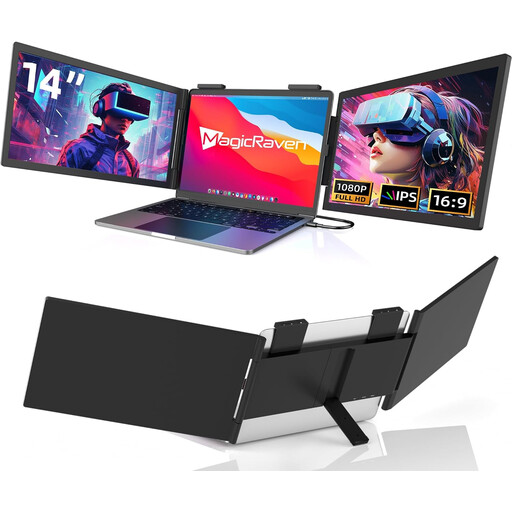
Described as a portable extra laptop display for reviewing a design together.
Specifications list a 14-inch Full HD screen and compatibility with laptops from 13 to 17.3 inches.
 No image available
Described as a portable extra display for a laptop or mobile device.
Specifications list a 14-inch 16:9 IPS LCD display and compatibility with 13–17-inch laptops. Compatible devices include Windows PCs, MacBooks and mobile devices.
 No image available
The larger display is designed for reviewing layout details together.
Product details list a 16-inch screen, 2560 × 1600 pixels, a 16:10 aspect ratio, QLED, 144 Hz, a 1200:1 contrast ratio and 450 Nits. Connections listed are Mini-HDMI and Type-C.
No, not on its own. EIZO Germany explains that colour-critical work calls for a suitable, calibrated monitor and a consistent colour workflow. Also check the settings and profiles required for the print: a manufacturer’s Delta-E figure doesn’t automatically describe the entire workflow.
No. Check that the specific port and cable support video over DisplayPort Alternate Mode and provide enough power. For the LG 16MR70, the manufacturer specifically requires more than 7.5 W of output power; a compatible connector alone doesn’t guarantee these features.
Allow space for the monitor and stand, and protect the screen while travelling. Lenovo lists the ThinkVision M14d’s weight without packaging; AOC gives the 16T20E2’s weight without its magnetic cover. Include the case and cables in the total weight.
No. The European Union explains that consumer goods sold in the EU come with a minimum two-year legal guarantee; this is separate from any voluntary manufacturer’s warranty. Check the specific listing to see who the seller is and what additional warranty terms apply.
For products covered by the relevant EU product rules, the manufacturer uses the CE marking to declare compliance; it isn’t a general, independent quality mark. In Germany, old electrical appliances must be taken to an authorised collection point, not put in general waste. Whether you can use a monitor in a particular library depends on its house rules.