What matters when buying for a design review
First decide whether you’re discussing the design or need to assess colour formally. Then check the video output and power supply against the specific source device.
| Priority |
What to check before buying |
Who is it important to? |
| Assessing colour |
Compare the file’s target colour space with the model’s documented colour space, profile and calibration, as well as the lighting at the presentation venue. |
When I discuss colour with clients, I want to know whether the display matches the target colour space and what lighting conditions it will be viewed under. Around 26% of consumers put colour assessment first. |
| Ensuring video and power |
Check the source device’s video output and power delivery, the monitor input, cable and power source together. |
Before the meeting, I want to know that my device can output a picture through the connection I plan to use and that the monitor will receive enough power. Around 26% of consumers prioritise reliable connectivity and power. |
| Reading together |
View a typical design page from the actual seated or standing positions; consider the screen surface, viewing angle and reflections at the venue. |
When several people are looking at the layout and details, everyone should be able to see them from their intended position. Around 21% of consumers put shared readability first. |
| Transport and setup |
Check the dimensions, including the case, weight and footprint against your luggage and setup location. |
For meetings in different locations, I want to carry the screen safely and set it up securely without a complicated installation. Around 16% of consumers prioritise easy transport and setup. |
| Making direct annotations |
Check touch and stylus support for the model, operating system, connection type and software you use. |
If I want to mark changes directly on the design being shown, the input method needs to work with my workflow. Around 11% of consumers prioritise direct annotation. |
Joybuy picks for mobile design reviews
This selection includes portable monitors for on-site design reviews, with Full HD and higher-resolution models, as well as options with touch or an adjustable stand. Colour gamut figures alone are no substitute for a consistent profile, calibration and suitable soft-proofing conditions.
 No image available
UPERFECT 16″ 2K 144Hz QLED Portable Monitor
For design reviews on the go when you need a 16-inch display and a Mini-HDMI connection as a backup.
Specifications include 2560 × 1600 pixels, 1200:1, 450 Nits, Mini-HDMI and Type-C. Check whether your source device’s Type-C port outputs video.
View at Joybuy
 No image available
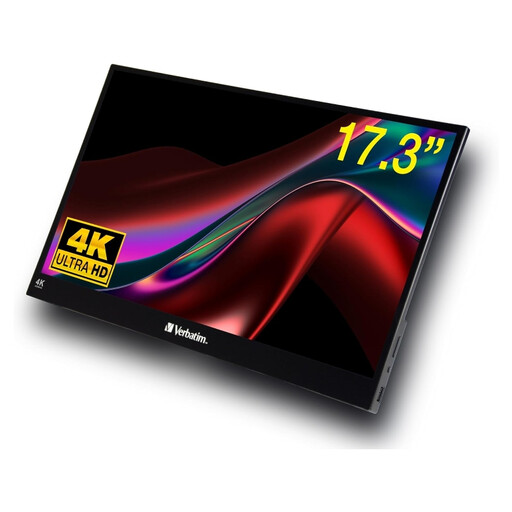
Verbatim PMT-17 17.3″ Full HD touchscreen monitor
An option if you want to present a design on a portable touchscreen and interact with it directly.
The product specifications list Full HD, IPS, a touchscreen, USB-A, USB-C and HDMI. A neoprene case and power adapter are listed as included. Test touch with your specific device and software before the meeting.
View at Joybuy
 No image available
UPERFECT 15.6″ Full HD IPS portable monitor
For a collaborative review if you’re looking for a portable 15.6-inch screen with Full HD resolution.
Specifications include 1920 × 1080 pixels, IPS, HDR, USB-C and Mini-HDMI. An external 5-V power supply is listed for the setup described; check the connection and power requirements for your device.
View at Joybuy
 No image available
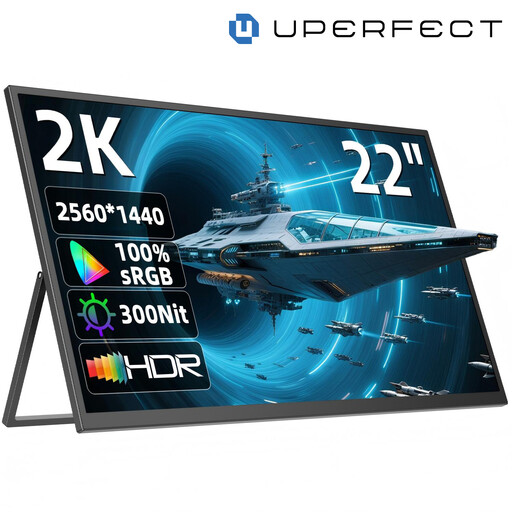
UPERFECT 22″ QHD IPS portable monitor with adjustable stand
For a group viewing session if there’s room for a 22-inch display at the venue.
The specifications list 2560 × 1440 pixels, IPS, USB-C, Mini-HDMI and a stand adjustable up to 180°. Check the footprint and power requirements against your setup.
View at Joybuy
 No image available
UPERFECT 15.6″ Full HD portable monitor, 100% sRGB
An option if you want to refer to a documented sRGB specification for comparison during a design review.
Specifications include 100% sRGB, 1920 × 1080 pixels, IPS, 300 Nits, USB-C, Mini-HDMI and an adjustable stand. The colour gamut figure alone doesn’t confirm the profile or calibration, or that the monitor is suitable for formal soft proofing.
View at Joybuy
Frequently asked questions about portable monitors for design reviews
Is a portable monitor with vivid colours enough for formal print approval?
No. A colour gamut or resolution specification alone isn’t enough. Fogra describes soft proofing as a simulation of a print condition under specific lighting and environmental conditions; profiles, calibration status and ambient light also affect what you see on screen. If the conditions at an off-site meeting aren’t suitable, discuss the design without presenting the on-screen view as formal proof for print.
Why is there no picture over USB-C?
The USB-C port on your specific source device must support video output, and the connection and cable must be compatible with the monitor. ASUS explicitly advises checking this for the ZenScreen MB16AHV. Check your planned device setup and power supply before the meeting.
Do I need a power adapter or a second cable for HDMI?
It depends on the model and the function you want to use. The quick-start guide for the Verbatim PMT-14 specifies a separate power supply for HDMI. Touch over HDMI also requires a USB-A-to-USB-C data cable, which the guide says is not included.
What applies in Germany if there’s a fault or a warranty?
Your statutory rights relating to faulty goods are against the seller; a warranty is separate and voluntary. The Verbraucherzentrale explains that, when a seller fulfils their obligations by repairing or replacing an item, they cover the specified transport, labour and material costs. For a business purchase, check the specific contract terms separately.
Which markings matter when buying and disposing of a monitor?
For electrical and electronic equipment subject to harmonised EU rules requiring CE marking, the manufacturer must assess compliance with the relevant requirements and affix the CE mark; it is not certification by an independent testing body. Monitors on the EU market must also carry the WEEE mark showing a crossed-out wheeled bin. Old equipment must be collected separately, not put in mixed waste.


