Floor plan readers
If you check lines, room labels and legends, a clear additional display is what matters most; touch is not essential.


For reading lines and labels, choose an anti-glare monitor in a size that suits your table space and how you plan to carry it. Touch is most useful if you want to annotate the plan directly, and your source device and software support input. Before buying, check video output and power requirements too: ViewSonic says the TD1655 needs a USB-C port with DisplayPort Alt Mode and power delivery for one-cable use.
If you check lines, room labels and legends, a clear additional display is what matters most; touch is not essential.
If you work at different library tables, consider the connection, power supply, stand and available space together.
If you want to mark changes directly on the digital plan, consider touch or pen input only if it is compatible with your source device and software.
First decide whether you simply want to read the floor plan or mark it up directly. Then check that your source device’s video output and power supply meet the monitor’s requirements.
| Buying priority | What to look for | Who is it important to? |
|---|---|---|
| Readability | Check the screen size, resolution, aspect ratio and surface; test the plan view in the software you intend to use. | If I want to check fine lines and labels in the same section of a plan, the display and scaling need to suit the file. Around 36% of consumers prioritise readability. |
| Connection and power | Check that your source device’s video output, the monitor input, the cable and the power supply you need are compatible. | If I work at different tables, I want to know in advance whether my device can output a video signal and power the monitor. Around 29% of consumers prioritise connection and power. |
| Portability and set-up | Compare the dimensions, stand and viewing angle with your bag and the table space available. | If I set up a monitor, source device and paperwork on a small table, then pack everything away again, the footprint and ease of set-up matter. Around 21% of consumers prioritise portability and set-up. |
| Direct annotation | Check touch input, the pen standard, operating system and software you use. | If I want to mark changes directly on the digital plan, the input needs to work with my device and software. For around 14% of consumers, direct annotation is their main priority. |
Having the right connector does not necessarily mean the source port can output video or provide enough power for the monitor.
Check the specifications for both devices and the cable to confirm video output and power requirements. Depending on the connection, you may need a different signal path, a suitable cable or a separate power supply.
Direct annotation requires the input method, source device and software to work together. CHIP found that the ASUS ZenScreen Ink MB14AHD’s touch controls worked only with Windows during its test.
First consider whether you really want to mark up the monitor, then check that input works with the software you use.
If you only need to read the plan, you may not use the touch feature.
The screen surface, viewing angle and table space also affect how practical the monitor is at your library table. ASUS describes the MB16AHV’s surface as anti-glare and the MB14AHD’s as glossy.
Consider the screen surface, set-up options and space requirements alongside how you want the plan to look.
ASUS describes the ZenScreen MB16AHV as a 15.6-inch Full HD model with an anti-glare surface, USB-C and Mini-HDMI. The MB14AHD offers touch and pen input.
Lenovo’s ThinkVision M14t Gen 2 is a 14-inch touch model with pen support; the L15 is a separate 15.6-inch Full HD model.
The Dell Pro 14 Plus P1425 is a 14-inch monitor for a compact view of your plan.
The HP E14 G4 is a portable 14-inch Full HD monitor for source devices with USB-C video output.
The ViewSonic TD1655 is a 15.6-inch touch monitor with a fold-out stand.
These portable monitors could work as an additional display for digital floor plans. Choose between compact and larger screens based on your table space, preferred display and source device connection.
 No image available
The compact 14-inch screen could be a good fit if there is little room for an additional plan view at your library table.
IPS display with 1920 × 1200 pixels and a 16:10 aspect ratio.
Connections: Type-C and Mini-HDMI.
 No image available
The built-in stand and the 600 g weight stated in the product name are useful features for a portable set-up.
14 inches, FHD and IPS; the product name also specifies a thickness of 4.5 mm.
According to the product description, the source device needs to support video output via USB-C to transmit an image over USB-C.
 No image available
The larger screen could be a good fit if you want more physical space for the visible section of your plan.
IPS display with a 16:10 aspect ratio and 1920 × 1200 pixels.
The product name lists a 60 Hz refresh rate.
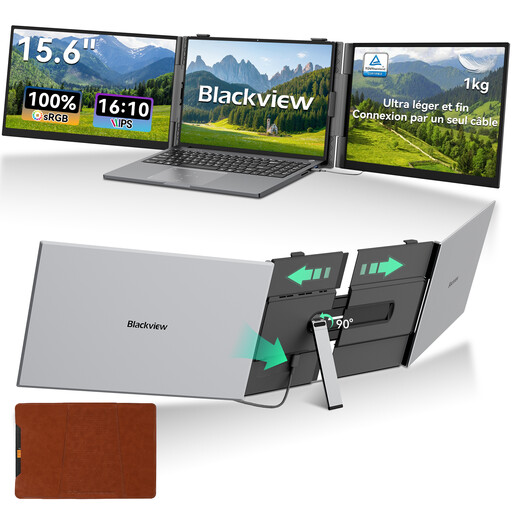 No image available
The 15.6-inch screen could be a good fit if your workspace has enough room for a larger additional display.
The product name specifies an IPS display and a 16:10 aspect ratio.
The product name gives inconsistent resolution information, so check the specific variant before choosing.
 No image available
The 16-inch display could be a good fit for a larger plan view, as long as the table space and carrying size work for you.
QLED display with 2560 × 1600 pixels and a 16:10 aspect ratio.
Connections listed in the product name: Mini-HDMI and Type-C.
The connector shape alone does not guarantee it. Check your device specifications to see whether the port outputs video, for example via DisplayPort Alt Mode, and provides enough power for the monitor. ViewSonic lists both functions as requirements for the TD1655’s one-cable set-up.
You cannot tell from the HDMI input alone. Check how the specific monitor is powered when receiving video over HDMI. The ASUS MB16AHV has Mini-HDMI and USB-C; ASUS describes one-cable power for USB-C.
Only if you want to mark up the screen directly and your source device, software and input connection support it. Touch is not an essential monitor feature for reading and zooming using your source device’s controls.
Compare the viewing angle and set-up dimensions with your workspace, and check whether a suitable carrying case is included. According to the manufacturer, the ASUS MB16AHV has a fold-out stand; features may vary on other models.