Portable monitors on Joybuy
This selection covers portable second screens for reviewing floor plans: compact 14-inch models, as well as larger screens for seeing more of the plan at once.
 No image available
PM14R, 14 inches
The 14-inch format can be a compact option for a small table. Check how legible your plan file is at your usual zoom level.
16:10, 1920 × 1200 pixels, IPS, USB-C and Mini-HDMI.
View on Joybuy
 No image available
Blackview DCM6 PRO, 14 inches
The 14-inch format is a compact option for an extra screen. Check that the monitor fits on your table when set up.
IPS, 1920 × 1080 pixels, USB-C and built-in stand.
View on Joybuy
 No image available
Portable monitor, 15.6 inches
At 15.6 inches, this model is larger than the 14-inch options. Check that the screen and stand will fit on your table.
IPS, 1080p, 60 Hz, HDR, built-in speakers, HDMI and USB-C. The protective case can be used as a stand.
View on Joybuy
 No image available
UPERFECT, 15.6 inches
The larger 15.6-inch design may be a good choice for seeing more of the plan, provided you have enough desk space.
IPS, 1920 × 1080 pixels, 100% sRGB, 300 Nits, USB-C and Mini-HDMI; built-in adjustable stand.
View on Joybuy
 No image available
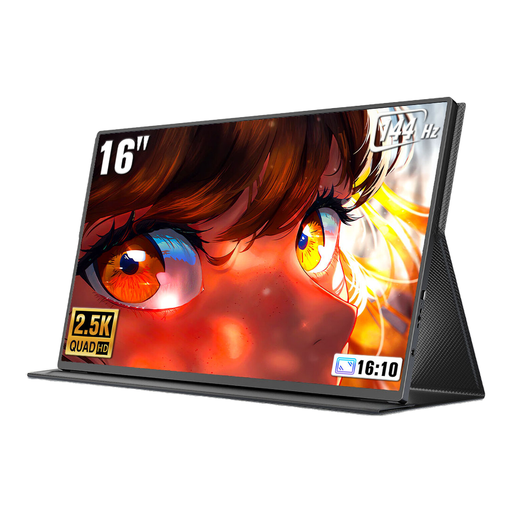
UPERFECT, 16 inches, 16:10
The 16-inch design can show more of the plan at once, provided you have enough desk space and power for the setup.
2560 × 1600 pixels, QLED, 450 Nits, 144 Hz, USB-C and Mini-HDMI.
View on Joybuy
Frequently asked questions
Is a USB-C port on my laptop enough for video and power?
The connector shape alone doesn’t tell you. Check whether your specific laptop outputs a video signal over USB-C, for example via DisplayPort Alt Mode, and whether the planned power setup can power both the monitor and laptop. Lenovo lists DP Alt Mode inputs for the ThinkVision M14d, but that doesn’t confirm compatibility with your laptop.
Is a 14-inch or 16-inch monitor better for a floor plan?
A 14-inch model takes up less screen space, while a 16-inch model can show a larger area of the plan if your table has room for it. Check how legible your own file is at your usual zoom level and scaling; resolution alone won’t answer this question.
What should I check when choosing a touchscreen for reviewing plans?
Your source device, floor plan software and connection all need to support touch input. For the Verbatim LIGHT series #32402, the manufacturer says USB-C1 supports full functionality, while USB-C2 is for power supply only. So check the signal and touch setup you plan to use.
Can I rely on the stated brightness when choosing a monitor?
Brightness is a useful technical comparison, but it doesn’t guarantee readability at your particular location. For the ARZOPA Z1RC, the manufacturer’s website lists 350 nits, while a Joybuy product description gives 500 Nits; the measurement basis and whether the versions are identical have not been confirmed. So don’t treat the higher rating as a confirmed advantage when making your decision.


