People checking details on site
If you want to look at measurements, room names and small details on the plan together, you’ll need to balance an overview of the whole plan with the ability to zoom in on individual areas.


When discussing a floor plan around the kitchen table, consider both the resolution and the size at which it can actually be read: more pixels don’t necessarily mean small labels will be easier to read without zooming in. If several people will be looking at the plan, viewing angles and a stable stand matter too. Touch is only useful if your device and software support the input you need. Also check whether USB-C can carry both the picture signal and enough power from your device, or whether you’ll need HDMI and a separate power supply.
If you want to look at measurements, room names and small details on the plan together, you’ll need to balance an overview of the whole plan with the ability to zoom in on individual areas.
If you’re showing a floor plan or navigating it during a discussion, the position of the display and the viewing angle matter to everyone else at the table. Touch can help when you’re pointing things out, provided your devices and apps support it.
If you’re bringing a laptop and monitor to a meeting, check that your specific device can output the required picture signal and find out how the monitor is powered.
First, check whether the labels on your plan are shown at a size you can read. Then check that the picture signal and power supply are compatible with your source device, and consider how the monitor will sit on the table.
| What to look for | What to check before buying | Who should pay particular attention |
|---|---|---|
| Reading labels on the plan | Check the display size and native resolution with your own plan file and usual viewing distance. | If I want to pick out small room names and details at a glance, how readable my plan file is matters most; around 25% of consumers put this first. |
| Picture signal and power | Check the video output on your specific laptop or tablet port, as well as the cable and power supply required. | If I need my laptop to reliably display an image at a meeting, its port must actually support video output; around 25% of consumers prioritise picture signal and power supply. |
| Viewing the plan together | Set up the monitor and laptop on the available table space, then check the stand position and viewing angle from the seats. | If several people are looking at the same floor plan, I need a well-positioned display on a stable stand; around 20% of consumers focus on making sure everyone can see it. |
| Direct input | Check the operating system, touch signal, required drivers and plan app for the exact model. | If I want to navigate the plan directly during a discussion, device and software support are essential; around 15% of consumers prioritise this input option. |
| Portable setup | Consider the weight, cables required, space for the stand and power supply at different locations. | If I take the monitor to different meetings and space is limited, it needs to be practical to set up; around 15% of consumers put portability and setup first. |
If your laptop’s port doesn’t support video output, the monitor will remain blank even if the plug fits.
Check the video capabilities of your specific source device against the monitor’s inputs.
Depending on the connection, you may also need an adapter or a different connection method. If you’re using HDMI, remember to allow for a power supply too.
For the ViewSonic TD1656-2K, the manufacturer lists operating system requirements: vTouch is specified for macOS, while touch feedback isn’t supported on iOS and iPadOS.
If you want to interact directly with the floor plan, check touch signal, operating system, required drivers and the plan app you use together.
A high resolution doesn’t guarantee that small labels will be readable on the display without zooming in. On the Joybuy product page for the Arzopa Z1RC, the title lists 500 Nits, while the specifications give 350 cd/m².
Try your own plan file at a practical display size. If brightness is important for how you’ll use the monitor, check the figure for the exact variant against the manufacturer’s data sheet.
The ThinkVision M14t Gen 2 combines a compact display with touch for working with plans on the go.
The ZenScreen MB16QHG and MB16AHG differ in areas including resolution and video connections.
The TD1656-2K combines a 16-inch view of your plan with touch.
The 16T20E2 is a Full HD option with USB-C and Mini-HDMI.
The N1651 is a 15.6-inch model for buyers who want to display high-resolution visual content as well as floor plans.
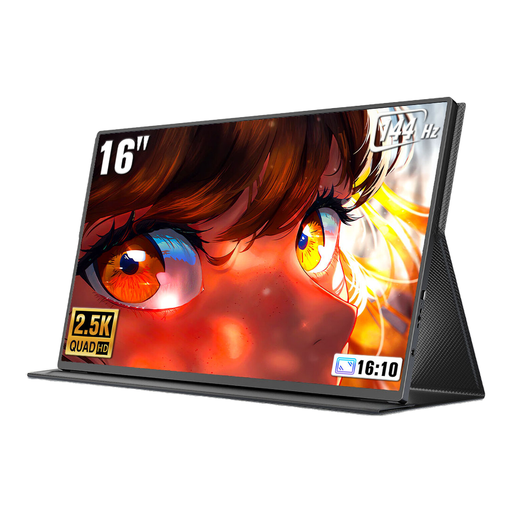
The Z1RC is a 16-inch, 16:10 model for detailed views of plans.
The portable monitors below offer a range of display sizes, resolutions and setup options for discussing plans on the go.
 No image available
For discussing plans on the go when you need a detailed view on a 16-inch display; check the actual battery life to make sure it suits your needs.
1600p resolution; IPS panel; built-in 8000-mAh battery; AirPlay and Miracast support.
 No image available
An option if you want to show both the overall plan and its details on a portable 16-inch display.
2560 × 1600 pixels; 16:10 aspect ratio; Mini-HDMI and Type-C connections.
 No image available
For viewing a floor plan on the go, with a larger, high-resolution display.
16 inches; 2560 × 1600 pixels; 16:10 aspect ratio; IPS panel; USB-C and HDMI.
 No image available
A portable view of your plan in 16:10 if you’re considering a 15.3-inch display.
IPS panel; 16:10 aspect ratio; 1920 × 1200 pixels; 60 Hz.
 No image available
The rotating stand is worth considering if you want to angle the display towards different seats around the kitchen table.
16 inches; 16:10 aspect ratio; extendable, rotating magnetic stand; supports 100 W reverse charging.
Only if your specific laptop’s USB-C port can output a picture signal and its power supply is sufficient for the monitor you’ve chosen. ASUS advises checking the picture output of the laptop port when using the ZenScreen MB16AHV; Mini-HDMI can be an alternative for video.
No. Touch isn’t automatically supported by every operating system and app. For the TD1656-2K, ViewSonic specifies vTouch for touch feedback on macOS and says touch feedback isn’t supported on iOS and iPadOS. Whether you can edit your plan file also depends on the software you’re using.
Place it on a flat surface and angle the stand towards the seats. ASUS describes the MB16AHG as having a fold-out stand, while AOC says the cover for the 16T20E2 can be used as a stand.
No. The German Environment Agency explains that waste electrical and electronic equipment must be collected separately from mixed household waste. It lists recycling centres and retailer take-back schemes among the options.