What should you look for when buying?
First, check whether your source device can provide the video signal and power required by the monitor. Then make sure the plan view, table space and controls suit the way you intend to use it.
| What matters |
What to look for when buying |
Who is this particularly important for? |
| Detail legibility |
Check the resolution, screen size and aspect ratio using a typical section of a plan. |
If I need to review fine labels, I test the view in my floor-planning software. Around 29% of interested shoppers are likely to consider legibility their top priority. |
| Video connection and power |
Check video output through the specific port, the cable and, where necessary, a separate power source. |
If I work at a café table without a power socket, I want to check the video signal and power supply in advance. Around 29% of interested shoppers are likely to prioritise connections and power. |
| Portability and space |
Allow space for the monitor, stand and source device; don’t compare screen sizes alone. |
If I want to take the monitor with me and set it up on a small table, portability and the space it takes up both matter. Around 24% of interested shoppers are likely to prioritise mobility and space. |
| Direct interaction |
Check touch functionality on the exact model, as well as input support from the software, operating system and connection. |
If I want to interact with the plan directly on the external display during a discussion, I check the touch functionality with my intended setup. Around 18% of interested shoppers are likely to consider this their top priority. |
Joybuy products for checking plans on the go
This selection includes portable monitors for detailed plan views, flexible connection options, more compact setups and direct touch control.
 No image available
UPERFECT 16" 2K 144Hz Portable Monitor, 16:10
This model is worth considering if you want detailed plan views on a 16-inch display.
Specifications stated in the product name: 2,560 × 1,600 pixels, 16:10, Mini HDMI and Type-C. Check that your source device supports video output and power through the connection you choose.
View at Joybuy
 No image available
Arzopa Z1RC 2.5K, 16-Zoll-Monitor
The stated resolution and 16:10 aspect ratio make this model an option for detailed plan views.
Specifications stated in the product name: 2,560 × 1,600 pixels, 16:10, USB-C and HDMI. Check in advance which connection on your device supports video and power.
View at Joybuy
 No image available
Blackview TABLE 9, 16-Zoll-Monitor
The 16:10 aspect ratio and the extendable, rotating stand mentioned in the product name may be useful if you want a flexible setup at a café table.
Specifications stated in the product name: 16 inches, 16:10 and a magnetic stand. Allow space for both the monitor and its stand.
View at Joybuy
 No image available
Blackview SCM6, 14-Zoll-FHD-Monitor
The more compact screen size and integrated stand could be a good fit if space is limited at your café table.
Specifications stated in the product name: 14 inches, Full HD, IPS, 600 g and compatibility with 13–17-inch laptops. Check compatibility with your specific device.
View at Joybuy
 No image available
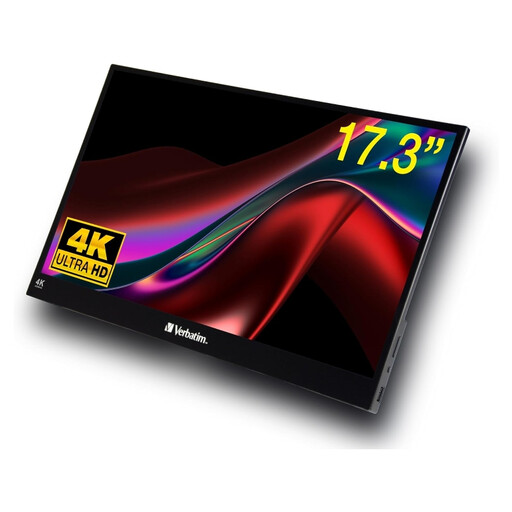
Verbatim PMT-17, 17,3-Zoll-Touchscreen-Monitor
If you want to interact with a plan directly on the external display, this model is described as a touchscreen.
Specifications stated in the product name: 17.3 inches, Full HD, USB-A, USB-C and HDMI. The description lists Windows as a supported operating system; functionality with other operating systems may vary.
View at Joybuy
Frequently asked questions
Is a USB-C port on my laptop enough for both video and power?
No, the connector shape alone isn’t enough to tell you. Check video output and power delivery on the specific port: LG specifies DP Alt Mode and USB output power of more than 7.5 W for the 16MR70; ASUS describes the MB16AHG’s USB-C video ports as supporting DP Alt Mode.
How can I prepare to review a plan at a café table?
Beforehand, test a typical section of a plan on the source device you intend to use, and check the zoom level, video connection, power supply and available space. The LG 16MR70 can draw power from a laptop; whether you need an additional power source depends on your setup.
When is a touchscreen useful for reviewing floor plans?
Touch is useful if you want to interact with the plan directly on the external display and the connection transmits input. Check the exact model and whether your operating system and floor-planning software support it; touch functionality alone doesn’t guarantee it will work with every setup.
What rights do I have if a product is faulty or I bought it online?
If a product is faulty, your statutory rights are against the seller and are separate from any voluntary guarantee. The Verbraucherzentrale explains that, under the legal conditions, consumers generally have a 14-day right to cancel an online purchase; this consumer right can’t be assumed to apply to a business purchase.


