If you regularly read digitised records and notes side by side, choose a portable monitor size that suits your documents and the space available on your table. On a small café table, a 14-inch model may be more practical than a larger display. Before you buy, check the video output on your specific laptop, the monitor’s power requirements for the length of your session, and how much room it needs, including its stand. Touch is most relevant if you want to work directly on the second screen and your laptop and software support touch input.
Who is a portable monitor for?
Researchers comparing sources
If you want to read digitised records, transcriptions and family tree notes side by side, the right size, clear text and a practical setup all matter. ASUS Germany describes the ZenScreen MB166C as having an anti-glare IPS panel; Dell lists a tilt stand for the P1425.
Researchers with a small café table
If you often set up your laptop and second display in different places, both the screen and its stand need to fit alongside your documents on the available surface. Dell lists the P1425 as having a 14-inch screen and an included stand; Lenovo also lists the ThinkVision M14t Gen 2 as 14 inches.
Researchers without a reliable power socket
If your research sessions run long, consider the monitor’s power requirements alongside the power output from your laptop or an external power source. ASUS lists the MB166C’s power consumption as 5.24 W; for extended use of the TD1655, ViewSonic recommends a power bank or mains socket.
What should you look for?
First, check that your laptop can output a compatible video signal. Then compare readability and space requirements with your workflow, and plan for power over the length of your session.
| Consideration |
What to check before buying |
Who should pay particular attention? |
| Readability of sources |
View your own digitised records at the intended scaling setting; compare the model’s size and resolution. |
If I want to read digitised records and longer transcriptions alongside my notes, the text needs to remain clear on the available screen space. Around 31% of consumers put readability first. |
| Laptop connection |
Check the video output supported by the specific laptop port; for touch, also check data transfer and software compatibility. |
If it matters to me that the screen actually displays an image from my existing laptop, I check the specific port rather than relying on the connector shape alone. Around 25% of consumers prioritise connection compatibility. |
| Space and portability |
Measure the setup, including the stand; take the model’s dimensions and viewing angle into account. |
If I want to set up and pack away my laptop and second screen regularly on small tables, the space needed for the whole setup matters more than screen size alone. Around 25% of consumers put a compact café setup first. |
| Power supply |
Compare the monitor’s power consumption with the power output of the laptop port, and factor in the planned session length. |
Without a reliable power socket, I want to know in advance how my laptop, monitor and any external power source will work together during my session. Around 19% of consumers prioritise power supply. |
Avoid common buying mistakes
-
Assuming USB-C guarantees video output
A USB-C port on a laptop does not automatically output a video signal. Touch input may also require a data connection.
Check the documented features of your specific laptop and monitor models, as well as the cable you plan to use.
-
Choosing based on screen size alone
The monitor, stand and laptop all take up space. A larger screen is not automatically the most practical choice for a café table.
Measure your planned setup, then check whether your sources will still be easy to read in the space left over.
-
Confusing power pass-through with a built-in battery
A power pass-through feature does not mean the monitor has its own battery. ViewSonic recommends a power bank or mains socket for extended use of the TD1655.
Check the complete power setup for the length of your planned session rather than assuming pass-through means you can use the monitor without mains power.
Key brands at a glance
ASUS
The ZenScreen MB166C is a 15.6-inch option for working with documents, without touch functionality.
- ASUS Germany lists an anti-glare IPS panel and USB-C with DisplayPort Alt Mode.
- Single-cable use depends on compatible video output from your laptop; the model is specified with a USB-C port.
Dell
The Pro P1425 is a compact 14-inch option for documents and limited desk space.
- Dell lists a resolution of 1920 × 1200 pixels, an IPS panel and a stand for the P1425.
- Consider whether the smaller physical screen size will be large enough for your sources to remain easy to read.
Lenovo
The ThinkVision M14t Gen 2 is designed for users who want to interact directly with a 14-inch display.
- Lenovo lists a resolution of 2240 × 1400 pixels, 10-point touch and two USB-C ports.
- Check that your laptop and the software you use support touch and pen input.
ViewSonic
The TD1655 is a larger touch option with a foldable stand.
- ViewSonic lists 10-point touch and two USB-C ports.
- For the single-cable setup described, the source device must support video, data and power.
HP
HP lists the Series 5 Pro 514pn as a portable monitor for a mobile second-screen setup.
- Its portable design may be worth considering if you want an additional view of your documents.
- Check the format and readability of your sources using the specific screen and scaling settings.
Joybuy products for sources and notes
These portable second screens have been selected for viewing sources and notes side by side at different workspaces.
 No image available
Blackview SCM5, 14-inch FHD IPS
For a compact document view at different tables; the product title lists an adjustable stand.
14 inches, FHD, IPS; adjustable stand.
Joybuy
 No image available
UFYQL M156F04, 15.6-inch FHD IPS
For a larger side-by-side view of sources and notes; the product title lists a Smart Cover stand.
15.6 inches, FHD 1080P, IPS; USB-C and HDMI; Smart Cover stand.
Check that the connection you choose is compatible with your laptop’s video output.
Joybuy
 No image available
Blackview SCM6, 14-inch FHD IPS
For a compact additional view of your documents; the product title lists an integrated stand.
14 inches, FHD, IPS; 600 g and 4.5 mm according to the product title; integrated stand.
Listed as a laptop extension for 13- to 17-inch laptops.
Joybuy
 No image available
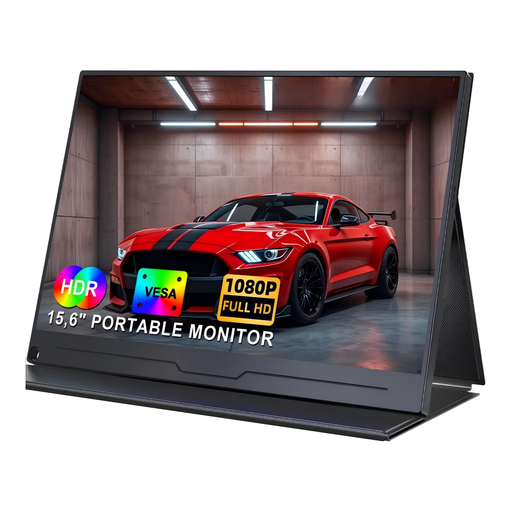
UPERFECT, 15.6-inch 1080P IPS
For an additional view of digitised records and notes; USB-C is listed in the product title.
15.6 inches, 1920 × 1080, FHD, IPS; HDR; USB-C; VESA-compatible.
Check that the connection matches the video output on your specific device.
Joybuy
 No image available
UPERFECT, 15.6-inch Full HD IPS
For a larger side-by-side view of documents; the product title lists a built-in adjustable stand.
15.6 inches, Full HD, IPS; adjustable stand; USB-C; VESA-compatible.
Check the connection to your laptop and your preferred viewing angle.
Joybuy
Frequently asked questions
Is a USB-C port on my laptop enough to connect a second screen?
No. The specific port must be able to output a video signal. For a monitor with DisplayPort Alt Mode, the power supply and cable must also be compatible with your device combination. ASUS distinguishes this connection method from USB DisplayLink devices, which may require a driver.
How can I plan a longer session without a reliable power socket?
Consider the monitor’s power consumption, your laptop’s power output and the planned session length together. ViewSonic recommends a power bank or mains socket for extended use of the TD1655; this does not tell you how long other device combinations will run for.
What should I bear in mind when viewing family records on public Wi-Fi?
The Baden-Württemberg Consumer Advice Centre notes that public Wi-Fi connections are often unencrypted. Check the connection security when using online archives. Other people may also be able to see your second screen, so position it to prevent personal documents from being viewed unnecessarily.
What are my rights if a monitor bought online is faulty?
Your statutory rights are separate from a voluntary manufacturer’s warranty. Most goods ordered online are generally covered by a 14-day right to cancel from the date you receive them, subject to the relevant legal requirements and exceptions. The Consumer Advice Centre explains the difference.
What applies to energy labelling and monitor disposal?
The European Commission includes electronic displays, such as computer monitors, in its energy-labelling framework. You can check the relevant model details for a specific device. The German Environment Agency notes that electrical and electronic waste must not go in household rubbish and should be collected separately.


