
Lieferung heute & morgen

Qualitätsgarantie

Willkommens-Angebote freischalten: KOSTENLOSE Lieferung | Bis zu 80 % RABATT | Kostenlose 30-Tage-JoyPlus-Testphase
App herunterladen
A portable monitor promises more productivity and flexibility, whether you're working from home, travelling, or gaming. But the market is flooded with options whose marketing promises often fall short in practice. Before you invest, it's crucial to understand the common pitfalls that can lead to buyer's remorse.
Many devices look good on paper but disappoint in daily use. Pay close attention to these three points to make an informed decision.
The Single-Cable Illusion: Many manufacturers advertise a hassle-free connection for power and video over a single USB-C cable. The reality is often more complicated. If your laptop's USB-C port doesn't supply enough power (keyword: Power Delivery), it can lead to a flickering screen, reduced brightness, or the monitor not working at all. The result: you end up needing a second cable and an external power adapter, which compromises its portability.
Insufficient Brightness for Mobile Use: A high resolution is only half the battle. Low screen brightness, often below 250 cd/m? (nits), makes a portable screen practically unusable in daylight or bright office environments. Color gamut specifications (e.g., sRGB) are misleading if the display lacks the luminosity to render those colors accurately.
Unstable Stands and Poor Ergonomics: A frequently overlooked aspect is the stand. Many integrated stands are wobbly, offer only a single tilt angle, or wear out quickly. A lightweight travel monitor can quickly become an ergonomic nightmare. The lack of VESA mounting capability also severely limits its use with a monitor arm at a fixed workstation.
To find the right second screen for your laptop, focus on these objective criteria.
Resolution determines the sharpness of the image.
The refresh rate (in Hertz, Hz) is primarily relevant for moving images.
Connectivity is crucial for compatibility.
Brightness, measured in candelas per square meter (cd/m? or nits), is a measure of the display's luminosity. For mobile use, you should aim for a value of at least 300 cd/m? to work comfortably even in brighter environments.
The Panel Type affects color reproduction and viewing angle stability. IPS panels (In-Plane Switching) are the de facto standard here. They offer stable colors and good readability even from wide viewing angles, which is essential for mobile use.
Here are some models tailored to specific use cases that meet the criteria mentioned above.
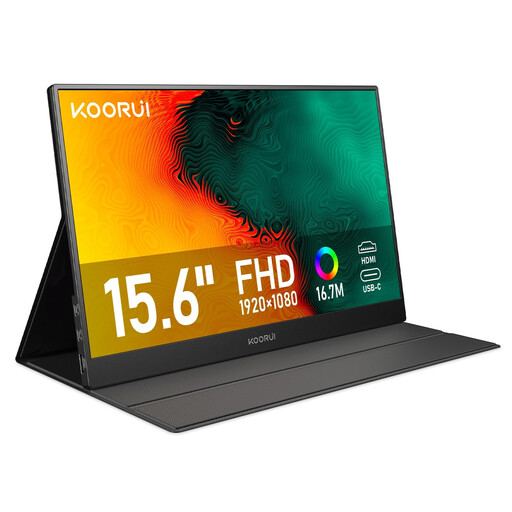
Why This Fits Their Persona: This model provides a solid foundation for productive work on the go. At 15.6 inches with FHD resolution, it's a practical all-rounder for documents, spreadsheets, and presentations. Its light weight and plug-and-play functionality make it ideal for use in a library, café, or on the train.
The device comes with all necessary cables (USB-C and Mini-HDMI), avoiding the single-cable illusion. The three-stage adjustable stand offers better ergonomics than many simple folio covers.
IPS panel with a 178° viewing angle for excellent readability. Comprehensive compatibility thanks to USB-C and Mini-HDMI ports.
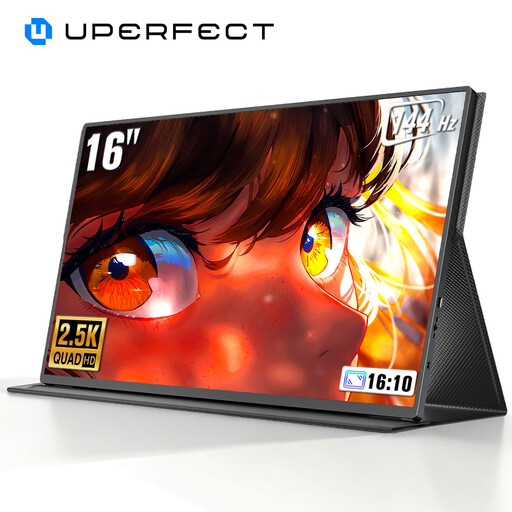
Why This Fits Their Persona: For gamers who refuse to compromise, even on the move. The combination of 2K resolution (2560x1600) and a 144 Hz refresh rate enables an extremely smooth and sharp gaming experience that rivals desktop monitors. Ideal for connecting to a gaming laptop or a console like the PS5.
With a brightness of 450 nits, this monitor is significantly brighter than average, making it perfectly usable even in less-than-ideal lighting conditions. Its VESA compatibility also provides a stable, ergonomic mounting option.
Outstanding gaming performance thanks to 144 Hz and 2K QHD resolution. The QLED panel ensures vibrant colors and high contrast.
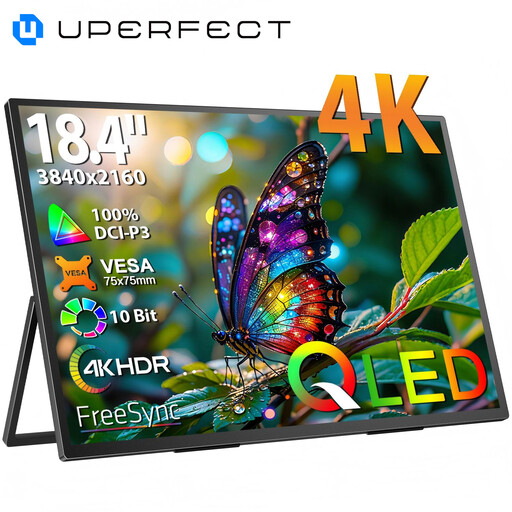
Why This Fits Their Persona: For users who need maximum screen real estate and detail. The 18.4-inch screen with 4K UHD resolution (3840x2160) offers an enormous amount of space for multitasking, video editing, or analysing large datasets. The QLED panel ensures precise color reproduction.
This model features a sturdy, integrated stand and is VESA-mountable, sidestepping the pitfall of unstable supports. The combination of USB-C and Mini-HDMI ensures broad compatibility and prevents unpleasant surprises.
Expansive 18.4-inch screen real estate with a razor-sharp 4K resolution. The metal chassis provides a premium feel and excellent stability.
We have compiled a complete, up-to-date list of products that fully meet these strict selection criteria and German safety regulations.
It depends on the monitor and your source device. If you connect a monitor to a laptop via a full-featured USB-C port that supplies enough power, a single cable is often sufficient. When connecting via HDMI, or if the laptop's USB port is too weak, a second connection to a power adapter or power bank will be needed for power.
Most consoles connect via the HDMI port. You will need a Mini-HDMI to HDMI cable (often included) to connect the monitor to the console. Additionally, the monitor must be powered via its USB-C port, either from a power adapter or a USB port on the console itself.
A "full-featured" USB-C port supports what is known as DisplayPort Alternate Mode (DP Alt Mode). This means that this single port can transmit not only data and power but also high-resolution video signals. Standard USB-C ports designed only for charging or data transfer cannot send a video signal to a monitor. Check the specifications of your laptop or smartphone to verify the capabilities of your USB-C port.