Reading notes at the table
If you want to see an event schedule or key points next to your source device, legible text, a suitable viewing angle and the lighting at the table all matter.


A portable monitor is a good fit for event notes at the kitchen table if your file remains easy to read at your usual text size and in your usual lighting, and the monitor fits securely in the space available. Then check the video output, cable and power supply for your source device: USB-C alone does not guarantee a picture, and HDMI may require a separate power connection. Touch is only relevant if you want to interact with your notes on screen and your device and software support it.
If you want to see an event schedule or key points next to your source device, legible text, a suitable viewing angle and the lighting at the table all matter.
If several people at the kitchen table need to read the same notes, the screen size and orientation should suit the seating positions. A stated viewing angle alone does not guarantee that everyone can read small text.
If you want to navigate or enter information on the extra screen during the event, check that it has touch functionality and that your source device and software support it. You don’t need touch just to read the notes.
| What matters | What to check before buying | Who it matters most to |
|---|---|---|
| Note readability | View your own file at the intended text size and scaling; consider the screen size and anti-glare surface. | If I want to read my notes from a normal seated distance, text size and the lighting at the table matter. Around 36% of consumers put readability first. |
| Video signal and power | Check the source device’s video output, the monitor’s compatible input and cable, and the power supply needed. | If I connect my existing laptop, I want to know whether the available connections can carry the picture and supply power. Around 29% of consumers prioritise the signal path and power supply. |
| Space and shared viewing | Measure the space needed for the monitor, stand and cables; check how the notes look from the intended seating positions. | If the table is already covered with papers and crockery, there still needs to be room for the monitor, stand and cables. Around 21% of consumers consider space requirements the most important factor. |
| Cost and extra features | Decide whether you really need touch before comparing models; check the exact model variant and what accessories are included. | If I only want to view notes, I don’t need touch controls; extra features should suit the way I’ll use the monitor. Around 14% of consumers look first at cost and the features they actually need. |
USB-C ports can support different functions. For the MB16AHVE, ASUS requires the laptop to support DP Alt Mode for a USB-C picture connection.
Check the functions of the ports on both your source device and monitor, and make sure the cable is suitable for the exact model.
Depending on the connection, you may also need a suitable cable or a separate power source.
The stand, tilt and cables all take up extra space on the kitchen table beyond the visible screen area.
Measure the available table space for the monitor, stand, source device and cable route together.
ASUS describes the MB16AHVE’s charging function as working when a USB-C power bank or power adapter is connected; this does not mean the monitor has a built-in battery.
Plan power for the monitor and, where necessary, the laptop separately, and check the requirements for the specific model.
For the Pass-Through operation described, ASUS specifies a connected USB-C power bank or power adapter. Take this power source into account when planning your set-up.
The information below relates to the specific model ranges and models mentioned, rather than being a general assessment of the brands.
The ZenScreen MB16AHVE is a useful point of comparison if you’re looking for a 15.6-inch display with USB-C and Mini-HDMI.
The portable Dell P1425 is a 14-inch option if there’s little room for a stand alongside your papers.
The ThinkVision M14t Gen 2 is worth considering if you also want to interact with notes directly on screen.
The VA1655 combines a 15.6-inch display with a fold-out stand and a choice of connections.
The A1 is a 15.6-inch Full HD model for displaying text.
These portable monitors offer a range of screen sizes and features for displaying notes at the kitchen table. Before choosing one, check that its stand, connections and, where applicable, touch functionality suit your source device and the way you plan to use it.
 No image available
The 14-inch size is worth considering if there’s limited room for a stand alongside your laptop; the stated compatibility is with laptops measuring 13 to 17.3 inches.
Features listed include Full HD, IPS, an adjustable stand and a thickness of 18.2 mm.
 No image available
The 15.3-inch size is an option if you have room on the table for a larger extra display.
Features listed include IPS, a 16:10 aspect ratio, 1920 × 1200 pixels and 60 Hz. Compatible systems listed include Windows, Mac, Chrome OS and mobile devices.
 No image available
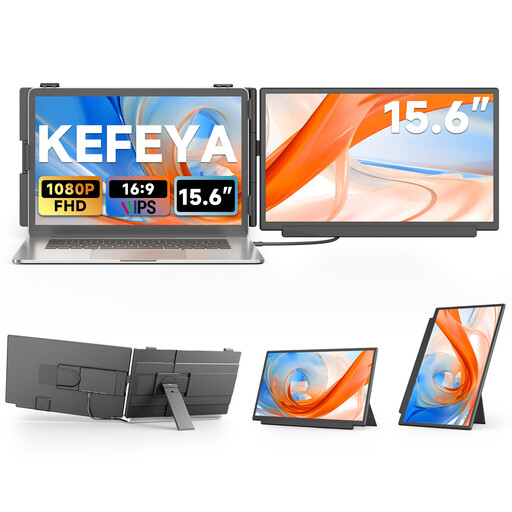
The 15.6-inch display is an option if you have room to set up a larger extra screen for your notes.
The product name lists FHD, IPS, USB-C and HDMI. The product description says an additional USB-A cable is needed to supply power when using HDMI.
 No image available
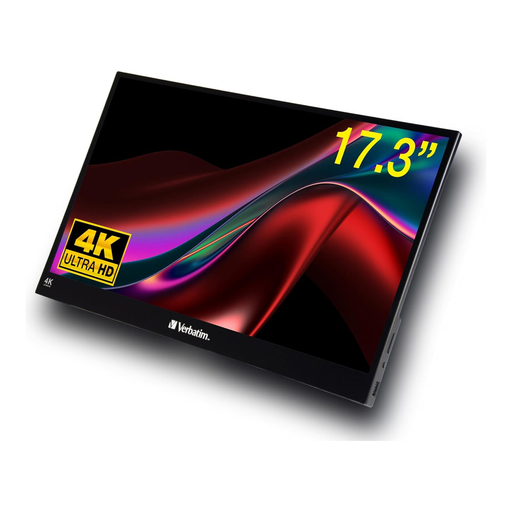
Touch functionality may be useful if you want to interact with notes directly on the extra screen; check that your source device and software support it.
Features listed include 17.3 inches, 4K, HDR, USB-C and HDMI. The product description says the monitor must be connected to the included power adapter to operate.
 No image available
The 18.5-inch size is an option if you want a larger display for your notes and have enough room on the table.
Features listed include 1920 × 1080 pixels, a matte IPS surface, 120 Hz, USB-C and Mini-HDMI. The product description says your source device must support video output for USB-C video transmission.
Check whether your source device’s USB-C port actually outputs video and whether the monitor supports the same signal path. For the USB-C connection described, ASUS requires the laptop to support DP Alt Mode for the MB16AHVE. Alternatively, ASUS lists HDMI for the picture and USB-C for power.
Position the monitor, stand and cables so the device is stable and can’t be pulled towards the edge of the table. The ViewSonic manual warns of damage or injury if the monitor falls over. Follow the instructions for the model you buy when cleaning it and protecting it from moisture; a portable monitor is not automatically waterproof.
For a typical online purchase, the Verbraucherzentrale says consumers generally have 14 days from receiving the goods to notify the retailer that they wish to cancel. Claims relating to faulty goods are separate; check the terms of your specific purchase.
The European Commission sets out energy-labelling and ecodesign requirements for electronic displays, including computer monitors; check which information applies to the specific model. For market surveillance of products covered by the rules, the Bundesnetzagentur lists CE marking and manufacturer details among the relevant requirements. The Umweltbundesamt says that waste electrical and electronic equipment must not be put in household rubbish.