What should you look for when buying?
First, consider whether you want to view reference documents alongside your work. Then check that the video connection and power supply are right for you, followed by readability, desk space and weight.
| What to consider |
What to look for |
Who is it most important for? |
| Video connection |
Check whether your laptop’s USB-C port supports video output. Alternatively, make sure the specific HDMI ports and the cable you need are compatible. |
If I want to connect the monitor directly to my laptop, the laptop needs to be able to output video; a USB-C port that only charges devices isn’t enough. That’s why around 36% of consumers put the right video connection first. |
| Desk space and portability |
Compare the device’s dimensions, including its stand, with your laptop and documents. Also take into account the weight of any accessories you’ll need. |
If I’m using my laptop, monitor and writing materials on a small library desk and need to carry them all with me, dimensions and weight matter. Around 29% of consumers prioritise desk space and portability. |
| Readable documents |
Check the text size and scaling on your own laptop, as well as the screen height and viewing angle. A higher resolution alone doesn’t guarantee more legible text. |
When comparing my covering letter with the job advert, I want to be able to read the text clearly without relying on the pixel count alone. Around 21% of consumers prioritise how documents look on screen. |
| Power supply |
Check whether your laptop and monitor will receive enough power through the connection you plan to use, or whether you’ll need a separate power source. Also check the facilities and rules at the specific library desk. |
If I can’t be sure there’ll be a socket at my desk, I want to know in advance how I’ll power the monitor and laptop. Around 14% of consumers prioritise the power supply. |
Joybuy products for working on the go
This selection includes portable second screens for use in the library, from compact 14-inch models to larger displays. For each model, check that video transmission and power supply are compatible with your laptop and workspace.
 No image available
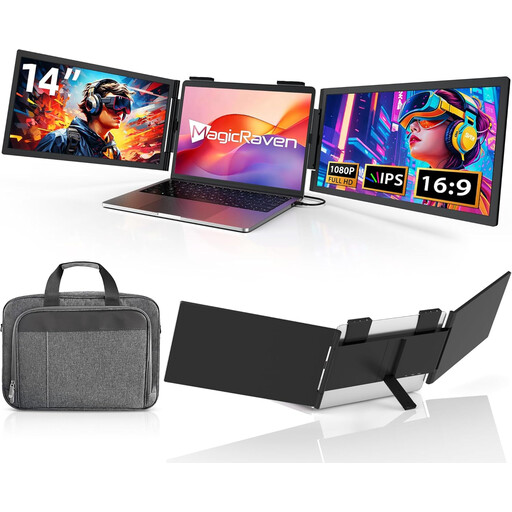
Portable 14-inch monitor, Full HD, 60 Hz
The 14-inch format is a compact option if you want to take an extra screen with you.
The product title lists Full HD, 60 Hz, built-in speakers and a USB-C connection. It doesn’t mention HDMI; your laptop must support video output for a USB-C video connection.
View at Joybuy
 No image available
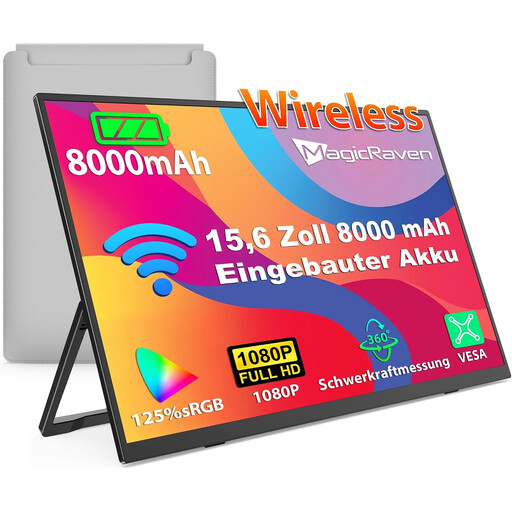
Portable monitor, 15.6 inches, 8000-mAh battery
The larger display could suit you if you prefer more screen space than a 14-inch model offers.
The product title lists Full HD, 60 Hz, an IPS display and a built-in 8000-mAh battery. Wireless use requires a device that supports AirPlay or Miracast.
View at Joybuy
 No image available
Blackview SCM5, 14-inch FHD IPS monitor
The 14-inch format and adjustable stand are handy for setting up a mobile workstation on a desk.
The product title lists Full HD, IPS and an adjustable stand. Your laptop must support video output for a direct USB-C video connection.
View at Joybuy
 No image available
UFYQL M156F04, 15.6-inch FHD IPS monitor
The 15.6-inch display is a larger alternative if you have enough space for it on your library desk.
The product title lists Full HD, IPS, USB-C and HDMI. If you’re using HDMI, check that you have the right cable and power supply for your setup.
View at Joybuy
 No image available
Arzopa Z1RC, 16-inch 2.5K monitor
The 16:10 format could work well for viewing documents on a second screen, provided the monitor fits on your desk.
The product title lists a resolution of 2560 × 1600 pixels, along with USB-C and HDMI. Your laptop must support video output for a direct USB-C video connection.
View at Joybuy
Frequently asked questions
Will any USB-C port on my laptop work with a portable monitor?
No. For a direct USB-C video connection, both your laptop and monitor must support the relevant video function, such as DP Alt Mode. Also check that the power supply is sufficient; ASUS specifically distinguishes between USB-C ports with and without video support.
What should I check before setting up a monitor in the library?
Check the rules and facilities at the specific library you plan to visit, particularly those covering use of study spaces and the availability of power sockets. For example, Bremen Public Library’s house rules cover the use of its study spaces; they don’t automatically apply to other libraries.
How should I set up the screen for writing?
Set the monitor up securely and choose a text size and scaling that you find easy to read. Adjust its angle and position to suit the light and the space available on the desk. The BAuA considers legible information display an important aspect of flexible-location working; however, ASR A6 does not automatically apply to a personal job application written in a public library.
What warranty applies when buying a portable monitor?
When consumers buy goods from a commercial seller in the EU, they are generally entitled to a legal guarantee lasting at least two years from receipt of the goods, as explained by Your Europe, the European Union’s information portal. This is separate from any additional manufacturer’s warranty.


