What should you look for when buying?
For workshop instructions in German libraries, the key considerations are readability from the seats you’ll actually use, suitable video and power connections, how often you’ll move the monitor, and whether you need touch functionality.
| Consideration |
What to check before buying |
Who is it most important for? |
| Readability for the whole group |
Test a real page of instructions from the planned seating positions; take text size, viewing angle and reflections into account. |
If I’m sharing steps with a group around a table, I check that they’re readable from the seats people will actually use. Around 40% of consumers say that instructions everyone can read are their top priority. |
| Video connection and power |
Check the specific computer’s video output, along with the monitor’s connections, cables and power requirements. |
When I’m using different library computers, I want to know in advance which connection will actually display an image and how the monitor will be powered. Around 30% of consumers say connecting their devices is their top priority. |
| Transport and set-up |
Compare the screen size, stand and route between tables with how you plan to move the monitor. |
If I regularly set the monitor up at a different table, easy handling matters to me. Around 20% of consumers put portability first. |
| Direct operation |
Check that the device and connection you plan to use support touch. |
If I want to turn pages or edit steps directly, I only need touch if the instructions are going to be operated on the display. Around 10% of consumers say interactivity is their top priority. |
Portable monitors at Joybuy
This selection includes portable monitors for sharing instructions around a table, including models with HDMI as a video option and a touchscreen model. Before use, check that the display is readable from the intended position and that it connects to your specific source device.
 Image unavailable
15.6-inch Portable Monitor (1080p FHD, 60 Hz)
The combination of a 15.6-inch screen and stand is worth considering for instructions around a table; readability depends on the viewing distance and positioning. According to the product details on Joybuy: FHD, IPS, HDR, built-in speakers, and HDMI and USB-C connections.
View at Joybuy
 Image unavailable
UPERFECT 18.5" 120Hz Portable Gaming Monitor
The 18.5-inch display is an option if you want a larger portable screen for workshop content; check readability where you plan to set it up. According to the product details on Joybuy: 1920 × 1080, Full HD, IPS, a matte surface, USB-C and Mini-HDMI.
View at Joybuy
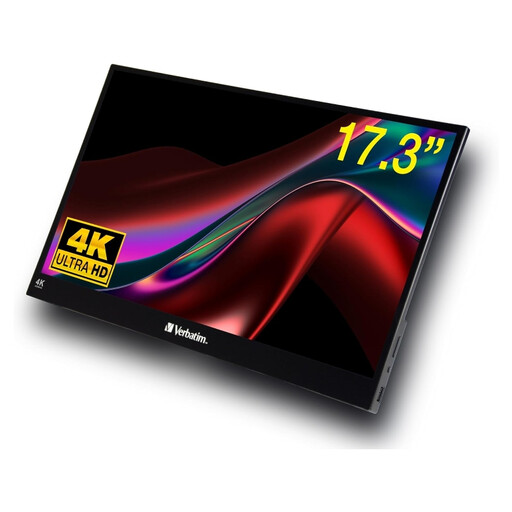 Image unavailable
Verbatim PMT-17 Portable Touchscreen Monitor
This model is worth considering if you want to operate workshop steps directly on the display; check the touch function with the device you plan to use. According to the product details on Joybuy: 17.3 inches, Full HD, IPS, and USB-A, USB-C and HDMI connections.
View at Joybuy
 Image unavailable
ARZOPA A1 Portable Monitor, 15.6 Inch
For a group around a table, you can assess this model based on its screen size and stand; test readability from the seats people will use. According to the product details on Joybuy: 1920 × 1080, Full HD, IPS, and USB-C and HDMI connections.
View at Joybuy
 Image unavailable
UPERFECT Portable Monitor 15.6" 1080P IPS HDR
This portable display is worth considering for workshop instructions if it connects to the device you plan to use; check which video connection you need in advance. According to the product details on Joybuy: 15.6 inches, 1920 × 1080, Full HD, IPS and USB-C.
View at Joybuy
Frequently asked questions
Is USB-C on a library laptop enough for both video and power?
Not just because of the connector shape. Check whether the specific laptop outputs video through its USB-C port, and whether the device, cable and monitor will have enough power with the connection you plan to use. If the model supports it, HDMI can be used for video; you’ll still need to check the power supply separately.
How should I set up the monitor for a workshop?
Place the monitor on a stable surface and check a real page of instructions from the seats people will use. Pay attention to text size, reflections and what’s visible on screen; also check the cables and power source. Follow the instructions for your specific model when cleaning and storing it.
Who can help if a purchase is faulty, and is a manufacturer’s guarantee the same thing?
For a consumer purchase in the EU, Your Europe, the European Union’s information portal, states that you have a legal guarantee of at least two years from receipt of the goods, provided by the seller. This is separate from any additional manufacturer’s guarantee. If a library is buying as an organisation, check the type of contract and the specific terms separately.
What should I know about CE marking?
According to the German Federal Network Agency, products covered by relevant EU harmonisation legislation must carry a CE marking when placed on the EU market. The marking doesn’t tell you whether a particular model will be easy to read in a library.


