Writers who research as they write
If you want to see your story and your sources or notes at the same time, look for enough screen space and a layout that works for your windows.


For writing a short story in the library, a portable monitor is a good fit when its usable screen area suits your desk and your bag, and your laptop supports the video output you need. A 14-inch model takes up less space; a 15.6-inch screen gives you a wider display but needs more room on your desk and in your bag. USB-C alone doesn’t guarantee video output or a single-cable connection.
If you want to see your story and your sources or notes at the same time, look for enough screen space and a layout that works for your windows.
If you often take your laptop and second monitor with you and set them up on a small desk, consider the monitor’s weight, dimensions and stand.
If you’re not sure whether your laptop’s USB-C port supports video output, check compatibility before choosing a screen size or resolution.
First, decide how you want to split your screen between your manuscript and your research. Then check that the video connection and power supply will work with your laptop and the library space you plan to use.
| Priority | What to check before buying | Who is this important to? |
|---|---|---|
| Screen space for writing and research | Check the screen size, aspect ratio, resolution and scaling, as well as how you plan to arrange your windows. | If I want to keep my manuscript and sources open side by side, I need a window layout that gives me the right balance of text size and screen space. Around 31% of consumers prioritise screen space for text. |
| Connection to your laptop | Check that your specific laptop port supports video output, and match it with the monitor input and cables you’ll need. | Before buying, I want to know whether my laptop will actually output video through the connection I’ve chosen. Around 25% of consumers want to check connection compatibility first. |
| Transport and set-up | Consider the monitor’s weight, dimensions and stand, as well as the space available on your desk. | If I regularly carry the monitor to the library with my laptop, weight and a stand that works on a small desk matter. Around 25% of consumers prioritise portability and set-up. |
| Power supply | Check the monitor’s connection type and power requirements, as well as your laptop’s power needs and the available power sources. | For a longer writing session, I want to know how I’ll power the monitor and laptop at the desk I plan to use. Around 19% of consumers prioritise having a reliable power supply. |
The shape of the connector alone doesn’t tell you whether your laptop outputs a video signal through that port. Without the right video output, the connection may not work as expected.
Check your laptop’s port specifications and compare them with the input on the specific monitor you’re considering.
Depending on the connection, you may also need a suitable cable or another connection solution.
According to the manufacturer, the Verbatim PM-14 49590 and PMT-14 49591 models need an additional power supply when connected via HDMI.
Check how you’ll power the specific model at the library desk you plan to use.
An additional power adapter needs a suitable power source and space on or next to your desk.
The European Union explains that the legal guarantee is the seller’s responsibility, while a voluntary guarantee is an additional service with its own terms.
Check the seller and guarantee terms separately, and distinguish between the two when discussing a faulty product.
The ThinkVision M14d is a compact 14-inch option with a 16:10 aspect ratio, suited to writers who want to make the most of vertical screen space.
The ZenScreen MB16AHV is a 15.6-inch option for a wider second display, provided you have enough room at your desk.
The PM-14 49590 is a 14-inch non-touch option; the separate PMT-14 49591 model offers touch control.
The AOC 16T3EA is a portable 15.6-inch Full HD option with a built-in stand.
This selection includes portable second screens for laptops, from compact 14-inch models to larger 15.6- and 16-inch displays.
 No image available
A compact second-screen option for working alongside your laptop. Before buying, check whether your laptop supports video output via USB-C.
The product specifications list a 14-inch screen, Full HD, IPS, USB-C and a built-in stand.
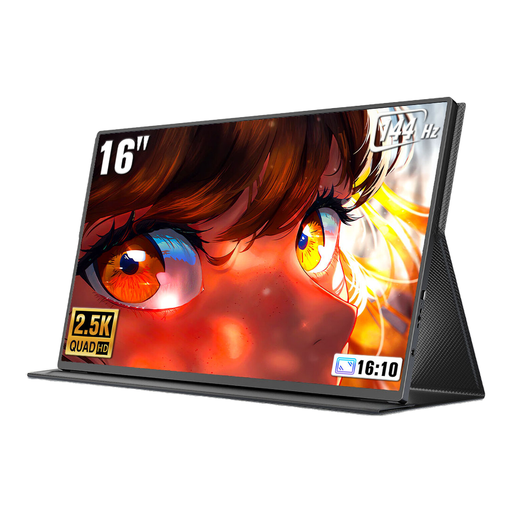 No image available
A larger display may suit you if you want to split the screen between your manuscript and research, provided you have enough room on your desk.
The product title lists a 2560 × 1600-pixel resolution, USB-C and Mini HDMI. Check your laptop’s video output and the power supply needed for your chosen connection.
 No image available
A 15.6-inch second-screen option if your library desk has room for a wider display.
The product specifications list a 1920 × 1080-pixel resolution, IPS, USB-C, Mini HDMI, a stand and a device weight of 780 g. Check video output and power requirements for the connection you plan to use.
 No image available
A compact option with a built-in stand if you’ll often be taking your monitor to the library.
The product specifications list a 14-inch screen, Full HD, IPS, a weight of 600 g, a built-in stand and USB-C. Check whether your laptop supports video output through the port you plan to use.
 No image available
A 15.6-inch second-screen option if you want space to view your manuscript and research on a wider display.
The product specifications list Full HD, IPS, USB-C, Mini HDMI and a built-in adjustable stand. Check in advance which laptop port supports video output and how the monitor will be powered.
No, the connector shape alone isn’t enough. Check whether the specific laptop port supports DisplayPort Alt Mode or another video output supported by the monitor. You should also check the power requirements.
It depends on the model. For the Verbatim PM-14 49590 and PMT-14 49591 models, the manufacturer lists an additional power adapter, included with each, for HDMI connections. Check whether you’ll have access to a suitable power source at your chosen desk.
Use a cover that’s suitable for your specific model, and check the stand and cable routing before setting it up. Verbatim lists a neoprene sleeve as included with the PM-14 49590 and PMT-14 49591; this doesn’t tell you what’s included with other models.
For a typical online purchase from a trader in the EU, you generally have a 14-day right to cancel, though exceptions and specific return conditions apply. The European Union distinguishes this right from the legal guarantee for faulty goods and a voluntary manufacturer’s guarantee.