What should you look for when choosing one?
First check the video connection to your specific laptop, then consider how easy your documents are to read and how much room you have for setting up and powering the monitor.
| What matters |
What to look for |
Who is this important for? |
| Laptop connection and video signal |
Check that the laptop output, monitor input and required cable are compatible. For HDMI models, check the power supply too. |
If you want to avoid finding that a seemingly compatible plug doesn’t deliver a video signal, check the ports on your specific laptop. Around 36% of consumers prioritise connection compatibility. |
| Screen space for drafts and sources |
Open a typical document using your preferred text scaling, and consider screen size and resolution together. |
If you want to read guidelines and sources alongside your draft, the display needs to remain easy to read at your preferred scaling. Around 29% of consumers put document readability first. |
| Desk space and portability |
Consider the space available on the table, along with the dimensions and weight of the complete setup. |
If your laptop and papers also need to fit on the library table, you’ll want a setup that’s easy to accommodate. Around 21% of consumers prioritise desk space and portability. |
| Power supply at your seat |
Check the power requirements for the specific monitor. The Verbatim PM-14 #49590 requires a power adapter for HDMI. |
If you can’t be sure of having access to a power socket, you’ll want to know whether your chosen setup can be powered where you plan to sit. Around 14% of consumers pay particular attention to power supply. |
Portable monitors at Joybuy
The Joybuy products below are portable second screens designed for use alongside a laptop. For each model, check that the connections, setup and power supply suit your workspace.
 No image available
Blackview DCM8, 15.3-inch
An option if you’re looking for a portable screen alongside your laptop for working on a draft and consulting sources.
16:10; 1920 × 1200 pixels; 60 Hz; listed at 1.2 kg in the product specifications.
Listed as compatible with Windows, Mac, Chrome OS and mobile devices. Check the connection with your specific device.
View at Joybuy
 No image available
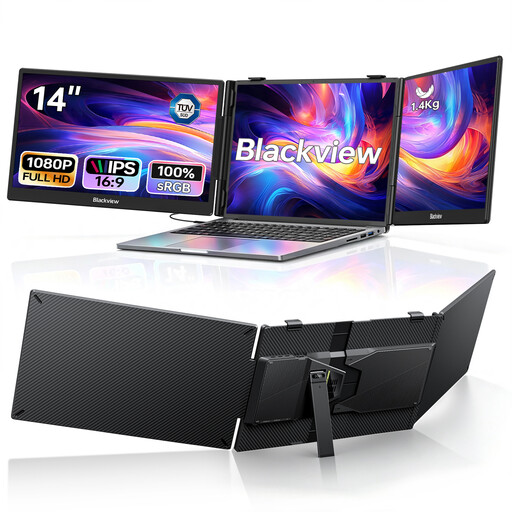
Blackview DCM5, dual display, 14-inch
This could suit you if you want to spread your draft and sources across two additional 14-inch screens. Check first that the setup will fit on your table.
Two 1080p IPS screens; USB-C; 100 W Power Delivery pass-through according to the product specifications.
Listed as suitable for laptops from 13 to 17.3 inches. Check your device’s compatibility separately.
View at Joybuy
 No image available
ARZOPA A1, 15.6-inch
An option for an extra screen alongside your laptop if you have room on your table for a 15.6-inch model.
1920 × 1080 pixels; IPS; USB-C and Mini HDMI; listed at 780 g in the product description.
Check that your laptop and monitor will work together through the connections provided.
View at Joybuy
 No image available
Blackview SCM6, 14-inch
A compact screen may be useful when table space is limited. Measure the area available and check the viewing angle when set up.
FHD; IPS; built-in stand; listed at 600 g and 4.5 mm thick in the product specifications.
Listed as suitable for laptops from 13 to 17 inches. Check compatibility with your laptop.
View at Joybuy
 No image available
UPERFECT, 15.6-inch, 100% sRGB
An option if you’d like a portable second screen with a built-in adjustable stand.
1920 × 1080 pixels; IPS; USB-C and Mini HDMI; built-in adjustable stand.
The product name also specifies 100% sRGB. Check that the connections are compatible with your laptop.
View at Joybuy
Frequently asked questions
Is a USB-C port on my laptop enough for the ASUS ZenScreen MB16ACV?
Don’t decide based on the shape of the port alone: ASUS specifies DisplayPort Alt Mode for this model’s USB-C video input. Check your specific laptop port’s specifications to see whether it can output a compatible video signal.
What else should I consider when connecting via HDMI?
It depends on the model. Verbatim says the PM-14 #49590 needs a power adapter when connected via HDMI; according to the manufacturer, one is included with this model.
How do I set up a second monitor for writing a proposal?
Place the monitor securely beside your laptop and use a typical proposal page to check the viewing angle, text scaling and any reflections. An extra screen is only right for you if the technology, task and surroundings work well together; manufacturer specifications don’t guarantee a productivity boost.
What should I check before packing and cleaning the monitor?
Before packing it away, check the monitor, stand, cables and, if applicable, power adapter against the contents listed in the box. Follow the cleaning instructions for the specific model, as there’s no single method that applies to every device.
What are my rights when shopping online in Germany?
According to information from Your Europe, most online purchases from a trader come with a 14-day right to cancel, starting from delivery; exceptions and return costs may apply. Under EU consumer rules, goods are covered by a legal guarantee of at least two years from the seller. Any additional manufacturer’s guarantee does not replace this.


