For use away from a mains socket, a monitor with its own battery is a good choice if you don’t want to put extra strain on the source device. Runtime figures published by ASUS and RICOH for individual models are manufacturers’ claims, not a guarantee for every setting. A USB-C monitor needs the source device to provide both a video signal and sufficient power, while HDMI may require a separate power supply, depending on the model. Also check that the screen is easy to read and stable at your actual workstation. An ordinary portable monitor with no verified suitability for wet or very dusty areas is not a reliable solution for those conditions.
Which option is right for you?
Workshop users without a mains socket
If you want to display instructions for a set period without mains power, look for a built-in battery and check the runtime figures for the specific model. ASUS lists these features for the MB16AMTR, while RICOH describes the 150BW as a battery-powered option for wireless use.
Users powering the monitor from a laptop
If you can power the monitor from a portable laptop, check that it can provide the required video output and enough power. Lenovo lists the ThinkVision M14d as supporting USB-C with DisplayPort Alt Mode.
Users switching between source devices
If you switch between USB-C and HDMI devices, or want to use touch to interact with instructions, check the video signal, power supply and touch connection for each device separately. ASUS, Verbatim and ViewSonic specify different connection requirements for their respective models.
What should you look for when buying?
First, work out how the monitor will be powered without a mains socket. Then check its video output, readability and controls against your source device and intended workspace.
| Priority |
What to check when buying |
Who it matters most to |
| Power supply and runtime |
Distinguish between a built-in battery and an external power supply; compare the specific model’s runtime figure with how long you plan to use it. |
If I need to display instructions for a set period without a mains socket, I first check the power source and runtime. Around 28% of consumers put power supply first. |
| Readability of steps and diagrams |
Assess the screen size, resolution, surface, stated brightness and tilt at the actual location where it will be used. |
If I need to read text and diagrams from my usual viewing distance, I check how the screen and lighting work together. Around 22% of consumers prioritise readability. |
| Video signal and power |
With USB-C, check that the source device has the right video output and can supply power; with HDMI, allow for the monitor’s additional power requirements. |
If I want to connect different devices, I check their ports against the monitor’s video and power requirements. Around 22% of consumers put device compatibility first. |
| Positioning and working environment |
Check the space available, the stand or mounting option, and cable routing; don’t assume a carrying case protects the monitor during use. |
If my workspace is short on space or exposed to particular conditions, I look for a stable stand and verified suitability for that environment. Around 17% of consumers prioritise positioning and surroundings. |
| Interacting with instructions |
Check that the operating system supports touch and whether a separate touch connection is needed. |
If I want to interact with instructions directly on the screen, I check that the touch function is compatible with the source device. Around 11% of consumers put direct interaction first. |
Common misconceptions
-
Assuming HDMI also provides power
For the Verbatim PMT-15-4K, the manufacturer requires a power supply for HDMI. Touch over HDMI also requires an additional USB cable.
Check the video signal, monitor power and touch connection separately. If you’re using the monitor without a mains socket, you’ll also need a portable power source.
Depending on the connection, you may need a suitable portable power source and an additional USB cable for touch.
-
Confusing power pass-through with a built-in battery
For the ThinkVision M14d, Lenovo describes power pass-through for powering the monitor and charging a laptop, not a built-in battery.
Check explicitly where each model gets its power from when there’s no mains socket.
You may need an additional portable power source to use the monitor away from mains power.
-
Assuming a carrying case protects the monitor during use
The case listed for the Verbatim PM-14 does not prove that the monitor is protected from liquids or significant dust while switched on.
Take the conditions at your actual workspace into account. If the monitor isn’t explicitly rated for those conditions, position it somewhere protected, outside the affected area.
Relevant brands at a glance
ASUS
The ZenScreen range includes models with different power options. The MB16AMTR is one example, with a built-in battery and touch functionality.
- ASUS lists a 7,800 mAh battery and up to four hours of use for the MB16AMTR.
- Touch functionality depends on the operating system; the stated runtime doesn’t automatically apply to every setting or every ZenScreen model.
RICOH
According to the manufacturer, the Portable Monitor 150BW is a battery-powered option for wireless use when you want to avoid cables at the installation point.
- RICOH lists up to three hours of wireless use.
- RICOH doesn’t guarantee a connection with every PC or smartphone. A separate app is required for macOS and iOS.
Lenovo
The ThinkVision M14d is a USB-C option for use with a compatible source device that can provide power on the go.
- For this model, Lenovo lists a 14-inch screen, 2,240 × 1,400 pixels, 300 cd/m² and two USB-C ports with DP Alt Mode.
- Power pass-through isn’t a built-in battery; the source device must support the right video output and power supply.
Verbatim
The PM-14 and PMT-15-4K offer different connection options for portable displays.
- Verbatim lists touch over HDMI for the PMT-15-4K, using an additional USB cable.
- Verbatim requires a power supply for HDMI on the PMT-15-4K; the PM-14 also requires a power supply for HDMI.
ViewSonic
The TD1655 is a touch-enabled option with two USB-C ports and an adjustable stand.
- ViewSonic describes a single-cable USB-C solution for video, power and touch on the TD1655.
- Check that your specific combination of devices can provide the required signals and enough power; this doesn’t confirm that the monitor has its own battery.
Suitable products at Joybuy
This selection includes portable monitors with built-in batteries, as well as a USB-C model that needs a suitable external power supply.
 No image available
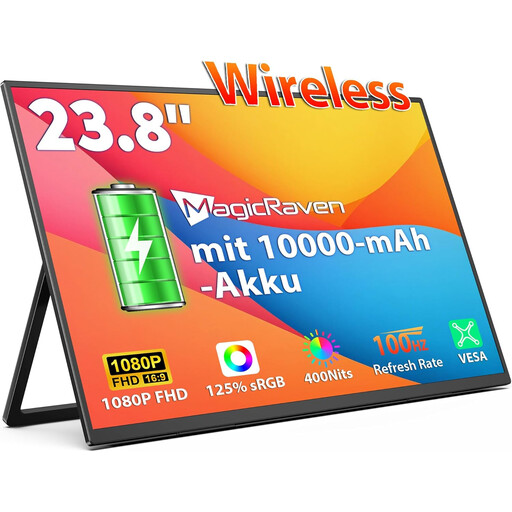
Portable monitor, 23.8-inch, FHD IPS, 100 Hz, 10,000 mAh
The built-in battery makes this an option if you want to set up the monitor without a mains socket.
The product title lists an FHD IPS display with 100 Hz, two speakers, and AirPlay and Miracast.
View at Joybuy
 No image available
Portable monitor, 16-inch, 2.5K, 8,000 mAh
The built-in battery makes this model an option for use without a mains socket.
The product title lists an IPS panel with 2.5K resolution, as well as AirPlay and Miracast.
View at Joybuy
 No image available
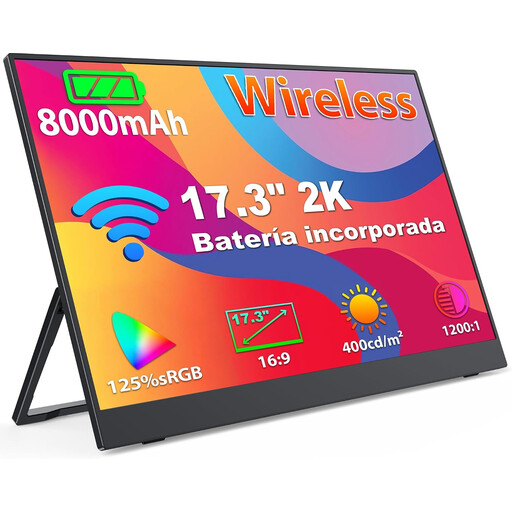
Portable monitor, 17.3-inch, 2K, 8,000 mAh
The built-in battery is designed for displaying content without a mains socket.
The product title lists an IPS panel with 2K resolution, as well as AirPlay and Miracast.
View at Joybuy
 No image available
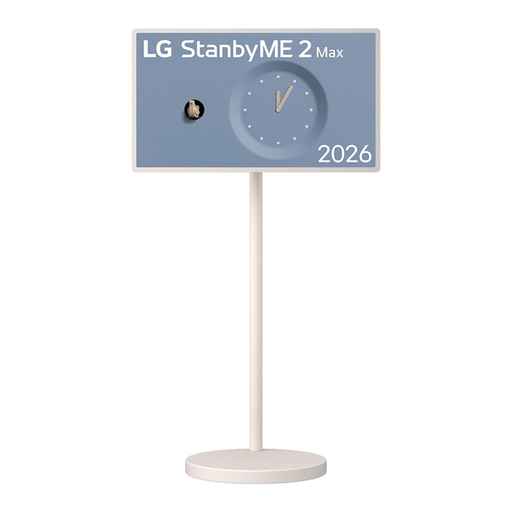
LG StanbyME 2 32LX6BPGA, 32-inch, 4K touchscreen
According to the product title, the built-in battery and touchscreen are designed for flexible viewing and direct interaction.
The product title lists webOS 26, Wi-Fi 6, Dolby Vision and Dolby Atmos. According to the product information, the device should be placed on a stable, level surface and protected from excessive moisture.
View at Joybuy
 No image available
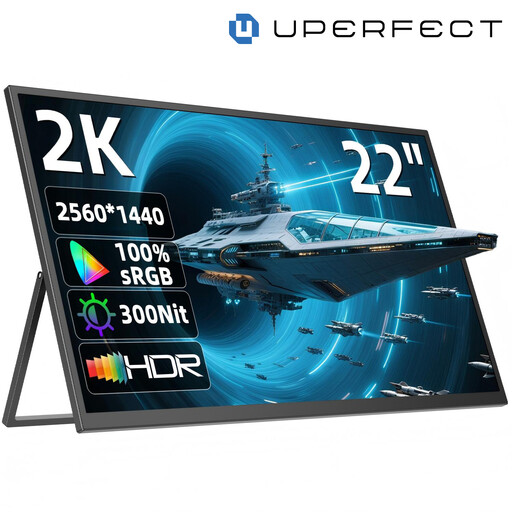
UPERFECT 22-inch, QHD IPS, adjustable stand
This model is suitable for use without a mains socket only if you have a suitable portable power source.
The product title lists 2,560 × 1,440 pixels, USB-C, Mini-HDMI, a stand adjustable through 180° and VESA compatibility.
View at Joybuy
Frequently asked questions
Will a USB-C monitor work with any USB-C port?
No, the connector shape alone isn’t enough. Check that your specific source device supports video output and can provide enough power. DisplayPort Alt Mode is particularly important for the Lenovo ThinkVision M14d.
Is HDMI enough to use a monitor without a mains socket?
Not necessarily. Verbatim requires a power supply for HDMI on the PMT-15-4K, so you’ll need another way to provide the required power if there’s no mains socket. Touch on this model also requires an additional USB connection.
How should I clean the screen after use?
Lenovo recommends switching off the device and cleaning it gently with a microfibre cloth. Don’t spray liquid directly onto the screen. Let everything dry completely before switching the monitor back on; always follow the instructions for your specific model.
What’s the difference between statutory rights and a guarantee in Germany?
Your statutory rights against the seller are separate from a voluntary manufacturer’s guarantee. The Verbraucherzentrale explains how these differ; check the terms of your purchase and the relevant guarantee for details of any specific claims.
How should I dispose of an old monitor in Germany?
Electrical waste must not go in household rubbish. The German Environment Agency lists local collection points and return options at retailers required to accept old equipment. Where possible, removable batteries should be collected separately.


