Organisers showing notes outdoors
You want to display schedule information for a small group at your outing location. The light, viewing distance and a secure place to set up the screen all affect how easily everyone can read the notes.


Choose a monitor based first on the light, viewing distance and a secure place to set it up at your outing location. A brightness figure alone doesn’t guarantee that notes will be easy to read in direct sunlight. A compact USB-C monitor may suit a compatible source device, but if you won’t have a reliable mains socket, plan how to power both the screen and the source device. Touch is most useful if you want to interact with your notes directly on screen and your connection and software support touch input.
You want to display schedule information for a small group at your outing location. The light, viewing distance and a secure place to set up the screen all affect how easily everyone can read the notes.
You need the notes away from a power source, so you’ll need to plan how to power both the monitor and the source device.
You carry the screen and accessories yourself and want to display notes from a laptop, tablet or mobile phone, depending on the occasion. Size when packed and compatible video connections are important.
First check readability and stability at the intended location, then consider power and connections. Only factor in touch if you want to interact with the notes directly on screen. When looking at a specific product, also check that it has the required CE marking and meets the applicable EU requirements. The German Federal Network Agency describes the CE marking as a statement made by the manufacturer, not an endorsement by an independent testing body.
| What matters | What to check before buying | Who is this important to? |
|---|---|---|
| Readability and stability | Check text size, reflections, tilt, stability and viewing distance at the intended location. | If I want to show notes outdoors to a small group, I need a screen that’s easy to see and securely set up. Around 25% of consumers prioritise readability and positioning. |
| Power during use | Check the power source and input requirements for both the monitor and source device, and allow for a sufficient reserve. | If there’s no mains socket at the outing location, I want to be able to power the screen and source device for the planned duration. Around 25% of consumers put power first. |
| Portability and space | Consider the weight, including accessories, and try the complete setup on the surface you plan to use. | If I’m carrying the screen between locations myself, it should be easy to transport and suitable for setting up on site. Around 20% of consumers focus mainly on portability and space. |
| Video connection and compatibility | Check video output, cables and power requirements for the specific laptop, tablet or mobile phone. | If I use different source devices, the connection needs to transmit a picture from each device and power the monitor as required. Around 20% of consumers prioritise connection compatibility. |
| Direct interaction | For a touch model, test the connection, operating system and software with the input method you plan to use. | If I want to scroll through or edit notes directly on the extra screen, touch input needs to work with my setup. Around 10% of consumers prioritise direct interaction. |
To connect everything with a single cable, the source device’s video output and power supply need to be compatible with the monitor.
Check the connection specifications for both devices and test the cable you plan to use before your outing.
Depending on the connection, you may need a different cable or a separate power supply.
ASUS’s battery life claim applies to the stated operating conditions for the ZenScreen Go MB16AHP. The capacity listed for the power bank supplied with the Verbatim Light #32088 isn’t a guaranteed battery life.
Test the complete setup in advance, using your planned brightness level and source device.
You may also need a portable power supply for the monitor and source device.
The brightness listed by Lenovo for the ThinkVision M14d doesn’t, on its own, tell you how easy your notes will be to read in changing light or from your intended viewing distance.
Check text size, reflections and the screen angle at the intended location, and choose a shaded spot if needed.
The ThinkVision range includes both compact and larger portable screens to suit different space requirements.
ZenScreen models may be worth considering for use without reliable access to a mains socket or when setup requirements vary.
The models mentioned differ in areas including their power supply, connections and touch features.
The TD1655 is an option if you want to interact with notes directly on screen.
The 16T3EA is a 15.6-inch second screen with USB-C power and a built-in stand.
The following Joybuy products include portable monitors with built-in batteries as well as larger screen sizes. Before choosing one, check that the connections and power supply are suitable for your planned source device.
 No image available
The built-in battery is useful when you’re away from a mains socket; plan separately for powering the source device.
Features listed in the product name: IPS display, 2.5K resolution, built-in 8000-mAh battery, plus AirPlay and Miracast support.
 No image available
If you need a larger mobile display, consider how the 16-inch format will fit the space available at your setup location.
Features listed in the product name: IPS display, 2560 × 1600 pixels, 16:10, 144Hz, plus USB-C and HDMI.
 No image available
The built-in adjustable stand may come in handy when setting up at your venue; check that there’s a suitable surface for it.
Features listed in the product name: 15.6 inches, Full HD, USB-C and Mini-HDMI. The product description also mentions an adjustable stand and VESA compatibility.
 No image available
The larger format gives you more screen space, but it takes up more room to carry and set up than smaller portable screens.
Features listed in the product name: 18.5 inches, Full HD, matte IPS display, 120Hz, USB-C and Mini-HDMI.
 No image available
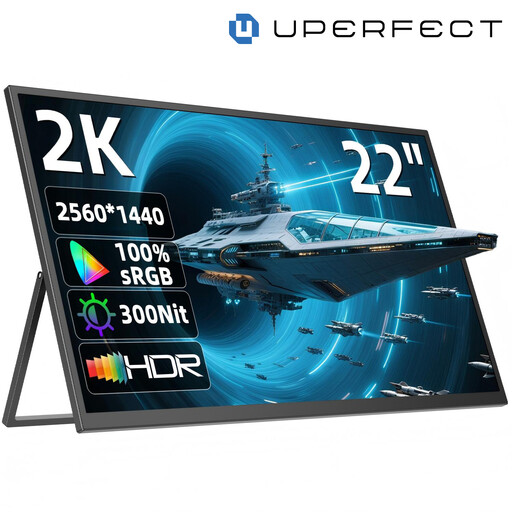
The 22-inch format may be useful for notes shared with a group; allow for the extra space needed to carry and set it up.
Features listed in the product name: QHD, 2560 × 1440 pixels, IPS, USB-C and Mini-HDMI. The stand adjusts through 180°.
Not necessarily. Check whether that specific port supports the right video output via DisplayPort Alt Mode and the required power supply, and test the cable you plan to use. For a single-cable USB-C connection with the ViewSonic TD1655, the manufacturer specifies DisplayPort 1.2 Alt Mode and power supply as requirements.
Check that the surface is stable, adjust the screen angle and make sure your notes are readable from the intended viewing distance. According to ASUS, the ZenScreen MB16AHG has a fold-out stand and a tripod socket; a tripod isn’t included.
Plan separately for powering the screen and the source device. ASUS lists up to four hours for the ZenScreen Go MB16AHP in DP Alt Mode at a 100% brightness setting; this applies under the stated conditions. By contrast, the 5000 mAh capacity of the Verbatim Light #32088 doesn’t guarantee a specific battery life.
A monitor sold in Germany must meet the applicable EU product regulations and have any CE marking required under those rules. The German Federal Network Agency also lists accurate manufacturer details and German-language instructions, including any necessary warnings, as points to check. The CE marking is a declaration by the manufacturer, not proof of independent testing, so check the specific product listing.
If there’s a fault, your statutory rights are against the seller and are separate from any voluntary guarantee. The German Environment Agency advises against putting electrical equipment in household waste and recommends options including recycling centres and retailer take-back schemes. Where possible, removable batteries should be handed in separately.