Photographers discussing colour
If colour is part of your conversation with a client, details about colour gamut and calibration can help you choose. ASUS Germany and ViewSonic Germany publish this information for selected models.


If you’re discussing the colours in your photos, models with a stated colour gamut and documented factory calibration are a sensible place to start. If distracting light is an issue, also consider the screen’s anti-glare finish, how you’ll position it and, where relevant, a glare shield. Check, too, whether your laptop can actually output video over USB-C, which monitor input is suitable and how both devices will be powered. The colour and feature figures quoted are manufacturers’ specifications, not measurements we’ve taken ourselves.
If colour is part of your conversation with a client, details about colour gamut and calibration can help you choose. ASUS Germany and ViewSonic Germany publish this information for selected models.
If you want to show your photos to someone else, consider where you’ll position the screen and whether there might be reflections in the room. ASUS Germany and ViewSonic Germany list an anti-glare surface or a foldable glare shield on selected models.
If your photos are coming from a laptop or another device, its video output, the suitable monitor input and the power supply all need to work together. Lenovo Germany and ASUS Germany highlight model features and the need to check USB-C video functionality.
For a portable monitor to show a photo portfolio in a café, the key considerations are colour reproduction, visibility, connectivity and portability.
| What matters | What to check before buying | Who will find this particularly important? |
|---|---|---|
| Colour reproduction | Check the colour gamut and colour accuracy specifications for the exact model, as well as how you intend to display your own photos. | When discussing photos, I want to know which colour specifications apply to this exact model; around 31% of consumers put colour reproduction first. |
| Visibility in ambient light | Check the screen finish, adjustable stand and, where applicable, whether a glare shield is actually included. | At a café table, I want to position the screen appropriately and take distracting reflections into account; around 25% of consumers prioritise visibility in ambient light. |
| Connectivity and power | Test the source device’s video output, the monitor input, the right cable and the power source with the exact devices you plan to use. | When connecting a laptop and monitor, I want to make sure the planned connection will provide video and power before the appointment. Connectivity and power are the main considerations for around 25% of consumers. |
| Portability and set-up | Consider screen size, weight, stand design and what’s included in the box together. | When packing, I want to make sure the screen and any essential accessories will fit in my bag and on a small table; around 19% of consumers prioritise portability and set-up. |
A USB-C port may not support video. The monitor input and power supply must also be suitable for the connection you plan to use.
Check the features of both devices and test your set-up with the cable you intend to use before your client meeting.
sRGB and DCI-P3 refer to different colour gamuts. A manufacturer’s statement about factory calibration doesn’t describe every lighting environment, or automatically guarantee how your own photos will look.
Compare the specifications for the exact model with your photo format and planned playback settings.
The stand, power supply and accessories all affect how easy the monitor is to use at a café table and carry around.
Plan for weight, positioning, what’s included and power requirements together.
Depending on the model, an external power supply may mean carrying extra kit. A suitable protective case should also be part of your packing plans.
The ProArt and ZenScreen ranges offer different approaches to colour discussions and mobile presentations.
According to the manufacturer, the ColorPro VP16-OLED combines colour-related specifications with a foldable glare shield.
The ThinkVision M14t Gen 2 is a compact 14-inch option with touch functionality and an adjustable stand.
The 16T3EA is a portable 15.6-inch Full HD IPS monitor designed for mobile presentations.
According to the manufacturer, the N1651 combines a 15.6-inch 4K OLED screen with USB-C and Mini-HDMI.
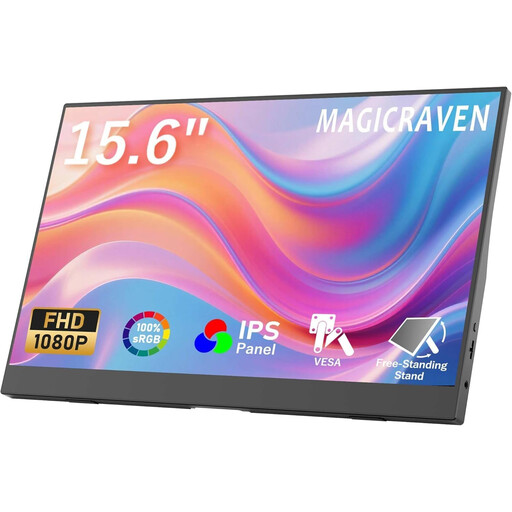
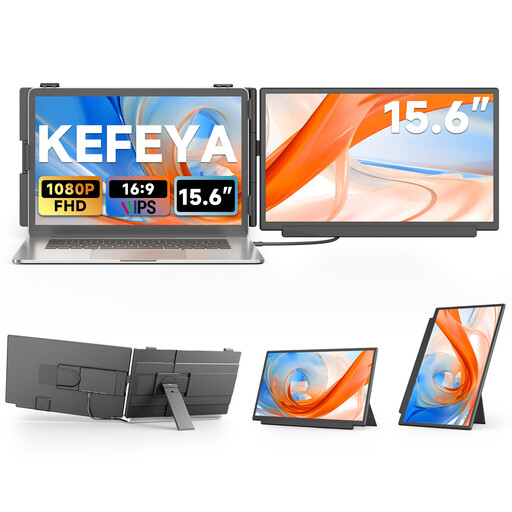
This selection includes portable monitors for looking at photos together at a café table, including models with a 15.6- or 18.5-inch screen and devices with a stated sRGB coverage.
 No image available
The 15.6-inch screen gives you plenty of space to view photos together. The Smart Cover case is listed as having a stand function for positioning the monitor.
Full HD at 1080p, 60 Hz, IPS panel, HDR, integrated speakers, and HDMI and USB-C ports.
 No image available
The 15.6-inch screen is well suited to viewing together at a table. According to the product description, the two stands allow for different set-ups.
Full HD at 1920 × 1080, 60 Hz, IPS display and integrated speakers.
 No image available
The product description lists a swivelling stand for positioning the monitor at a café table.
IPS panel, 72 % colour gamut coverage, 300 Nits, and USB-C and HDMI ports.
 No image available
The matte finish is worth considering if you want to reduce reflections, but it doesn’t guarantee visibility in every lighting condition.
Full HD at 1920 × 1080, matte IPS display, USB-C, Mini-HDMI and VESA compatibility.
 No image available
The stated sRGB coverage is worth considering for sRGB photos, but it doesn’t replace checking the entire playback chain.
IPS display, Full HD, 300 Nits, adjustable stand, USB-C and Mini-HDMI.
No. The port must also be able to output video, for example via DisplayPort Alt Mode. Check your device’s specifications and test the exact set-up with the cable you plan to use. ASUS explicitly distinguishes between USB-C ports with and without video functionality.
Plan how you’ll power both the monitor and source device rather than assuming there’ll be a socket available. AG Neovo specifically recommends an external USB-C power supply for stable operation of the N1651.
No, there’s no blanket answer. Under Section 22 of the German Copyright Act (KunstUrhG), consent from the person pictured is generally required for images to be publicly displayed or distributed. Processing personal data also requires a legal basis under the GDPR. Whether a particular conversation amounts to a public display depends on the circumstances. Show sensitive images in a way that prevents others from seeing them.
Your statutory rights against the seller are separate from any voluntary guarantee. The European Commission explains that, for consumer purchases, the seller is liable for a lack of conformity that existed at the time of delivery and becomes apparent within two years. Online orders in Germany generally come with a 14-day right to cancel from the date you receive the goods; conditions and exceptions apply.
Check whether a suitable protective case is included and set up the monitor on a stable surface according to the manufacturer’s instructions. For example, ASUS lists a case included with the ZenScreen MB16AHG to protect it from dust and scratches; this doesn’t automatically apply to other models.