If colour is crucial to how your portfolio looks, check the stated colour gamut and available colour settings. For sharing images around a table, screen size and positioning may matter more. Before buying, check that your source device can output a picture through the intended connection, and how the monitor will be powered during your presentation. Manufacturers’ colour gamut figures don’t show how your files will look in the lighting at the actual presentation venue.
Who uses a portable monitor for a photography portfolio?
Photographers with colour-critical portfolios
You want to present image colours and tones with care, so you check colour settings and the lighting at the presentation venue as well as resolution and colour gamut. ViewSonic Deutschland, AG Neovo Germany and Lenovo Deutschland provide model specifications for selected devices.
Presenters switching between source devices
You switch between a laptop, tablet or camera, so you need to check that the video output, cable and power supply will work with your specific combination of devices. ASUS Deutschland and AOC Deutschland describe different connection options and requirements.
Presenters without reliable access to a power socket
You want to present at a library table without relying on a power socket, so you need a power solution that will last for the planned presentation. ASUS states that the ZenScreen Touch MB16AMTR has a built-in battery offering up to four hours of use.
What should you look for when buying?
Decide whether image quality, a compatible signal path, positioning or operation without a power socket matters most for your session.
| Priority |
What to check before buying |
Who it matters most to |
| Colour and image detail |
Colour gamut and resolution of the exact model; display mode and lighting at the presentation venue. |
If I want to show the intended look of my images, I pay attention to colour gamut and viewing light. Around 33% of consumers put colour first. |
| Connection to the source device |
Check the device’s video output, the monitor’s input, the cable you’ll need and the power supply together. |
If I switch between a laptop, tablet or camera, I need a signal path that works with my specific device. Around 27% of consumers prioritise connection compatibility. |
| Portability and positioning |
Consider the weight with any necessary accessories, space on the table, the stand and screen orientation. |
If I’m taking the monitor with me and want to view images together around a table, portability and suitable positioning matter to me. Around 20% of consumers put these points first. |
| Presenting without a power socket |
Check the availability of a power socket and the planned duration; if you’re considering a model with a battery, compare its stated battery life with the length of your session. |
If there’s no reliable power socket where I plan to present, I need a power solution that will last for the session. Around 20% of consumers prioritise not relying on a power socket. |
Avoiding pitfalls when buying a portable monitor
-
USB-C doesn’t automatically mean video can be transmitted
A USB-C port on your laptop alone doesn’t prove that it can output a video signal. ASUS specifically advises checking the display capabilities of the laptop port when using the MB16AHV.
Before your presentation, test the complete signal and power setup with your own devices.
Depending on your setup, you may need a suitable cable, a different source device or a separate power source.
-
A wide colour gamut alone doesn’t guarantee the right look
The DCI-P3 or sRGB figures quoted by manufacturers apply to specific models. They don’t show how your files will look in the lighting at the presentation venue.
Assess your image files, display mode and lighting together; don’t treat manufacturers’ figures as an independent real-world test.
-
USB-C power isn’t the same as a built-in battery
A monitor powered via USB-C needs a suitable power source. ASUS specifically lists a built-in battery for the ZenScreen Touch MB16AMTR, with a limited battery life.
Check the availability of a power socket and the length of your presentation in advance. Only assume you can use a battery if one is specified for the exact model.
Relevant brands and model ranges at a glance
ViewSonic
The ColorPro VP16-OLED is a portable option for presenting a portfolio where colour matters.
- ViewSonic states that this model offers 100% DCI-P3, Delta E < 2 and a foldable anti-glare hood.
- These are manufacturer specifications, not an independent measurement at your presentation venue. You’ll need to plan for USB-C power.
AG Neovo
The N1651 is a portable 15.6-inch 4K OLED monitor for detailed image presentations.
- AG Neovo states that this model offers 100% DCI-P3, weighs 700 g and has USB-C and Mini HDMI.
- Colour gamut coverage alone doesn’t prove that the display is calibrated. Check your setup’s power requirements too.
Lenovo
The ThinkVision M14d is designed to be lightweight, while the M14t Gen 2 adds touch control.
- According to Lenovo, both models have a 14-inch screen, a resolution of 2240 × 1400 pixels and 100% sRGB. Lenovo states that the M14d weighs 600 g and the M14t Gen 2 weighs 700 g.
- Weigh the smaller screen against the benefit of easier transport. Touch control doesn’t replace a working video connection.
ASUS
The ZenScreen Touch MB16AMTR is an option with a built-in battery; other ZenScreen models offer different connection and positioning options.
- ASUS states that the MB16AMTR has a built-in battery offering up to four hours of use.
- Battery life is a manufacturer specification and doesn’t automatically account for your planned brightness or presentation length. For the MB16AHV, ASUS advises checking that the laptop can output video via USB-C.
AOC
The 16T20E2 is a 15.6-inch Full HD IPS monitor with USB-C and Mini HDMI.
- AOC states that this model has USB-C with DisplayPort Alt Mode and a Mini HDMI port.
- The connection specifications don’t prove colour accuracy measured for colour-critical work. If you’re using HDMI, you’ll need to plan for a separate power supply.
Joybuy products for presenting at a library table
This selection includes portable monitors with different connections, screen sizes and power options. Before buying, check that your specific source device can output a picture and how your setup will be powered.
 No image available
15.6-inch Full HD IPS monitor with HDMI and USB-C
An option if you want to use a portable display with several wired connections at a library table.
The product title lists a 15.6-inch screen, Full HD 1080p, 60 Hz, an IPS panel, HDR, built-in speakers, HDMI, USB-C and a stand.
View on Joybuy
 No image available
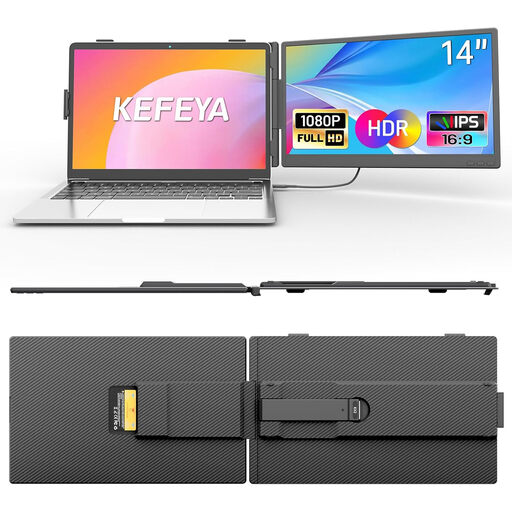
KEFEYA 14-inch Full HD IPS laptop screen extender
Could suit you if you’re looking for a compact extra display for a compatible laptop setup.
The product title lists a 14-inch screen, Full HD 1080p, an IPS panel, USB-C and HDMI. It’s listed as suitable for laptops from 13 to 17 inches.
View on Joybuy
 No image available
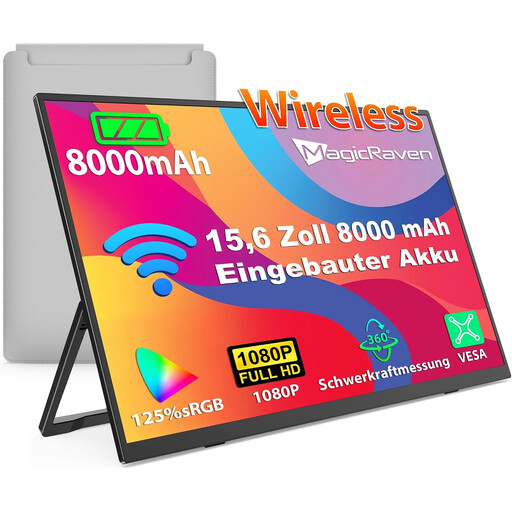
Wireless 15.6-inch Full HD IPS monitor with 8,000 mAh battery
A possible choice if there’s no reliable power socket at your presentation venue and you’re considering a built-in battery.
The product title lists an 8,000 mAh battery, 60 Hz, a 1080p Full HD IPS display and support for AirPlay and Miracast. Check that the connection works with your device, and compare the planned presentation length with the specifications for the exact model.
View on Joybuy
 No image available
14-inch Full HD IPS monitor for extending a laptop display
An option if you want to use a portable extra display with several wired connections.
The product title lists a 14-inch screen, Full HD 1080p, 60 Hz, an IPS panel, HDMI, USB-A and USB-C. Compatible systems listed include Windows, Mac and Android; it’s stated to fit laptops from 14 to 16.5 inches.
View on Joybuy
 No image available
PM14R 14-inch IPS monitor, 1920 × 1200
Could suit you if you’re looking for a portable 14-inch display for a compatible source device.
The product title lists a 16:10 IPS panel with a resolution of 1920 × 1200 pixels, as well as Type-C and Mini HDMI.
View on Joybuy
Frequently asked questions about portable monitors for photography portfolios
Will my laptop’s USB-C port carry both video and power?
Not necessarily. Check whether the specific laptop port outputs video and whether its power supply is sufficient for your chosen monitor. ASUS specifically advises checking this for the MB16AHV; test the connection before your presentation.
How should I position the monitor for viewing images together?
Check that there’s enough space on the table for the stand and that the screen faces the right way for viewing. Lenovo states that the M14t Gen 2 has an adjustable stand; according to ASUS, the MB16AHG has a tripod socket, but a tripod isn’t included. Test the setup with the source device you’ll actually use.
What should I check about cables and returns before buying?
First, check whether your setup needs an additional compatible cable or a separate power source. For online purchases from business sellers, consumers in the EU generally have a 14-day right to cancel from the date of delivery; check the seller’s terms for return postage costs. Your Europe distinguishes this right to cancel from statutory protection against faulty goods, and states that goods in the EU have a minimum two-year legal guarantee from the date of receipt.
Can I show photos of identifiable people publicly in a library?
There’s no general answer based solely on the location. Section 22 of the KunstUrhG governs consent when distributing or publicly displaying portraits; the German Federal Ministry of Justice’s Laws on the Internet website sets out this general legal rule. Whether it applies to a particular presentation, and which rights or exceptions are relevant, depends on the images and the audience. Check the rights to the specific photos before publicly showing identifiable people.


