What should you look for when buying a portable monitor for photography?
First, consider how important it is to you to control colour reproduction. Then check that the video connection and power supply work with your source device. For mobile use, portability and ease of sharing the screen matter too.
| What matters |
What to check before buying |
Who is it important to? |
| Consistent photo colours |
Check the documented colour gamut and, where available, calibration information for the specific model. Test your presentation files and display settings with your own source device. |
If I want to show portfolio colours as accurately as possible in a client meeting, I check the colour gamut and the entire display workflow. Around 28% of consumers put consistent colour reproduction first. |
| Power throughout the appointment |
Check the power requirements and whether your source device can supply power. For longer appointments, plan to use a suitable external power source. |
If I don’t want to risk the monitor running out of power during a meeting, I plan a suitable power supply for the full appointment. Around 22% of consumers prioritise power. |
| Video connection for your existing device |
Check the video mode, power output and cables required for your specific laptop, tablet or smartphone model. |
If I want to connect my existing laptop, tablet or smartphone, the device must actually support the video mode required. Around 22% of consumers prioritise compatibility with their source device. |
| Portability and quick set-up |
Consider the net weight and any accessories you’ll need to carry. Check the stand and protective case in the context of how you plan to transport and use the monitor. |
If I carry the monitor between client appointments regularly, compact storage and quick set-up are important to me. Around 17% of consumers put portability first. |
| Viewing and interacting together |
Check that touch works with your operating system and presentation software. Test the position and viewing angle for both people in the meeting. |
If I want to review images with clients and let them select photos directly on screen, I check how easy it is to use too. Around 11% of consumers prioritise viewing and interacting together. |
Joybuy products for mobile presentations
The following Joybuy products include portable displays for presenting photos on the go. Before buying, check that the colour workflow, video connection and power supply are compatible with your source device.
 No image available
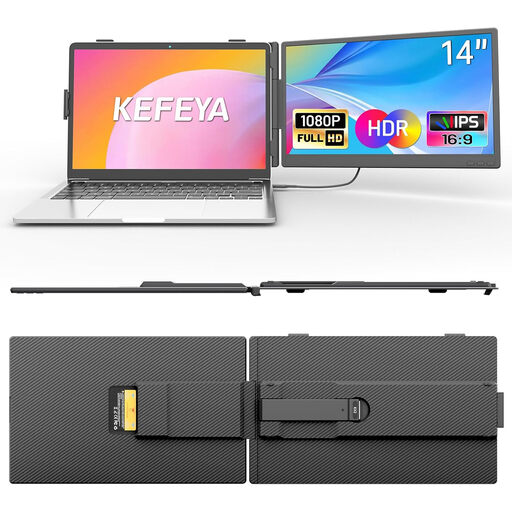
KEFEYA 14-inch FHD IPS monitor
For a compact portable display, the product description lists a 14-inch format and an IPS panel.
The product description lists FHD, 100% sRGB and 300 Nits, as well as USB-C and HDMI. USB-C video requires DisplayPort Alt Mode; for HDMI, a separate USB-A power connection is also specified. The stated colour gamut is not an independent measurement of colour reproduction.
View at Joybuy
 No image available
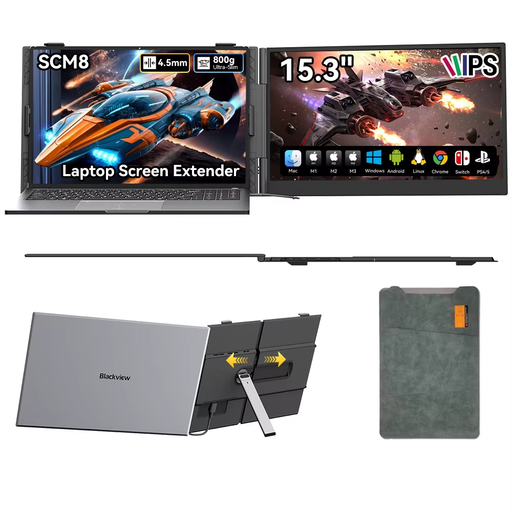
Blackview SCM8 15.3-inch monitor
For sharing presentations on a larger portable display, the product title lists a 15.3-inch screen with an adjustable stand.
The title lists USB-C and an included protective case. The product description says the stand adjusts through 180°.
View at Joybuy
 No image available
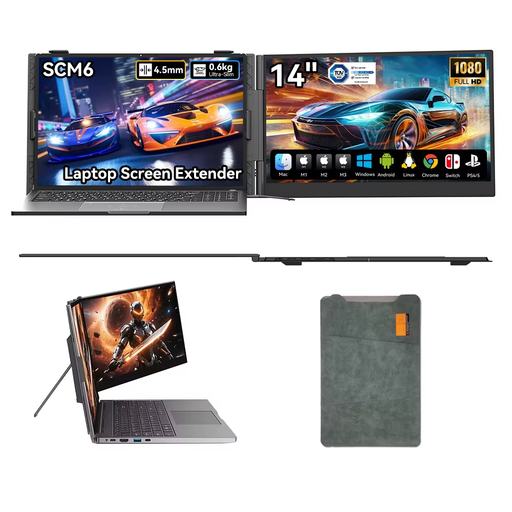
Blackview SCM6 14-inch 1080p monitor
For a compact set-up between appointments, the product title lists a portable 14-inch monitor with an integrated stand.
The title lists 1080p, an IPS display, USB-C and a stand that adjusts through 180°.
View at Joybuy
 No image available
UPERFECT 16-inch QLED monitor
If you’re looking for a larger portable display to view image details, the product title lists a 16-inch format with 2.560 × 1.600 pixels.
The title also lists QLED, 450 Nits, 144 Hz, Mini-HDMI and Type-C. These individual specifications alone don’t indicate how accurately colours will appear in your own photography workflow.
View at Joybuy
 No image available
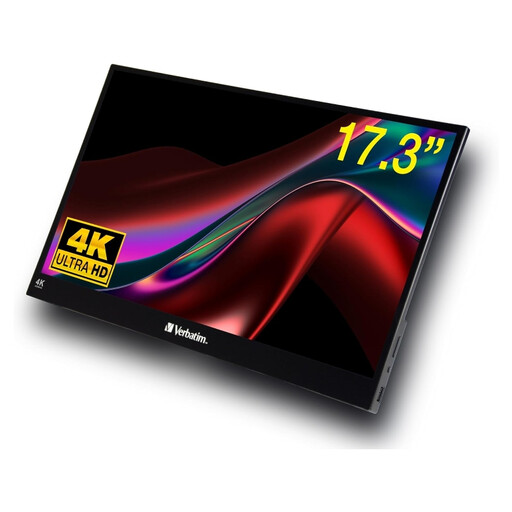
Verbatim PMT-17 17.3-inch touch monitor
For selecting images together on a larger screen, the product description lists a portable 17.3-inch IPS display with touch functionality.
The description lists Full HD and a weight of 1,63 kg; the title lists USB-A, USB-C and HDMI. The description says a power adapter is included.
View at Joybuy
Frequently asked questions about portable monitors for photography portfolios
Is USB-C enough to carry video and power over a single cable?
Not automatically: the USB-C port on your source device must support the video output and power supply required. For the PA148CTV, ASUS specifies DP Alt Mode and at least 10 W from the source device; for the TD1655, ViewSonic specifies DP 1.2 Alt Mode and power delivery. Check the specifications for both devices and test them together.
Should I calibrate a monitor for a colour-critical photography presentation?
If consistent colour reproduction between devices or for later printing is important, you should consider calibration and profiling as part of the same workflow. The International Color Consortium describes them as complementary steps; a manufacturer’s stated colour gamut alone is no substitute.
What additional costs or service terms should I check?
Check whether your set-up requires an additional power supply or suitable cables and adapters. The minimum two-year legal guarantee explained by Your Europe applies to consumer purchases; if you’re buying for a business, check how your contract is classified. A voluntary manufacturer’s warranty is separate.
What should I consider when a client’s portfolio includes identifiable people?
If your presentation involves processing personal data, you need an appropriate legal basis for that specific purpose. If you rely on consent, it must be informed and freely given in line with the requirements explained by the Federal Commissioner for Data Protection and Freedom of Information. Buying a monitor doesn’t grant permission to use any photos you like; the specific circumstances also depend on the portfolio’s content and usage rights.
What should I know about product labelling and disposal in Germany?
For certain electrical and electronic products, the Federal Network Agency includes CE marking, manufacturer details and German-language instructions among the points it monitors as part of its market surveillance. This does not replace checking the specific product listing. According to the German Environment Agency, an old monitor must not be put in household rubbish; it should be taken to a separate collection point for waste electrical equipment.


