Readers without access to a power socket
If you read manuals at your workplace, consider how both the screen and the source device will be powered for as long as you need to read.


If you want to preserve your source device’s battery, a portable monitor with a built-in battery could be worth considering. If the monitor draws power from your laptop, you’ll need to factor in its additional energy use. You’ll also need a genuinely compatible video connection and a display that makes your manuals easy to read. Manufacturers’ battery-life figures apply to the conditions they specify; they are not a guarantee for every device combination.
If you read manuals at your workplace, consider how both the screen and the source device will be powered for as long as you need to read.
For long pages of text or technical drawings, the display format and positioning matter, so you can view the content in a suitable layout.
If you switch between a laptop and other devices, check that their video outputs are compatible with the monitor’s input.
| Priority | What to check when buying | Who it matters most to |
|---|---|---|
| Power supply and battery life | Built-in battery or a suitable portable power supply; the manufacturer’s stated conditions and the energy requirements of the complete device combination. | If I’m reading without access to a power socket, I want the screen to stay powered for as long as I need it without unnecessarily draining my source device. Around 36% of consumers put power supply first. |
| Connection to the source device | The device’s video output, whether it supports video over USB-C, and the right cables; check the power supply separately when using HDMI. | If I want to use devices I already own, their video output needs to work with the monitor. Around 29% of consumers prioritise device compatibility. |
| Readability of text and drawings | Check the display format, resolution and portrait orientation with a typical manual page and your planned scaling settings. | For long pages of text or technical drawings, I want to display enough content in a suitable layout without making the text impractically small. Around 21% of consumers focus first on how documents are displayed. |
| Portability and positioning | Consider the weight with any accessories you need, the stand, and whether there’s a flat, stable surface where you’ll be using it. | If I carry the monitor around often, its packed size and a secure position at each workstation matter. Around 14% of consumers prioritise portability and positioning. |
A portable screen may draw power from the connected laptop instead. In that case, the monitor will also use the source device’s portable power.
Check the power source for the specific model and make sure it will meet your needs for the full time you plan to use both devices.
Depending on the connection and model, you may need extra cables or a separate portable power source.
A USB-C connector doesn’t automatically mean the device can output a video signal. Verbatim states that its monitor #32238 also needs a power supply when used via HDMI.
Check the source device’s video output and the power requirements against the specifications for the exact monitor model.
You may need different cables or connections for the video signal and power supply.
Resolution and display format alone don’t tell you how large the text on a particular manual page will appear at your chosen scaling setting.
Check a typical PDF page using your planned display settings, and consider portrait orientation and viewing angle.
For reading without access to a power socket, the key factors are how the particular model is powered, whether it has the right video connection and how the display can be positioned.
The ZenScreen Go MB16AHP is an example of a portable monitor with a built-in battery, USB-C and Micro-HDMI.
The ThinkVision M16 is designed for readers who can make use of a 16:10 display and a compatible USB-C video connection.
The gram +view 16MR70 is a 16:10 additional display for compatible laptops, offering extra vertical space for documents.
The TD1655 combines a 15.6-inch display with touch control for devices that support the required signals.
The portable monitor range includes USB-C and HDMI models. Model #32238 is an example of a 15.6-inch 4K touchscreen monitor.
This selection includes portable monitors for displaying manuals. If you plan to use one away from mains power, check how each model is powered and whether its video connection is compatible with your source device.
 No image available
For displaying manuals on an external screen; check the power supply you’ll need before using it without access to a power socket.
The title lists HDMI and USB-C, as well as a stand. Check that your source device outputs a compatible video signal through the connection you plan to use.
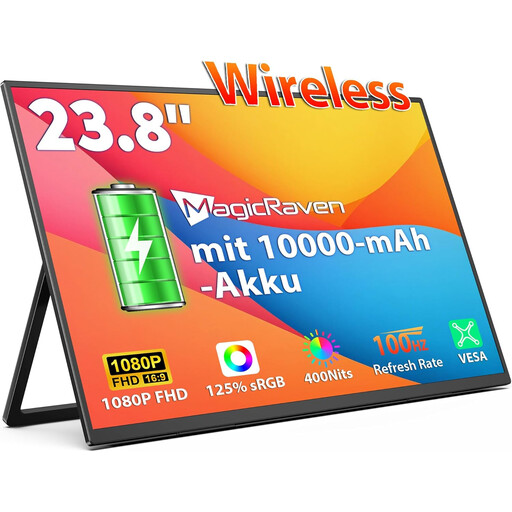 No image available
The built-in battery could make this model an option for reading manuals where there’s no power socket. Check that the specified device combination suits your needs.
The title lists an FHD IPS display with 100 Hz, as well as support for AirPlay and Miracast. Before buying, check that your source device supports the connection you want to use.
 No image available
The built-in battery could be useful for reading manuals without access to a power socket. Check that your device combination will last as long as you need it to.
The title lists a 16-inch IPS display with 2.5K resolution, as well as support for AirPlay and Miracast. Check which connections your source device supports.
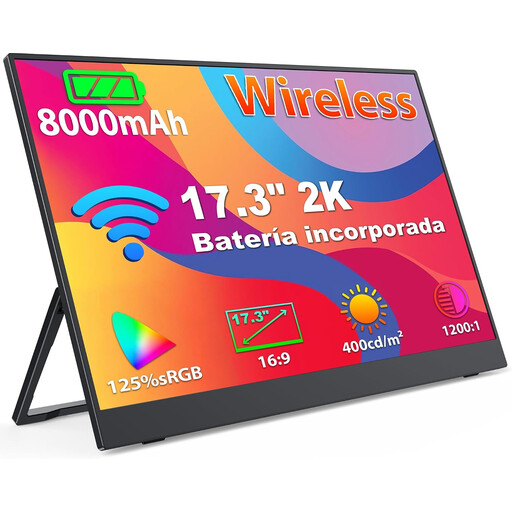 No image available
The built-in battery makes this model worth considering as a manual display without access to a power socket. Factor in how long your complete device combination needs to run.
The title lists a 17.3-inch IPS display with 2K resolution and support for AirPlay and Miracast. Check compatibility with your source device.
 No image available
For reading manuals on a larger display; before using it away from mains power, check the power supply and make sure your source device has a compatible video output.
The product description lists 100 Hz, along with USB-C and Mini-HDMI inputs. Its stated weight is 1.91 kg without the stand, so bear this in mind when transporting it.
Not necessarily. Check the video output from your laptop’s port and the power requirements of the specific monitor. For the 16MR70, LG requires DisplayPort Alt Mode and more than 7.5 W USB-PD output power; this model-specific requirement doesn’t apply to all monitors.
Check the video signal and power supply separately. Verbatim requires a power supply for HDMI use with its 4K touchscreen monitor #32238. You’ll need to check whether a particular portable power source is suitable for your specific setup.
A manufacturer’s figure applies to the stated conditions and doesn’t guarantee a particular battery life in every situation. ASUS lists up to four hours for the ZenScreen Go MB16AHP in its stated test mode; when planning how long you’ll use it, consider your specific device combination and usage.
Place the monitor on a flat, stable surface. ViewSonic’s instructions for the TD1655 include guidance on safe positioning; also follow the relevant model’s advice on transport and care.
No. The German consumer advice centre distinguishes your statutory rights against the seller from a voluntary manufacturer’s warranty, which has its own terms. Check the warranty cover and the relevant point of contact separately.