For working on renovation plans at a library table, your portable second monitor should suit your laptop’s connection, the space available and the way you want to work. A compact 14-inch model is easier to fit in, while a 16-inch display takes up more room. Touch is most useful if you want to mark up documents directly on screen. Before buying, also check that your laptop and monitor can transmit a picture over the connection you intend to use, and that there’s enough power.
Who plans with a portable monitor?
Comparing plans
If you want to view designs, measurements and notes alongside your laptop, consider screen size and your preferred text size together. Lenovo lists the ThinkVision M16 as a 16-inch model with 1920 × 1200 pixels; the ThinkVision M14t Gen 2 has a 14-inch screen and 2240 × 1400 pixels.
Planning on the move
If you regularly take your monitor to the library, you’ll need one that fits on the available table space beside your laptop. Verbatim lists the PM-14 LIGHT as weighing 540 g and having an integrated stand.
Making mark-ups directly
If you want to enter changes directly on the second screen during a meeting, a touch model may be worth considering. Lenovo lists 10-point touch for the ThinkVision M14t Gen 2. Also check that your laptop and planning software support the input method you want to use.
What should you look for when buying?
First, check that your laptop and monitor can transmit a picture and provide enough power through the connection you want to use. Then compare the space available with how easy the display will be to read. Touch is another consideration if you want to work directly on screen.
| Consideration |
What to check before buying |
Who is it important to? |
| Connection and power |
Check that your laptop port supports video output; for USB-C, confirm DisplayPort Alt Mode and check the power requirements. |
If I want to use the monitor with my existing laptop without connection issues, I’ll check video output and power together. Around 36% of consumers put connection and power first. |
| Readable space for plans |
Compare screen size, aspect ratio, resolution and scaling with the documents you want to view. |
If I want to view drawings and documents side by side, I’ll look for enough usable screen space and a clear, readable image. Around 29% of consumers prioritise comparing plans and readability. |
| Portability and positioning |
Consider the weight, dimensions and stand, and allow space for your laptop and cables. |
If I regularly take the screen with me and set it up on a small library table, I’ll also consider how easy it is to carry and position. Around 21% of consumers focus on portability and the space available. |
| Direct touch input |
Check the model’s touch support and compatibility with your laptop and planning software. |
If I want to mark up or present changes directly on the second screen, touch needs to work with the way I work. Around 14% of consumers prioritise this kind of direct input. |
Common misconceptions
-
A USB-C port doesn’t automatically mean video output
According to the manufacturer, using a single cable with the Verbatim PM-14 LIGHT requires both DisplayPort Alt Mode and sufficient power from the connected device.
Before choosing a connection, check that your laptop port supports video output and that it can meet the specific monitor’s power requirements.
-
Screen size alone doesn’t tell you everything about your workspace
A 16-inch display takes up more space than a 14-inch model. And a high resolution doesn’t automatically mean the text will be the right size for you.
Plan for your laptop, stand and cables together on the table you’ll be using, and check that the text will be a comfortable size to read.
-
Touch isn’t essential for every kind of planning
Touch can let you enter information directly, but it doesn’t automatically offer an advantage if you’re only viewing documents.
Choose touch based on how you actually work, and check software support and whether a compatible stylus is included.
Key brands at a glance
Lenovo
The ThinkVision models listed differ in size, resolution and input method.
- Lenovo lists the M16 as a 16-inch model with 1920 × 1200 pixels; the M14t Gen 2 has a 14-inch screen, 2240 × 1400 pixels and touch.
- These specifications apply to the models listed. For the touch model, also check compatibility with your laptop and software.
ASUS
ZenScreen models offer different connections and display options.
- ASUS lists the MB16ACV as having an anti-glare 15.6-inch Full HD display and USB-C. According to the manufacturer, the MB16AHV also has Mini-HDMI.
- Don’t assume one model has the same connections as another; check the specifications for the exact variant.
Verbatim
The PM-14 LIGHT is a 14-inch model designed for frequent transport, with different connection options.
- Verbatim lists a weight of 540 g, an integrated stand and cables included in the box.
- According to the manufacturer, single-cable use over USB-C requires a compatible signal and sufficient power; HDMI requires a separate power supply.
Dell
The Pro P1425 is a 14-inch second monitor in a 16:10 format, designed for working on documents while on the move.
- Dell lists a resolution of 1920 × 1200 pixels, IPS and an adjustable tilt.
- Its screen is smaller than the 16-inch options listed here. Check that the connection is compatible with your laptop.
Joybuy product selection
This selection includes portable second monitors for viewing larger documents, compact set-ups and different connection options.
 No image available
KEFEYA 16-inch FHD 1200P monitor with rotating magnetic stand
The 16-inch screen gives you more space for documents; make sure you have enough room for it beside your laptop.
Listed in the product title: FHD 1200P and a 360° rotating magnetic stand.
View at Joybuy
 No image available
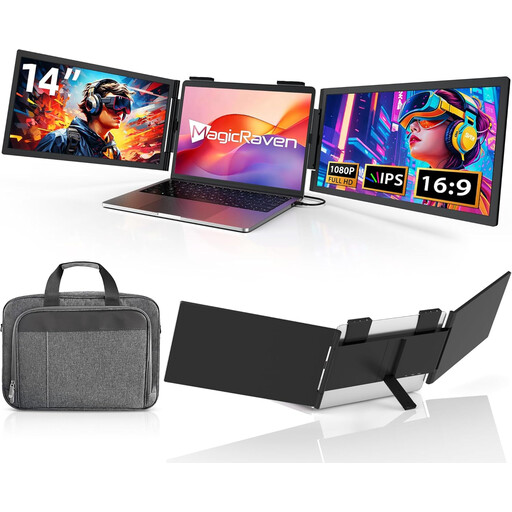
Portable 14-inch FHD 1080p monitor, 60 Hz
The 14-inch size may suit you if you want a more compact second screen; check that the connection is compatible with your laptop.
Listed in the product title: FHD 1080p, 60 Hz, IPS, plus HDMI, USB-A and USB-C. The stated compatible laptop size is 14 to 16.5 inches.
View at Joybuy
 No image available
Portable 14-inch FHD 1080p monitor, USB-C
This compact second screen may suit you if your laptop supports the USB-C connection required.
Listed in the product title: FHD 1080p, 60 Hz and USB-C; HDMI is not listed. The stated compatible laptop size is 14 to 16 inches.
View at Joybuy
 No image available
PM14R 14-inch monitor, 1920 × 1200, 16:10
The 16:10 format and stated resolution may be useful for viewing documents; check that Type-C or Mini-HDMI is compatible with your laptop.
Listed in the product title: IPS, 1920 × 1200 pixels, 16:10, Type-C and Mini-HDMI.
View at Joybuy
 No image available
Wireless 16-inch monitor with 2.5K resolution
A larger second screen may be useful for viewing documents side by side. Before buying, check that the stated wireless connection works with your devices.
Listed in the product title: IPS, built-in 8000-mAh battery, AirPlay and Miracast support, and a VESA mounting option.
View at Joybuy
Frequently asked questions
Is a USB-C port on my laptop enough for picture and power over a single cable?
No. The port must support the required video output and power supply. For single-cable use of the PM-14 LIGHT, Verbatim specifies DisplayPort Alt Mode and sufficient power from the connected device as requirements.
How should I set up the monitor for a visit to the library?
Allow space beside your laptop and place the monitor on a stable surface. According to Verbatim, the PM-14 LIGHT has an integrated stand; also allow for its case and cables when packing it for transport.
Can I leave the power adapter at home when using HDMI?
That depends on the model. Verbatim requires an additional power supply for HDMI use with the PM-14 LIGHT and lists a power adapter as included. For other monitors, check their specific connection and power requirements.
What rights do I have when buying a monitor online for personal use?
For a covered distance purchase, consumers generally have 14 days from delivery to withdraw from the contract; exceptions and possible return costs may apply. Your Europe, the European Union’s consumer portal, also states that goods bought from professional sellers have a statutory legal guarantee of at least two years from receipt. If the library places the order as an organisation, check separately whether consumer rights apply.
What should I look for to check that a product complies with regulations?
Check that the product is correctly marked with CE and that the manufacturer’s details make it possible to identify them. The Bundesnetzagentur lists these points as part of its market surveillance; a shop listing alone doesn’t confirm them for a specific device.


