Storyboard reviewers
If you want to look at panels, sequences and captions together on location, compare how legible your file is, your viewing distance and the space available to set up the monitor.


For reviewing a storyboard together, the priority is a screen that’s easy to read and can be set up and powered reliably at your chosen location. If you want to make annotations directly on screen, consider a touch or stylus model, provided your source device, operating system and app support input. USB-C alone doesn’t guarantee video output: LG states that the gram +view 16MR70 requires DisplayPort Alt Mode and more than 7.5 W of output power from the connected device.
If you want to look at panels, sequences and captions together on location, compare how legible your file is, your viewing distance and the space available to set up the monitor.
Plan how you’ll power the monitor for the full duration of your session. Compare power from your source device, a built-in battery or a separate power source, but don’t assume a capacity figure guarantees a particular runtime.
If you want to make changes directly on the extra display, check that touch or stylus input works with your source device, operating system and storyboard app.
First, check that your source device can provide a compatible video signal. Then make sure the screen, power supply and setup suit your needs when working away from your usual workspace.
| What you need | What to check before buying | Who should pay particular attention? |
|---|---|---|
| Read storyboard details | Open a typical file at the scaling you plan to use, then check the screen size, aspect ratio and legibility from your intended viewing position. | If I want to see panels and captions clearly as they’ll actually appear, readability matters more than having the most compact design possible. Around 26% of consumers put the legibility of their storyboard pages first. |
| Connect the video signal | Check that your laptop or tablet’s video output, the monitor’s input and the cable are compatible. With USB-C, make sure it specifically supports video output. | If your main concern is making sure your existing source device can output a picture, check the ports and cable model together. Around 26% of consumers say connection compatibility is their top priority. |
| Plan the power supply | Work out how long you’ll use the monitor, which power sources are available and how much power the specific monitor needs with your intended connection. | If I need reliable power throughout a session away from my usual workspace, I compare power from the source device, a built-in battery and a separate power source. Around 21% of consumers put power supply first. |
| Transport and setup | Compare the monitor’s dimensions and weight with your bag, and allow space for the monitor, stand, source device and cables. | When I’m working in different locations, I want to be able to carry and set up the monitor securely without running short of space. Around 16% of consumers pay particular attention to transport and setup. |
| Annotate directly on screen | Check touch and, where applicable, stylus functions on the exact model with your operating system and storyboard app. | If making annotations directly on the extra display is part of my workflow, the input needs to work with my software and device. Around 11% of consumers say direct annotation is their main reason for buying. |
A USB-C port alone doesn’t prove that your source device can output a video signal. For the gram +view 16MR70, LG requires DisplayPort Alt Mode and more than 7.5 W of output power from the connected device.
Check the documented features of both devices and the cable, using the exact models.
The ZenScreen range includes a touch model with a built-in battery, as well as simpler portable displays.
The ThinkVision M14t Gen 2 is a 14-inch option for on-the-go reviews with direct input.
The gram +view 16MR70 gives you a larger 16:10 workspace on a portable extra display.
The foldable PD3 PD163Q provides two separate screens when you need to view content side by side.
The PM-14 #49590 and Light #32088 are examples of a compact display and a touch model supplied with a power bank.
These portable extra monitors from Joybuy suit a range of viewing and setup situations. Before buying, check that the screen, connections and power supply will work for your needs when you’re away from your usual workspace.
 No image available
This 14-inch display gives you a compact screen for mobile reviews. Check that your storyboard file is easy to read from your intended viewing position.
14 inches, 1920 × 1200 resolution, IPS and 16:10 aspect ratio.
The product title lists Type-C and Mini-HDMI.
 No image available
If you want a larger extra display for storyboard pages, this 16-inch model is one size option to consider. Check that its connections and setup suit your source device.
16 inches, 2560 × 1600 resolution, 16:10 aspect ratio and QLED.
The product title lists 144 Hz, Mini-HDMI and Type-C.
 No image available
If you want to view storyboard pages on a portable second screen, the built-in adjustable stand is a useful feature for setting up on location.
The product title lists a 15.6-inch screen and a built-in adjustable stand.
Speakers and VESA compatibility are also listed.
 No image available
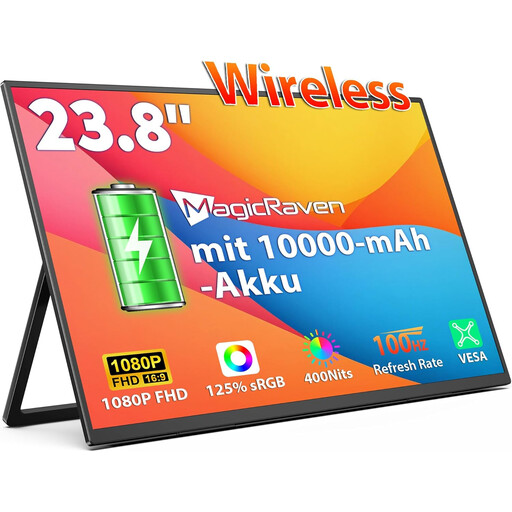
This model is worth considering if you want to review content together on a larger display. Bear its size in mind when transporting it and planning where to set it up.
23.8 inches, 1080p FHD IPS display and built-in 10.000 mAh battery.
The product title also lists 100 Hz, AirPlay and Miracast.
 No image available
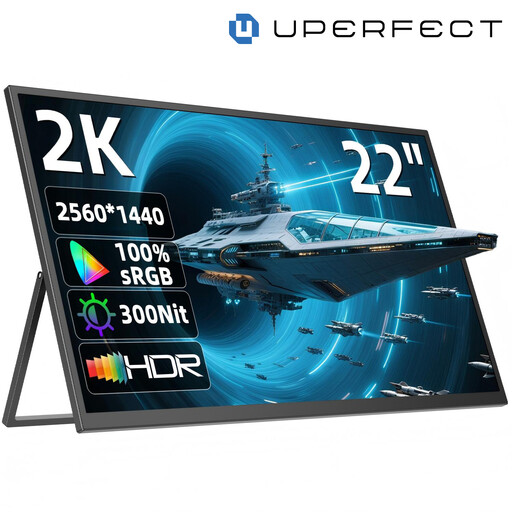
If you want to review storyboard panels on a large extra display, consider how much space it will take up when transporting and setting it up, as well as its screen size.
22 inches, 2560 × 1440 resolution and IPS.
The product title lists a stand adjustable through 180°, as well as USB-C and Mini-HDMI.
No. The connector type alone doesn’t confirm that it will work. Check video output, the cable and the power supply for your specific device. For the 16MR70, LG specifically requires DisplayPort Alt Mode and more than 7.5 W of output power from the connected device.
According to Verbatim, the PM-14 #49590 needs an additional power supply when connected via HDMI; HDMI alone won’t power this monitor.
No. Touch support alone doesn’t confirm that the stylus you want to use or your app will be supported. Lenovo lists active pen support for the ThinkVision M14t Gen 2; ASUS notes that touch functions on the MB16AMTR depend on the operating system. Check your complete workflow with your device and software.
Consumers generally have a 14-day right to cancel an online purchase, and must notify the retailer if they wish to do so. The Verbraucherzentrale distinguishes this right from claims relating to faults: for newly purchased goods, statutory warranty rights can generally be exercised within two years of receipt. A voluntary guarantee is separate.
Monitors are waste electrical and electronic equipment and shouldn’t go in household rubbish. The German Federal Ministry for the Environment also explains online retailers’ take-back obligations; check where you can take your monitor for disposal.