What should you look for when buying?
First, check the total space available at your seat, then look at the connection and power supply. Next, decide whether your work calls for more screen space, a particular type of display or direct input.
| Consideration |
What to check when buying |
Who is this especially important to? |
| Space and stability |
Compare the overall dimensions, including the stand, with the table you plan to use. |
If I want to write alongside my laptop, the monitor mustn’t take up the whole table. Around 36% of consumers put available space at the top of their list. |
| Video connection and power |
Check the video output of the specific device port, the monitor inputs, the cable and the power supply are compatible. |
When switching between devices, I want to know in advance how video and power will be handled. Around 29% of consumers say a compatible connection is their top requirement. |
| Text and image quality |
Compare the resolution, aspect ratio and screen finish of the exact model. Don’t treat manufacturers’ colour specifications as independent measurements. |
If I want to review a manuscript and photos side by side, how the content is displayed matters most to me. Around 21% of consumers put this first. |
| Direct input |
Check that the device, connection and applications you use support touch. Compare the stylus and included accessories for the exact model. |
If you want to mark up notes directly on the additional display, you’ll need a compatible touch connection. Around 14% of consumers prioritise direct input above all else. |
Joybuy products for this topic
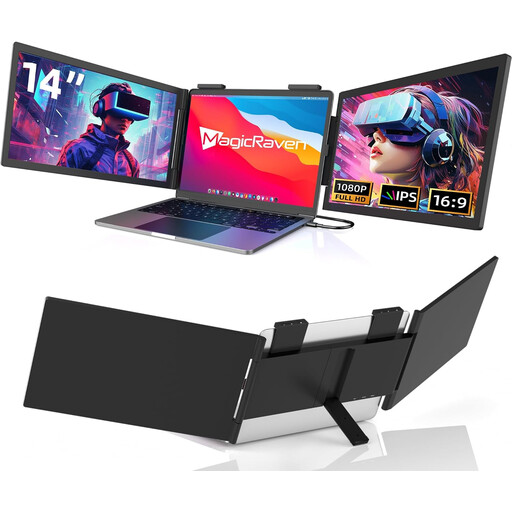
This selection includes portable 14-inch monitors for a compact workspace, as well as 15.6-inch models with more screen space. When looking at a specific product listing, check for the required CE marking too; technical model specifications don’t prove that it is present.
 No image available
Portable 14-inch FHD monitor, 60 Hz
For use as a compact second screen with a laptop; the product title lists compatibility with 14- to 16-inch laptops.
14 inches, FHD 1080p and 60 Hz; USB-C connection, no HDMI. Check that your host device’s USB-C port supports the video output you need.
View at Joybuy
 No image available
PM14R, 14-inch IPS monitor
A compact option if a 16:10 format appeals for working with journal text.
14 inches, IPS, 1920 × 1200 pixels and 16:10; Type-C and Mini-HDMI. Check the video output and power supply for your chosen connection.
View at Joybuy
 No image available
Blackview SCM6, 14-inch FHD IPS monitor
For a compact laptop workspace; the product title lists an integrated stand.
14 inches, FHD, IPS and 600 g. The product title lists compatibility with 13- to 17-inch laptops.
View at Joybuy
 No image available
ARZOPA A1, 15.6-inch FHD IPS monitor
The larger screen may give you more room for a manuscript and other content, but it takes up more space at your seat than a 14-inch model.
15.6 inches, 1920 × 1080 pixels and IPS; USB-C and HDMI.
View at Joybuy
 No image available
UPERFECT, portable 15.6-inch monitor
An option if you want more screen space and the display and stand fit on the table available.
15.6 inches; the product title lists an integrated adjustable stand, VESA compatibility and USB-C.
View at Joybuy
Frequently asked questions
Is a USB-C port on my laptop enough to connect a monitor?
No, the connector shape alone isn’t enough to confirm compatibility. Check whether the specific port supports the video transmission you need. For the USB-C connection described for the TD1655, ViewSonic requires DisplayPort 1.2 Alt Mode and power delivery.
What size monitor will fit on an ICE table?
It depends on the usable table space and the monitor stand. Deutsche Bahn says many ICE seats have fixed or fold-out tables. Before buying, compare the full setup dimensions with the seat you plan to use.
Is a 15.6-inch monitor better than a 14-inch model?
Not for every train workspace. A 15.6-inch model has a larger screen, but takes up more space than a 14-inch one. What matters is whether the display and stand fit on the table and how much room you need for text and images.
Is touch worth it for a travel journal?
Touch is most useful if you want to mark up or annotate directly on the additional display. Check that your host device, connection and applications support touch. You won’t need the feature if you only use a keyboard and mouse.
What should I look for when buying a monitor in Germany?
The German Federal Network Agency notes that before offering an electrical or electronic device for sale, retailers must ensure, among other things, that it carries the correct CE marking. The CE marking isn’t an independent assessment of picture quality, so check the marking on the specific unit you’re buying.


