A portable monitor is a good fit for showing a photography portfolio on the train if your laptop or tablet provides the right video signal and you’ve sorted out how to power the display at your seat. A compact IPS model may be a good choice if space and portability matter; an OLED model with a wide colour gamut specified by the manufacturer could suit detailed presentations, while touch functionality can make it easier to choose images together. Manufacturer claims about colour gamut are not independent measurements of colour accuracy, so also check the screen finish, your own image files and the space available to set up the monitor.
Who is a portable monitor on the train suitable for?
Photographers who care about colour
You want to show colours and image details clearly during a client meeting. Manufacturer claims about colour gamuts, such as those from ASUS, Lenovo and AG Neovo, should be distinguished from independent measurements of colour accuracy.
Presenters who use different devices
You use a laptop, tablet or another source device depending on the meeting, so you need to check the video connection, cables and power supply together. VESA explains how USB-C with DisplayPort Alt Mode can carry video and power; what matters is the functionality of the specific devices you’re using.
Travellers short on space or power
You need a screen that can be set up securely in a limited seating area, and don’t want to assume there’ll be a power socket. Deutsche Bahn lists different socket provisions for ICE seats depending on the train type.
What should you look for when buying?
First, check that your source device and monitor can transmit a compatible video signal, and find out how the monitor will be powered. Then compare the display quality and footprint against the space available at your seat.
| Priority |
What to look for when buying |
Who it matters most to |
| Photo and colour display |
Colour gamut specification and resolution of the specific model, screen finish, and testing it with your own images. |
If I want to show photos during a client meeting, I need a display that makes details easy to assess, without assuming that colour gamut coverage is the same as colour accuracy. Around 33% of consumers prioritise image quality. |
| Connection to the source device |
Video output on your laptop or tablet, DisplayPort Alt Mode or HDMI, and any cables or adapters you’ll need. |
If I want to use my existing laptop or tablet, I need to make sure the connection will actually transmit an image. Around 27% of consumers put finding the right connection first. |
| Space and portability |
Dimensions when set up, the stand and the weight, including any case and cables you’ll need. |
If I want to take the monitor on the train and set it up at my seat, I need to consider both its packed size and the space it takes up when set up. Around 20% of consumers prioritise space and portability. |
| Power supply |
The monitor’s power requirements, power output and the source device’s remaining battery; Deutsche Bahn states that there is one socket per pair of seats in second class on ICE trains. |
If my presentation is going to take a while, I don’t want to rely on finding a spare socket, so I check the power arrangements in advance. Around 20% of consumers put power supply first. |
Common misconceptions when buying a monitor
-
USB-C doesn’t automatically mean USB-C video
To transmit an image over USB-C, the output on your source device must support the relevant video function. Depending on the connection, you may also need a suitable adapter, a different cable or a separate power supply.
Check the connection specifications for both devices and test your presentation before travelling.
-
A stated colour gamut doesn’t guarantee accurate colour reproduction
Colour gamut figures are manufacturer specifications for particular models; on their own, they don’t demonstrate independently measured colour accuracy. Changing light conditions and a glossy screen finish, as on the ASUS ZenScreen OLED MQ16AH, can also affect how the image looks.
Show your own test images using the settings you plan to present with, and don’t judge colour accuracy on a percentage figure alone.
-
Screen size isn’t the only thing that affects how much space you need
The monitor’s external dimensions, stand or cover, and cables also take up space at your seat. Deutsche Bahn says that aisles, doors and safety equipment must be kept clear, and luggage must not block other seats.
Compare the monitor’s dimensions when set up with the space you’ll actually have available.
Key monitor brands at a glance
AG Neovo
The N1651 is a portable 15.6-inch 4K OLED monitor that AG Neovo offers for detailed presentations.
- AG Neovo specifies 100% DCI-P3, plus USB-C and Mini-HDMI.
- The colour gamut specification is not an independent measurement of colour accuracy. AG Neovo specifies 60 Hz, while one comparison lists 75 Hz. Check the refresh rate of the specific device if it matters to you.
ASUS
The ZenScreen range includes OLED and IPS models with different display and connection features.
- ASUS specifies 100% DCI-P3 for the OLED MQ16AH and 100% sRGB for the IPS MB16AHG. The MB16AHG’s listed connections include USB-C and Mini-HDMI.
- According to ASUS, the MQ16AH has a glossy screen, so check for potential reflections where you plan to sit. The MB16AHG’s high refresh rate doesn’t offer an advantage for still photos.
Lenovo
The ThinkVision M14d is a compact IPS option, while the M14t Gen 2 adds touch functionality for choosing images together.
- Lenovo specifies 2240 × 1400 pixels and 100% sRGB for both 14-inch models. The stated net weight is 600 g for the M14d and 700 g for the M14t Gen 2.
- USB-C is listed as the video connection. Check that your source device can transmit an image; for the touch model, you should also check that touch input is supported.
AOC
The 16T20E2 is a portable 15.6-inch Full HD IPS monitor with USB-C and Mini-HDMI.
- According to AOC, the magnetic cover can also be used as an adjustable stand.
- The specifications don’t demonstrate independently measured colour accuracy.
Acer
The PM161Q B1 is another portable 15.6-inch Full HD IPS option.
- Acer lists HDMI and USB-C for the UM.ZP1EE.101 variant.
- For this variant, Acer specifies 250 cd/m² and 45% NTSC. This colour gamut specification is not equivalent to 100% sRGB; if accurate colour is essential, check whether the specific model is suitable.
Joybuy: portable monitors for presenting images on the move
The Joybuy models below are portable monitors for viewing images on the move. Match the connection, power supply, screen finish and set-up dimensions to your source device and seat.
 No image available
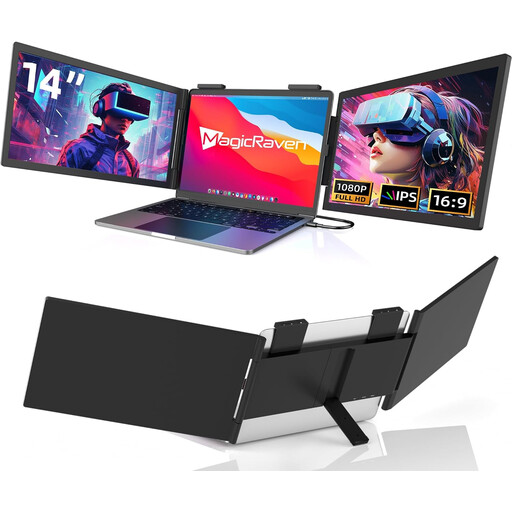
Portable 14-inch laptop second screen, FHD 1080p, 60 Hz
Described in the product title as a portable second screen for 14–16-inch laptops; check whether your device’s USB-C output can transmit video.
The title lists FHD 1080p, 60 Hz, two built-in speakers and a USB-C connection; HDMI is not specified.
Described as compatible with 14–16-inch laptops (Mac, Windows, Chrome).
View at Joybuy
 No image available
KEFEYA 16-inch FHD 1200P monitor
For viewing images on the move with several connection options; check which connections your source device actually supports before you buy.
The product description lists a 16-inch IPS display, 1200P, 120% sRGB and a weight of 0.76 kg.
Two USB-C ports and Mini-HDMI are listed, along with a magnetic stand that rotates through 360°.
View at Joybuy
 No image available
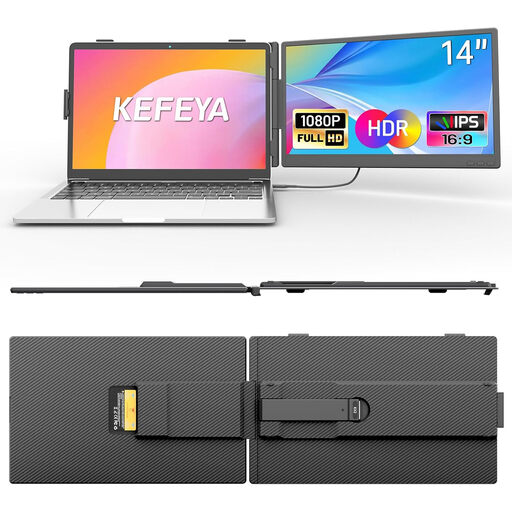
KEFEYA 14-inch FHD IPS monitor
For viewing FHD images on the move, with an sRGB specification; also assess the colour display using your own images.
The product description lists 1920 × 1080 pixels, IPS, 100% sRGB, 300 nits and a weight of 0.86 kg.
USB-C with DisplayPort Alt Mode and HDMI are listed as connections. Described as suitable for laptops from 13 to 17 inches.
View at Joybuy
 No image available
PM14R 14-inch IPS monitor, 1920 × 1200, 16:10
For viewing images on the move in a 16:10 format, if that aspect ratio suits your presentation.
The product title lists a 14-inch IPS display with 1920 × 1200 pixels and a 16:10 aspect ratio.
Type-C and Mini-HDMI are listed as connections. The product description mentions a carrying case.
View at Joybuy
 No image available
UPERFECT 16-inch 2K QLED monitor
For viewing a portfolio on the move on a 16-inch display; check that the resolution and connections are compatible with your source device.
The product title lists 2560 × 1600 pixels, 16:10, a 1200:1 contrast ratio, Mini-HDMI and Type-C.
The product description lists a QLED display and 450 nits; the title also specifies VESA compatibility.
View at Joybuy
Frequently asked questions
Is one USB-C port on my laptop enough for video and power?
The connector shape alone doesn’t tell you. Check whether the specific output supports video over DisplayPort Alt Mode and can provide enough power to the monitor. If not, check whether you can use HDMI for video and a separate power source.
How should I set up and carry a monitor on the train?
Check that the monitor and stand fit securely within your own space. Deutsche Bahn requires aisles, doors and safety equipment to be kept clear, and says that luggage must not block other seats. Make sure cables are positioned so they don’t create a trip hazard.
Can I rely on having my own power socket on an ICE train?
Not always: Deutsche Bahn lists one socket per pair of seats in second class, and one per seat on selected train types. Don’t assume you’ll have a socket to yourself, and check the remaining battery on your source device.
What happens if the product develops a fault after I buy it?
When you buy from a business seller in the EU, you have a legal right to a minimum two-year guarantee from the seller, starting from the date you receive the goods. This is separate from any additional manufacturer’s warranty, so check its terms separately.
Do I need a separate luggage reservation for a portable monitor on a Deutsche Bahn train?
Deutsche Bahn says that laptops, briefcases and similar luggage can be carried free of charge. This doesn’t apply universally to every train operator or unusually large equipment, so check the conditions for your journey and keep walkways clear.


