What should you look for when buying?
For planning a schedule on the train, make sure the connection and power supply will work first. Then consider whether compact dimensions or more space for spreadsheets matter most at your seat.
| Priority |
What to check before buying |
Who will find this especially important? |
| Video connection and compatibility |
Check that your laptop port, monitor input and cable all work together. For touch, also check touch data transfer and operating system compatibility. |
If I want to be sure before travelling that my laptop can output a picture and power the monitor, the connection comes first. Around 31% of consumers prioritise connection compatibility. |
| Schedule readability |
View your schedule on your preferred screen size, with the text size, scaling and orientation you want to use. |
If names, times and columns need to stay clear without constantly switching between windows, readability is essential. Around 25% of consumers put it first when buying. |
| Space and portability |
Consider the overall dimensions, including the stand and cable routing, as well as the weight with any protective case you plan to use. |
If my laptop and extra screen both need to fit on a limited surface, size matters most to me. Around 25% of consumers prioritise the space a monitor takes up. |
| Power on the go |
Consider the power requirements of the specific monitor, the output of your laptop port and how long you plan to work. |
If I don’t want to rely on having a socket at my seat during the journey, I plan for the power needs of both my laptop and monitor. Around 19% of consumers focus on power supply. |
Portable monitors at Joybuy
This selection includes portable 14-inch and 15.6-inch monitors for an extra view of your schedule on your laptop. Before you travel, check that the connection on the specific model supports video output and power.
 No image available
Portable 15.6-inch monitor, 1080p FHD, 60 Hz
Can provide an extra view of your schedule and supporting information, as long as the laptop connection is compatible with the monitor.
According to the product details, it has an IPS panel, HDR, built-in speakers, a stand, and HDMI and USB-C ports. Check your laptop’s compatibility with the port you plan to use for video output.
View at Joybuy
 No image available
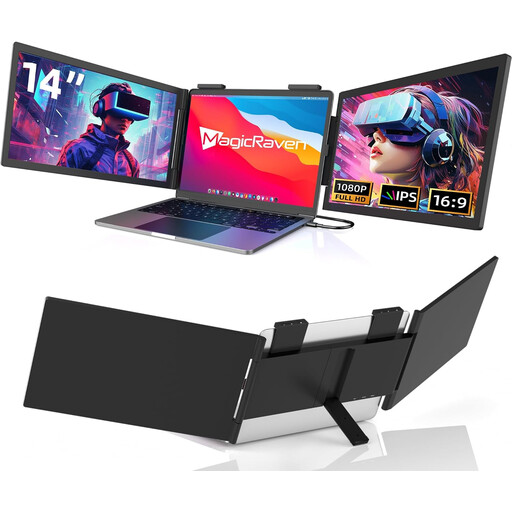
14-inch laptop monitor, 1080p FHD, 60 Hz
Its compact screen size could make it a good option for a second display when space is limited, provided you can connect it to your laptop.
According to the product details, it’s designed for laptops between 14 and 16 inches, has a USB-C port and no HDMI. Built-in speakers are also listed. Check compatibility with your specific laptop port.
View at Joybuy
 No image available
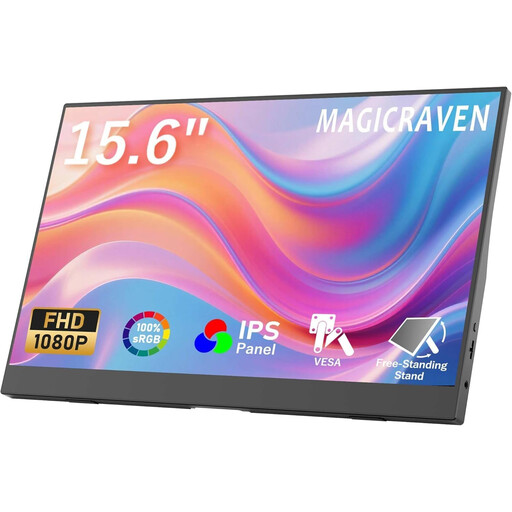
15.6-inch FHD monitor with two stands, 60 Hz
The 15.6-inch display is an option if there’s enough space at your seat for the monitor, stand and laptop.
According to the product details, it has a 1920 × 1080-pixel resolution, an IPS display, built-in speakers and two stands. Before buying, check that the signal connection works with your laptop.
View at Joybuy
 No image available
Blackview DCM6 PRO, portable 14-inch monitor
Described as an extra display for a compatible laptop, its 14-inch size could be useful where space is limited.
According to the product details, it has Full HD resolution and is designed for laptops between 13 and 17.3 inches. Check the specific connection and device compatibility before use.
View at Joybuy
 No image available
Blackview DCM5, 14-inch IPS monitor, 16:9
The 14-inch format is a compact option for an extra laptop display at your seat.
According to the product details, it’s a portable IPS LCD monitor for laptops between 13 and 17 inches. Check compatibility with your specific laptop before connecting it.
View at Joybuy
Frequently asked questions
Will any USB-C port on my laptop work with a portable monitor?
No. For the connection described by ASUS for the ZenScreen MB166C, your laptop’s port must support video output. Before buying, check the specific port, cable and power supply.
How do I set up a second screen for my schedule?
Connect the monitor using a compatible video port, then choose your preferred second-screen view in the display settings. For touch models, also check touch data transfer and operating system compatibility. ViewSonic lists limitations on iOS and iPadOS for the TD1655, as well as software required on macOS.
Can I count on having a table, socket and internet at my train seat?
No, not at every seat. Deutsche Bahn says tables are available at many ICE seats, and there’s one socket per pair of seats in second class. Selected train models have one socket per seat. According to Deutsche Bahn, Wi-Fi speed depends on factors including the mobile network connection and the number of other passengers. If needed, keep important planning documents available offline.
How should I set up and carry a touch monitor on the train?
Set it up on a flat, stable surface and use a suitable protective case for carrying it. ViewSonic’s TD1655 instructions require a stable, level set-up. Always follow the instructions for your specific model when caring for or transporting it.
What are my rights when buying a monitor online in Germany?
For eligible online consumer purchases, you generally have a 14-day right to cancel from the date of delivery. Exceptions and possible return costs should be taken into account. You also have a statutory warranty from the seller of at least two years. This is separate from any voluntary manufacturer’s guarantee. This information is based on guidance from the European Union.


