Choose a second monitor based on the space available at your seat and your laptop’s video and power connections. A 14-inch model takes up less room, while a larger display gives you more space for photos and file-management windows. Resolution or advertised colour-gamut coverage alone isn’t enough for accurate colour decisions: you’ll need a suitable, calibrated screen and the right viewing conditions.
Who is a portable monitor on the train suitable for?
Sorting photos with limited seat space
If you want to view photos and folders side by side, your laptop and monitor need to fit on the table and be easy to pack away afterwards. Deutsche Bahn notes that tables and seating arrangements vary from train to train.
Travellers with large photo libraries
A larger screen can help when reviewing and managing photos, provided there’s enough room at your seat and you’re happy to carry the extra weight. Lenovo lists the ThinkVision M16 as having a 16-inch screen and weighing 980 g.
Travellers without reliable access to power
If you don’t want to rely on having a power socket, check whether your laptop can supply both the picture and power to the second monitor, and how long the two devices will run together. Deutsche Bahn says that second class generally has one socket per pair of seats; on selected train models, there’s one per seat.
What should you look for when buying?
Compact 14-inch second monitor
Suitable if: You want to view photos and folders side by side, but have limited space at your seat.
Trade-off: The physical screen area is smaller than on a 16-inch model. Also check that your chosen scaling makes text easy to read in your software.
Larger second monitor, around 16 inches
Suitable if: You want to see your photos and file windows at the same time, and have enough space at your seat.
Trade-off: A larger display takes up more room and may weigh more; Lenovo lists the ThinkVision M16 as weighing 980 g.
High resolution or colour-gamut specifications
Suitable if: You want to check details on screen while sorting photos.
Trade-off: More pixels or a stated colour gamut don’t guarantee reliable colour assessment. For final edits, you’ll need a suitable, calibrated colour workflow.
| What matters |
What to check when buying |
Who it matters most to |
| Screen area and visibility |
Compare the screen size, native resolution and aspect ratio, and check that your photo and file-management software is easy to read at your preferred scaling. |
If I want to see photos and file-management windows clearly, I look for the right balance of screen area and readability; around 28% of consumers prioritise an overview of their photos when reviewing them. |
| Space and portability |
Check that your laptop and monitor, including its stand, will fit in the space you plan to use; route cables so they’re not in the way. |
If table space is limited, I need a monitor that can be set up securely and packed away easily afterwards; around 28% of consumers pay particular attention to having a compact set-up for travel. |
| Video connection |
Check your laptop’s specifications for a compatible video output, such as DisplayPort Alt Mode over USB-C, along with the right cable and possible alternative connections. |
If I want to avoid unexpected adapters or a second connection, I check my laptop’s video output in advance; around 22% of consumers prioritise a compatible laptop connection. |
| Power supply |
Test how long your laptop and monitor run together and, if you plan to use mains power, take the specific socket and table arrangement into account. |
If I don’t want to rely on having my own power socket, I need to be able to plan for power on the go; around 22% of consumers pay particular attention to using their devices without a guaranteed personal power connection. |
Which buying misconceptions should you avoid?
-
USB-C doesn’t automatically mean video output
One-cable operation depends on whether both your laptop and monitor support the necessary video and power functions through the connection you choose.
Before buying, compare the connections and power requirements of both devices. Depending on the connection, you may need to use a different port or provide additional power.
-
An ICE power socket may not be available just for you
Deutsche Bahn says that second class generally has one socket per pair of seats, and selected train models have one per seat.
Don’t count on having a socket to yourself. Check the seating arrangement for your journey and test how long your laptop and monitor run together on battery power.
If both devices run from your laptop’s battery, this may limit the total battery life of your set-up.
-
Resolution or colour gamut doesn’t guarantee accurate photo colours
Reliable colour assessment also depends on calibration and suitable viewing conditions. EIZO describes these as separate parts of a colour-management workflow.
Use your journey to organise and sort photos, and make final colour decisions only in suitable conditions.
Key brands at a glance
Lenovo
The ThinkVision M14d and M16 models differ mainly in screen size, weight and resolution specifications.
- Lenovo lists the M14d as having a 14-inch screen, 2240 × 1400 pixels, weighing 600 g and featuring two USB-C ports with DP Alt Mode. The manufacturer lists the M16 as having a 16-inch screen and weighing 980 g.
- These model specifications don’t guarantee a particular battery life or colour-accurate display.
ASUS
The ZenScreen range includes a variety of display and connection options; specifications for one model don’t necessarily apply to another.
- ASUS lists the MB16QHG as having a resolution of 2560 × 1600 pixels, with USB-C and HDMI. For the MQ16FC, the manufacturer specifies a glossy OLED panel with a resolution of 1920 × 1200 pixels.
- The MQ16FC’s specifications don’t apply to the MB16QHG. ASUS lists the MQ16FC’s power consumption as 4,7 W.
LG
The +view 16MQ70 adds a 16-inch screen for use with a compatible laptop.
- LG lists this model as having a resolution of 2560 × 1600 pixels and a typical colour-gamut value of 99% DCI-P3.
- LG says the model has no built-in battery and requires DP Alt Mode and USB power output of more than 7,5 W from the laptop. The colour-gamut figure alone doesn’t guarantee calibrated colour accuracy.
Verbatim
The PM-14 is a compact FHD second screen, while the PMT-15-4K is aimed at users looking for higher resolution and touch controls.
- Verbatim lists the PM-14 as weighing 540 g, with USB-C and HDMI. The manufacturer specifies a resolution of 3840 × 2160 pixels for the PMT-15-4K.
- According to the manufacturer, the PM-14 needs an additional power supply when connected via HDMI. Verbatim says the PMT-15-4K needs an extra USB cable for touch controls.
Dell
The portable P1425 is a 14-inch model that gives you extra screen space.
- Dell lists the P1425 as having a resolution of 1920 × 1200 pixels, IPS technology and an adjustable tilt.
- These product specifications don’t guarantee particular suitability for colour-accurate photo editing.
Joybuy products for extra screen space
The Joybuy products below include compact 14-inch monitors and larger 16-inch models for extra workspace. For each device, check that its connections, power supply and set-up suit your laptop and seating arrangement.
 No image available
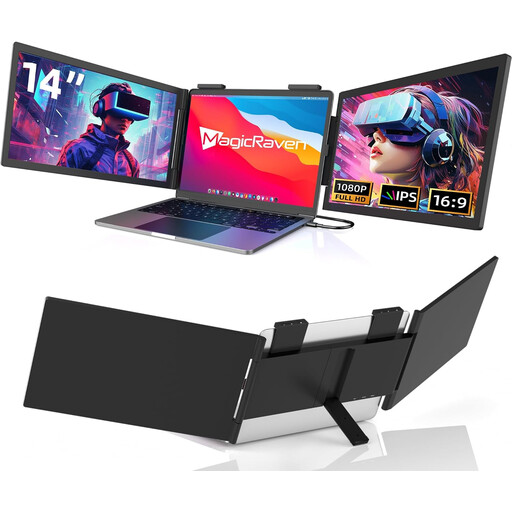
Portable 14-inch FHD monitor, 60 Hz, USB-C
A compact option if you’re looking for an extra screen to use with a compatible laptop while travelling.
The product title lists a 14-inch screen, FHD/1080p resolution and 60 Hz; USB-C, no HDMI. The title says it’s suitable for 14- to 16-inch laptops.
View at Joybuy
 No image available
KEFEYA 16-inch monitor, FHD 1200P
The larger display may suit you if there’s enough room at your seat for an extra screen.
The product title and description list a 16-inch screen, 1200P resolution, IPS and a weight of 0.76 kg. The description also mentions a magnetic stand that rotates through 360°.
View at Joybuy
 No image available
Blackview DCM6 PRO, 14-inch FHD monitor
The clamp mount may be an option for adding extra screen space alongside your laptop, provided it’s compatible with your device.
The description lists a 14-inch IPS display with a resolution of 1920 × 1080 pixels and a clamp mount for laptops from 13 to 17.3 inches.
View at Joybuy
 No image available
Portable 16-inch monitor, 2.5K, with built-in battery
A built-in battery may be useful if you want to use the monitor without an immediate power connection; check that the intended connection works with your device.
The product title lists a 16-inch screen, 2.5K resolution, IPS and 8000 mAh. The description mentions wireless screen mirroring.
View at Joybuy
 No image available
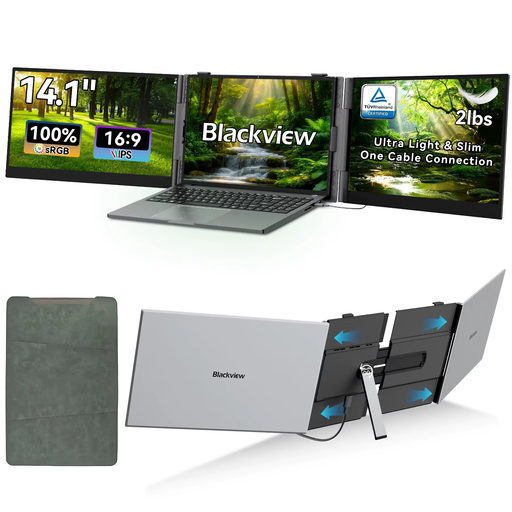
Blackview DCM6 Pro, 14-inch, FHD/IPS, 60 Hz
A compact extra screen for photos and folders, provided it’s compatible with your laptop’s size.
The title and description list a 14-inch screen, FHD/IPS and a resolution of 1920 × 1080 pixels; the title also lists 60 Hz and compatibility with 13- to 17-inch laptops.
View at Joybuy
Frequently asked questions
Is one USB-C port on my laptop enough for video and power through a single cable?
Not necessarily: check the video output and power delivery of your specific laptop. For the PM-14’s one-cable set-up, Verbatim requires DisplayPort Alt Mode and sufficient power. LG also specifies more than 7,5 W USB-PD output for the 16MQ70.
How should I set up an extra monitor on the train?
Check that your laptop and monitor, including its stand, fit on the available table space. Deutsche Bahn says many ICE seats have fixed or folding tables, but not all of them do. Stow your bag and route cables so that aisles, doors and safety equipment remain clear.
Can I make colour-accurate photo edits on a high-resolution portable monitor?
A high pixel count alone isn’t enough. EIZO explains that a reliable colour workflow requires a suitable, calibrated screen and appropriate lighting. If you don’t have these conditions while travelling, use the journey to organise and review your photos instead.
What rights apply when buying a monitor online from a business seller?
Under the EU consumer rules outlined here, you can generally withdraw from a relevant distance-selling contract within 14 days of receiving the goods. Whether you may have to pay return costs depends, among other things, on whether the seller informed you about them. Faulty goods are covered by a legal guarantee for at least two years from receipt; an additional manufacturer’s warranty does not replace it.
What should I look for on the label of an electronic device sold in Germany?
For products within its remit, the Bundesnetzagentur checks things such as CE marking, product identification and manufacturer details. These checks by the authority don’t mean that a specific listing has already been verified as compliant.


