What should you look for when buying?
First check your laptop’s video output, then the space available and how the monitor will be powered. Dell Support explains the requirements for video over USB-C, while Deutsche Bahn describes the socket arrangements on ICE trains.
Compact second screen
A good fit if: You often work at a small table and want to move your draft or reference material to a second screen. Verbatim lists the PM14 as a 14-inch model weighing 540 g, with an integrated stand.
The trade-off: Its smaller screen offers less viewing area than the 15.6- or 16-inch models featured here. According to Verbatim, you’ll also need the supplied power adapter when using HDMI.
More space for text and previews
A good fit if: You regularly keep a newsletter preview and reference material open side by side, and have enough table space. The examples featured range from the 15.6-inch ASUS ZenScreen MB16ACV to the 16-inch Lenovo ThinkVision M16.
The trade-off: A larger display needs more room. ASUS lists the MB16ACV’s net weight as 0.9 kg.
Work without an external monitor
A good fit if: Your laptop can’t output a video signal to your chosen monitor, or there’s nowhere safe to set it up at your seat.
The trade-off: You’ll save carrying an extra device and cable, as well as the space to set it up, but you’ll need to switch between your draft and reference material on your laptop screen.
| Consideration |
What to check when buying |
Who is this important to? |
| Laptop port and video output |
Check your laptop’s manual for DisplayPort Alt Mode or suitable Thunderbolt support; make sure these match the video input, cable and power requirements of the specific monitor. |
If I want to view my draft and reference material side by side, the connection needs to transmit a picture first. Around 37% of consumers rank video output as their top buying consideration. |
| Space and carrying weight |
Compare the dimensions, including the stand or case, with your laptop and the seat space you usually have. Don’t choose based on screen size alone. |
If there’s little room at my seat, I need a monitor that I can set up securely and carry comfortably. Around 27% of consumers prioritise space and carrying weight. |
| Power on the go |
Check the monitor’s power requirements and how it’s powered against your laptop; don’t assume a train socket will be available. |
If I’m editing for a long time, I want to know how the screen will be powered during the journey. Around 18% of consumers put power supply first. |
| Readability of drafts and previews |
Check how it looks with your own software and display scaling. Only consider aspect ratio, screen finish or portrait mode if they suit the way you work. |
If I want to view longer texts and a preview at the same time, it matters whether the display suits the way I work. Around 18% of consumers prioritise viewing text. |
Joybuy products for working on newsletters on the go
This selection includes portable second screens for working on a laptop on the train, from compact 14-inch models to larger displays. Before choosing, check your laptop’s video output, the right power option and the space available.
 No image available
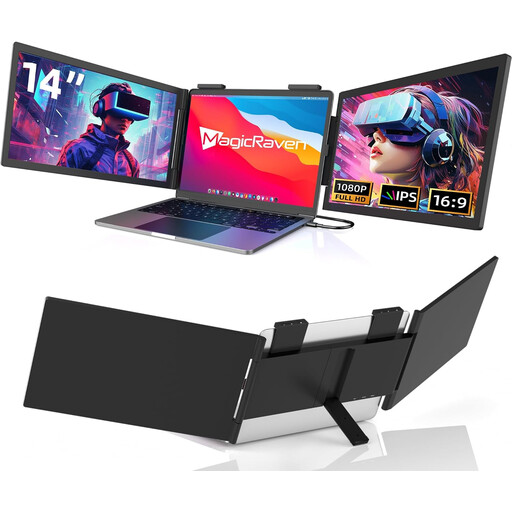
Portable 14-inch FHD monitor, 1080p, 60 Hz, USB-C
A compact option if you want extra space for your newsletter draft and reference material at your train seat. Check in advance that your laptop can output video over USB-C.
14 inches; 1080p; 60 Hz; USB-C port. The product name does not list an HDMI port.
View at Joybuy
 No image available
KEFEYA 16-inch monitor, FHD 1200P
A larger screen could be an option if you want to view your draft and preview side by side and have enough room to set it up at your seat.
16 inches; FHD 1200P; 360° rotating magnetic stand, as listed in the product title.
View at Joybuy
 No image available
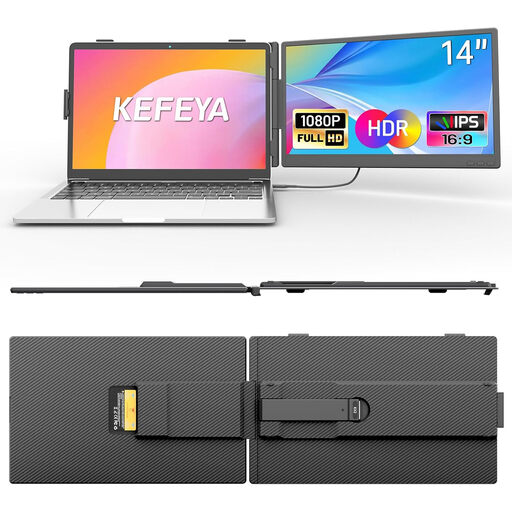
KEFEYA 14-inch laptop monitor, FHD 1080P
The 14-inch size could suit you if you want extra screen space without needing too much room to set it up. Check that its ports match your laptop.
14 inches; FHD 1080P; USB-C and HDMI ports, as listed in the product title.
According to the product information, your laptop needs to support DisplayPort Alt Mode for video over USB-C; HDMI requires an additional USB-A power supply.
View at Joybuy
 No image available
Blackview SCM6, 14-inch FHD IPS monitor
A compact option for travelling if you need extra screen space and want to factor in the stated weight for your journey.
14 inches; FHD; IPS; 600 g and 4.5 mm, as listed in the product title; integrated stand.
The stated compatibility is for laptops measuring 13 to 17 inches.
View at Joybuy
 No image available
UPERFECT 15.6-inch monitor, 100% sRGB
The larger display could be useful for viewing drafts and previews side by side, if there’s enough room on your train table.
15.6 inches; USB-C and Mini HDMI ports; integrated adjustable stand, as listed in the product title.
View at Joybuy
Frequently asked questions
Is a USB-C port on my laptop enough for a second screen?
Not necessarily. For video over USB-C, your computer’s port needs to support DisplayPort Alt Mode or suitable Thunderbolt; according to Dell Support, a port for data or power only won’t transmit a picture. Check your laptop’s specifications and the input on your chosen monitor.
How do I set up the monitor at my train seat?
Only set up your laptop and monitor on a stable surface that’s large enough, and use the designated stand or cover. Deutsche Bahn describes fixed or fold-down tables at many ICE seats, but doesn’t state that they’re available at every seat.
Do I need internet access to work on newsletters on the train?
The external screen itself doesn’t need an internet connection; whether your newsletter workflow does depends on the software you use. Deutsche Bahn offers Wi-Fi on ICE trains and notes that speeds depend, among other things, on the connection to mobile networks and the number of other passengers.
Who should I contact if my monitor is faulty?
The seller is responsible for the statutory guarantee. European Union consumer information states that, for purchases covered by its rules, this lasts for at least two years from receipt of the goods; this is separate from any additional manufacturer’s warranty.
Can an old monitor go in the household rubbish?
No. The German Environment Agency states that waste electrical equipment must be collected separately from unsorted household waste. Find out where you can take it, such as a recycling centre.


