Writers short on space
If there’s limited room at your seat, you’ll need a compact setup that can accommodate your monitor and writing equipment safely.


If you mainly write your manuscript on screen, your laptop display may be enough. A second monitor is most useful if you want to keep your draft and notes visible at the same time. If space is limited, a 14-inch model is likely to be a better fit, while larger monitors need more room on the seat table. Deutsche Bahn says there is one power socket per pair of seats in second class, and one per seat on selected train types. So check that the connections, power supply and space for a secure setup are suitable for your specific seat.
If there’s limited room at your seat, you’ll need a compact setup that can accommodate your monitor and writing equipment safely.
If you want to keep your manuscript and notes in view at the same time, choose a screen size and connection that work with your laptop.
If you want to use a second monitor on the move, check in advance how both your laptop and monitor will be powered, and whether a suitable socket is available at your seat.
First, decide whether you really need two views on screen at once. Then check that the space available, text display, video connection and power supply are right for your laptop and planned seat.
| What matters | What to check before buying | Who is this important to? |
|---|---|---|
| Space and portability | The monitor’s dimensions and weight; check that it can be set up securely in the space available. | If I have little room alongside my laptop, I want a monitor that’s easy to carry and can be set up securely. Around 31% of consumers put space and portability first. |
| Connection and power supply | Video output from the specific laptop port, the right cable and the power supply required. | If I can’t rely on having power during the journey, I need to check in advance that the port supports a video signal and find out how the monitor will be powered. Around 25% of consumers prioritise connection and power supply. |
| Manuscript readability | The resolution and aspect ratio of the exact model; an anti-glare screen and a comfortable text size. | If I’m working on a draft for a long time, I want to be able to display the text at a size that’s easy for me to read. Around 25% of consumers prioritise text display. |
| Draft and notes side by side | Check whether your laptop and monitor can show two windows at once, and whether they support the orientation you want. | When writing my short story, I want to keep research or scene notes open alongside my manuscript instead of constantly switching between views. Around 19% of consumers prioritise having notes visible at the same time. |
The shape of the connector alone doesn’t confirm that your specific laptop port can send a video signal to the monitor you want.
Compare the specification of your exact laptop port with the monitor’s connection requirements.
Alongside your writing equipment, an extra screen needs a safe place to stand. Deutsche Bahn says tables are available at many seats, but you’ll still need to check that your specific setup will fit.
Check the table and the monitor’s dimensions. If you’re only writing your manuscript, first consider whether your laptop alone will do the job.
According to the manufacturer, HDMI carries the picture signal on the Verbatim PM14, but the monitor also needs a separate power supply.
Plan for the video cable and power supply separately, and check the details for the exact monitor model.
Lenovo’s ThinkVision M14d is a compact 14-inch option with a 16:10 aspect ratio, while the ThinkVision M16 is a separate, larger model.
The PM14 is a 14-inch Full HD option, while the PMT-15-4K is a separate 15.6-inch model with touch controls and 4K resolution.
The ZenScreen MB166C is a 15.6-inch second monitor for compatible USB-C laptops.
The TD1655 is a 15.6-inch touchscreen option for writers who want to use touch input as well as a keyboard.
The 16T3EA is a portable 15.6-inch Full HD monitor with USB-C power and a built-in stand.
This range includes portable second screens for laptops, from compact 14-inch displays to larger 15.6-inch models for writers who want to view their manuscript and notes side by side.
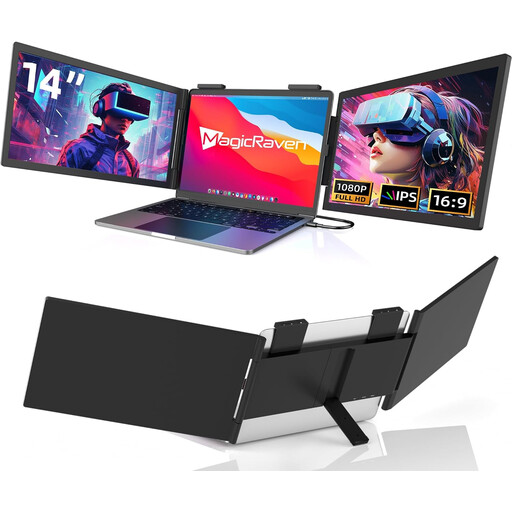 No image available
The 14-inch format could suit you if you’re looking for a compact second screen for your manuscript and notes.
The product title lists 1080p, 60 Hz, USB-C and built-in speakers. HDMI is specifically excluded; the stated laptop compatibility covers 14–16 inches. Check that your laptop’s USB-C port supports video output.
 No image available
The compact 14-inch format is an option if you’re looking for a portable second screen to use on the move.
The product title lists Full HD and dual-screen extension. Stated laptop compatibility covers devices with screen sizes from 13–17.3 inches.
 No image available
The built-in stand is useful if you want to set the monitor up at your seat.
The product title lists 14 inches, FHD, IPS, 600 g and 4.5 mm. Compatible laptop sizes are listed as 13–17 inches.
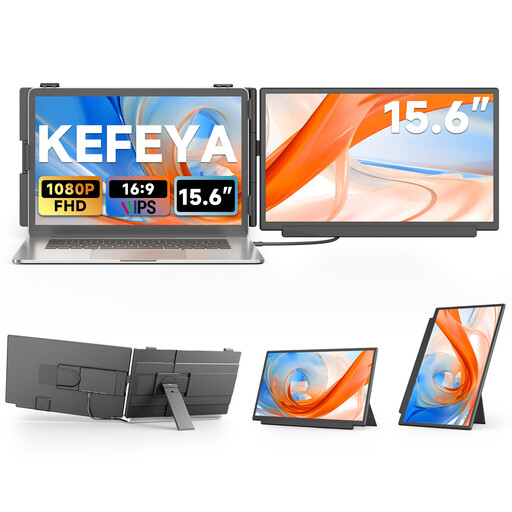 No image available
The larger format may suit you if you have room for more screen space for your draft and notes.
The title lists FHD, IPS, USB-C and HDMI. For HDMI, the product description specifies an additional USB-A cable for power, so remember to plan for power at your seat.
 No image available
A 15.6-inch second monitor is a better fit if there’s enough room to set it up at your seat.
The product description lists FHD, IPS, USB-C, Mini-HDMI and a built-in stand.
No. Check whether your specific laptop port supports video output. ASUS recommends this check for the ZenScreen MB166C; Verbatim specifies DisplayPort Alt Mode and a suitable power supply for the PM14.
Not at every seat. Deutsche Bahn says there is one power socket per pair of seats in second class, and one per seat on selected train types. So check whether power for your planned setup is available at your specific seat.
It depends on the model. According to the manufacturer, the Verbatim PM14 needs an additional power supply when connected via HDMI. The Verbatim PMT-15-4K also needs an additional USB connection for touch functionality over HDMI.