What should you look for when buying?
First check the video signal and power supply, then consider how much workspace you need and how much room the monitor and stand will take up.
| What matters |
What to check before buying |
Who should pay particular attention? |
| Workspace for documents |
Compare screen size, resolution, aspect ratio and the desk space available. |
If I want to read the schedule and reference material side by side, there needs to be room for several windows. Around 29% of consumers say workspace is their top priority. |
| Video connection |
Check that your laptop’s port supports video, and check the monitor input and cables you’ll need. |
If the presentation needs to appear reliably on the second display, the specific connection must support video output. Around 29% of consumers put connection compatibility first. |
| Portability and set-up |
Consider the weight, stand and space needed to set it up. |
If I regularly take the monitor with me and set it up on a small table, the weight in my bag and a suitable stand both matter. Around 24% of consumers prioritise portability and set-up. |
| Power supply |
Check what power source is available where you’ll use it, and how much power the monitor needs with your chosen connection. |
If you can’t rely on having a power socket during the training session, your set-up needs to work with the power available. Around 18% of consumers put power supply first. |
Lenovo lists the ThinkVision M14 as a 14-inch monitor weighing 598 g. According to Lenovo, the ThinkVision M16 has a 16-inch screen, a 1920 × 1200-pixel resolution in a 16:10 format and weighs 980 g. At the same width, 16:10 gives you more vertical screen space than 16:9. These figures apply to these models and are from Lenovo Germany.
A USB-C plug alone doesn’t tell you whether a laptop can output video through it. For plug-and-play over USB-C, the ports on both devices must support video. Also check whether the monitor gets enough power through the same connection or needs a separate power adapter.
Joybuy products for planning training sessions
These portable second monitors offer different options for extra workspace, connectivity and set-up. Before buying, check that the connections and features listed will work with your laptop.
 No image available
Portable 15.6-inch laptop monitor, 1080p FHD
An extra view for planning training sessions; the title lists a stand.
15.6 inches, 1080p FHD, IPS, HDMI and USB-C. Check that your laptop’s port supports video and that your chosen connection provides enough power.
View at Joybuy
 No image available
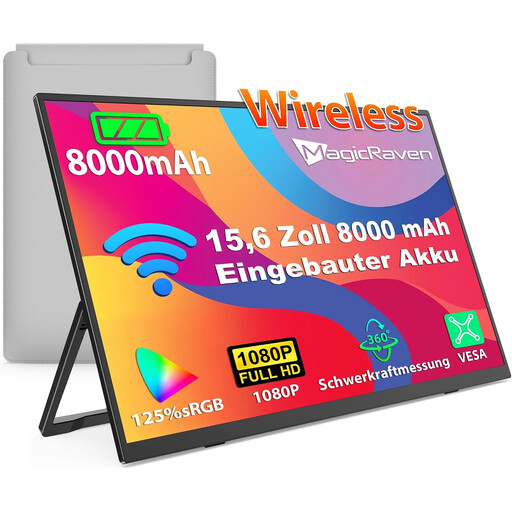
Wireless portable 15.6-inch monitor with 8000-mAh battery
An option to consider if you’re looking for wireless screen mirroring and a built-in battery.
15.6 inches, 1080p FHD, IPS, 60 Hz and an 8000-mAh battery. The title lists AirPlay and Miracast; check compatibility with your laptop and make sure the battery life and power supply suit your session.
View at Joybuy
 No image available
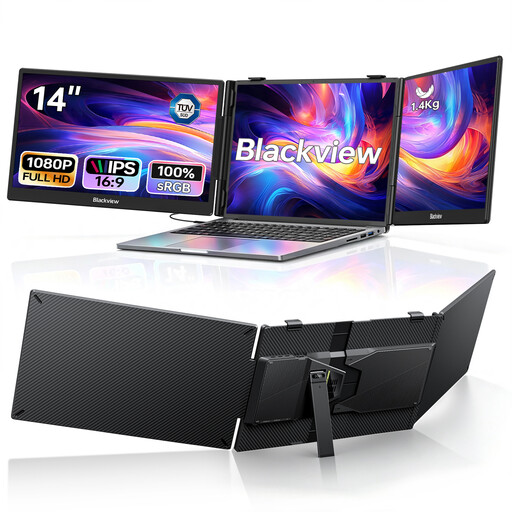
Blackview DCM5 14-inch dual monitor
For planning with two extra screens, provided it’s compatible with your laptop.
Foldable design, two 1080p IPS screens and USB-C plug-and-play, according to the product title. The product listing also states 100 W PD and compatibility with laptops from 13 to 17.3 inches; check these details against your specific device.
View at Joybuy
 No image available
UFYQL M156F04 15.6-inch monitor
An extra view for your documents, with a stand described as a Smart Cover in the product title.
FHD 1080p, IPS, USB-C and HDMI. The product title also lists VESA mounting; check that the connection and set-up suit your workspace.
View at Joybuy
 No image available
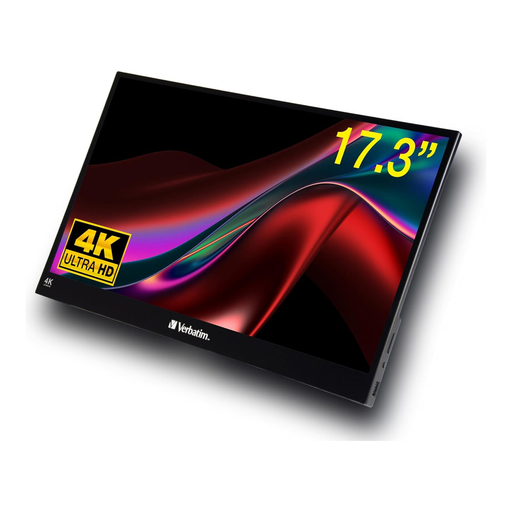
Verbatim portable 17.3-inch 4K touchscreen monitor
For using touch controls directly on the display, if you have room for the larger screen on your desk.
17.3 inches, 4K, touch, USB-C and HDMI, according to the product title. The product listing says to connect the supplied power adapter to use the monitor.
View at Joybuy
Frequently asked questions
Is a USB-C port on my laptop enough to provide video and power through one cable?
Not necessarily: the shape of the connector alone doesn’t confirm video output or sufficient power. ASUS Support recommends checking that the USB-C port on your specific computer supports video. Also check the monitor input and how much power it needs.
What screen size works well for viewing a schedule and reference material?
If you need to see several documents at once, compare the screen size and resolution with the space available on your desk. Lenovo lists the ThinkVision M14 as a 14-inch monitor and the ThinkVision M16 as a 16-inch model with a 1920 × 1200-pixel resolution. According to Lenovo, the M16 weighs 980 g and the M14 weighs 598 g.
Does an HDMI monitor need a separate power supply?
That depends on the model. According to Verbatim, the PMT-14 also needs a power adapter when connected via HDMI. Check how much power your chosen monitor needs for the connection you plan to use.
What should I look for when setting it up on a small table?
Check the stand, tilt adjustment and space needed, as well as the room left for your laptop. According to Lenovo, the ThinkVision M16 can be tilted and set up in portrait or landscape orientation; that doesn’t mean it will rotate automatically with every computer.
Which labels and product information matter?
Check the product information that applies to the specific device. The European Commission describes energy labelling requirements for electronic displays. The Bundesnetzagentur explains that CE marking is the manufacturer’s responsibility and is not an independent quality mark.


