Workshop leaders working with small groups
You want several people to be able to see each step where the work is taking place. Screen size, viewing angles and how you position the monitor all influence your choice.


When choosing a portable monitor for workshop instructions, start by considering where you’ll set it up and what device you’ll connect it to. For a display that several people can view together, screen size, anti-glare performance and a stable stand all matter. If there’s no mains socket nearby, make sure you can power the monitor throughout the session. Touch is only useful if the monitor, connection and source device all support touch input.
You want several people to be able to see each step where the work is taking place. Screen size, viewing angles and how you position the monitor all influence your choice.
You’ll need to power the display throughout the session. Consider whether you’ll power it from the source device, an external supply or a monitor with its own battery.
You want to control or annotate steps directly on the second screen. To do this, the touch function, connection and source device all need to work together.
| Buying criterion | What to check before buying | Who it matters most to |
|---|---|---|
| Readability at the workshop location | Consider screen size, anti-glare performance, stated brightness, text size, viewing distance and lighting conditions together. A brightness rating in nits doesn’t guarantee readability in direct sunlight. | If several people need to view the instructions together, screen size and positioning matter. Around 27% of consumers prioritise content that’s easy to read where the display is set up. |
| Power supply | Compare the session length, the monitor’s power requirements and the source device’s power output with the available mains socket or external power supply. Only assume a monitor has a battery if this is specified for that particular model. | If you’re working somewhere without reliable access to a mains socket, you’ll need a power supply that lasts for the planned session. Around 26% of consumers put power autonomy first. |
| Video signal and touch | Check that the specific source device supports USB-C video output or HDMI, and make sure you have the right cables. For touch, also check data connectivity and operating system support. | If you want to use the instructions on your existing laptop, tablet or smartphone, make sure the connection will actually work. Around 21% of consumers prioritise connection compatibility. |
| Setup and portability | Check the space you have and the stand. If needed, also consider a tripod socket, carrying weight and protection when moving between stations. Place the screen on a stable surface. | If you’ll be moving the monitor between workshop stations, you’ll need a suitable stand and a practical way to carry it. Around 16% of consumers focus first on setup and portability. |
| Direct control | Check that touch, the input connection and operating system support are compatible. If you’re using a stylus, check that it’s compatible too. | If you want to control or mark up steps directly on the second display, support from the source device is essential. Around 10% of consumers prioritise this kind of interaction. |
USB-C ports can support different functions. Having the right connector alone doesn’t prove that the source device can output a video signal.
Check the video function of the specific port and make sure it matches the monitor’s inputs.
If the signal path isn’t compatible, you may need to use a different connection, get suitable cables or arrange a separate power supply.
A portable monitor may draw power from the source device or an external supply. A built-in battery is a separate feature that depends on the model.
Only plan around battery life based on the specifications for the particular model, and compare the test conditions with the session you have in mind.
Manufacturers’ display specifications don’t prove that small instructions will be easy for a group to read in direct sunlight.
Take text size, viewing distance, anti-glare performance and any planned shade into account when choosing a monitor.
For the ViewSonic TD1655, the manufacturer specifies additional requirements for touch feedback depending on the connection and operating system.
For interactive instructions, check both the video and input connections with the source device you plan to use.
Depending on the connection, you may need an additional USB connection or compatible software.
The ZenScreen MB16AHV and Go MB16AHP models cater for different connection and power-supply needs.
The TD1655 is an option if you want to control instructions directly on the screen.
The HP E14 G4 combines a more compact 14-inch display with a manufacturer-stated brightness of 400 nits.
According to Lenovo, the L15 has a 15.6-inch display and a folding stand. The ThinkVision M14t Gen 2 is aimed at users looking for a smaller touch display.
The AOC 16T3EA is a 15.6-inch Full HD option with a built-in stand.
This selection includes portable monitors with a stand or battery for instructions at locations that change from session to session. Before buying, pay particular attention to the connection and make sure the power supply is suitable for your source device.
 No image available
An option if you want to display instructions on a portable second screen and set it up where you’re working.
15.6 inches, FHD, 60 Hz; HDMI and USB-C ports. The stand supports portrait and landscape orientation.
 No image available
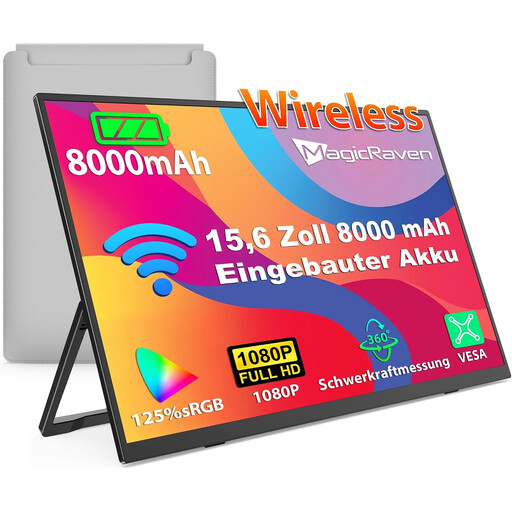
An option if there’s no reliable mains socket at your workshop and you’d like to use wireless transmission.
Built-in 8000 mAh battery, 60 Hz and FHD IPS display; AirPlay and Miracast are listed. Check that your source device supports your chosen transmission method.
 No image available
An option if several people need to view a larger display together and you need a stand at the setup location.
23.8 inches, 4K resolution at 3840 × 2160 pixels; USB-C and Mini HDMI inputs. VESA compatibility is also listed.
 No image available
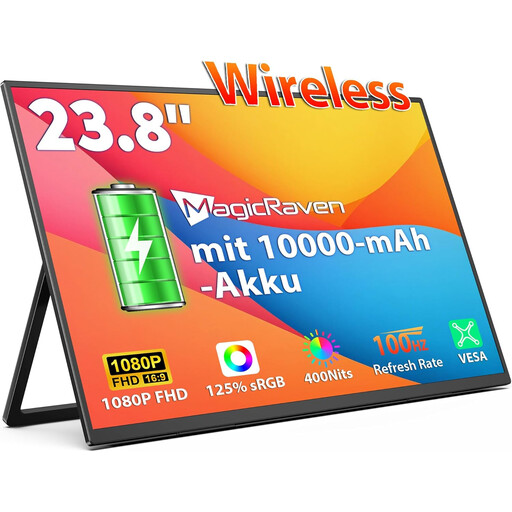
An option if you’re looking for a larger display with a built-in battery for use at different locations.
23.8 inches, FHD IPS display and 10,000 mAh battery; AirPlay and Miracast are listed. Wireless transmission requires a compatible source device.
 No image available
An option if you want to use a larger display with a built-in battery at different locations.
16-inch IPS display with 2.5K resolution and 8000 mAh battery; AirPlay and Miracast are listed. Check compatibility with your source device.
No. The specific USB-C port must support video output. Also check that the cable and power supply are suitable for your chosen monitor. ASUS points out that USB-C ports can support different functions.
Not necessarily. For the ViewSonic TD1655, the manual specifies an additional USB connection for touch control when using Mini HDMI. Also check that your source device supports touch input.
Place it on a flat, stable surface. The ViewSonic TD1655 manual warns that an unstable position can cause damage or injury. Follow the guidance for your specific model too.
No. For a consumer purchase, the statutory guarantee is the seller’s responsibility. A manufacturer’s warranty is an additional voluntary benefit, subject to its own terms. The European Union’s consumer information states that covered purchases come with a minimum two-year guarantee from the date the goods are received. If you’re buying on behalf of a business, check the specific terms of the contract.
Don’t put it in your general household rubbish. The German Environment Agency describes the separate collection of waste electrical equipment and the general availability of free local collection points. Whether a retailer must take it back depends on the legal requirements that apply to the retailer and the device.