Designers seeking colour sign-off
If you want someone to review the colours in your design, information on colour gamut and accuracy matters more than screen size alone. ASUS Germany lists figures for both on the ProArt PA148CTV.


For colour sign-off, a portable monitor should provide information on both colour gamut and colour accuracy; gamut coverage alone does not prove accurate reproduction. For collaborative feedback, setup and touch functionality may matter more, but video output, power and touch support must all be compatible with the device you use.
If you want someone to review the colours in your design, information on colour gamut and accuracy matters more than screen size alone. ASUS Germany lists figures for both on the ProArt PA148CTV.
If you discuss details around a table and want to navigate the design together, you’ll need a clear view, a suitable setup and compatible touch functionality. Lenovo Germany and ViewSonic list high resolutions or touch features on selected models.
If you often work in different places, consider connections, power and portability together. ViewSonic Germany and Dell Germany describe portable models with different setup and connection features.
First, decide whether you need the monitor for colour sign-off or mainly for discussing work together. Then check that the connection and power supply work with your device, and that the monitor can be set up properly in your workspace.
| What matters | What to check when buying | Who it matters most to |
|---|---|---|
| Reliable colour reproduction | Check colour gamut coverage and explicitly stated colour accuracy separately, then compare the figures with the requirements of your colour workflow. | If I’m asking someone to sign off colours, I want to know whether the specifications suit the exact workflow. Around 31% of consumers put reliable colour reproduction first. |
| Video connection and power | Check the source device’s video output, the monitor input and the intended power setup for your combination of devices; don’t judge USB-C by the connector shape alone. | If I want to show a design on the extra screen without any fuss, the connection needs to work with my device. Around 31% of consumers prioritise connections and power. |
| Fine detail and direct interaction | View a typical design file from your intended viewing distance and check that touch functionality is compatible with your operating system and device. | If we’re discussing small design details together, I need a clear view and, where relevant, direct input. Around 23% of consumers put viewing details together and interacting with the screen first. |
| Portability and setup | Consider the dimensions, stand and desk space needed alongside the monitor’s packed size. | If I use the monitor in different workplaces, both portability and a suitable viewing angle at the desk matter to me. Around 15% of consumers prioritise portability and desk space. |
A figure such as 100% sRGB describes colour gamut coverage, but on its own it doesn’t prove accuracy for colour sign-off. ASUS also lists factory calibration for the ProArt PA148CTV; the right settings still depend on your colour workflow.
Check colour gamut and explicitly stated colour accuracy separately, then compare both with the requirements of your design sign-off process.
For the USB-C setup described for the ViewSonic TD1655, the source device must support DisplayPort Alt Mode and power delivery. The connector shape alone won’t tell you whether the connection will work for your setup.
Check the specific device’s video output, the monitor input and the intended power setup.
ASUS lists a glossy finish for the ZenScreen OLED MQ16AHE and an anti-glare finish for the ProArt PA148CTV. The lighting and monitor position at the table affect how noticeable reflections are.
View a typical file in the intended space and from your usual viewing angles. Take the stand angle and available desk space into account too.
The models featured here focus on different strengths: documented colour specifications on the ProArt PA148CTV and OLED display technology on the ZenScreen OLED MQ16AHE.
The ThinkVision M14t Gen 2 is an option for detailed design views and direct feedback using touch.
According to the manufacturer, the TD1655 is designed for working on the move and one-to-one presentations; its stand and touch functionality may be useful for meetings around a table.
The portable Dell P1425 is a compact IPS option for adding an extra screen.
This selection features portable extra monitors for viewing designs together in a shared workspace. If you need to sign off colours, bear in mind that colour gamut coverage alone does not prove colour accuracy.
 No image available
For viewing designs on the move, with wireless screen sharing.
16-inch IPS panel with 2.5K resolution and a built-in 8000-mAh battery; the product name mentions AirPlay and Miracast.
The stated 125% sRGB coverage does not, on its own, prove colour accuracy.
 No image available
For sharing your screen, with flexible positioning on the desk.
16-inch display in a 16:10 format, with an extendable, rotating magnetic stand.
The product name mentions USB-C, Mini-HDMI and support for 100W reverse charging.
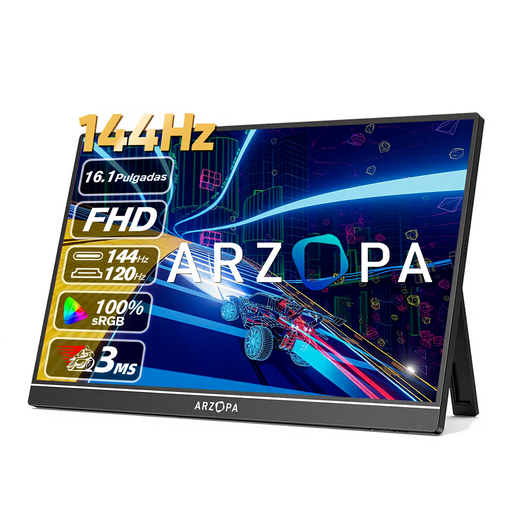 No image available
For viewing designs, with a built-in stand.
16.1-inch IPS panel with 1920 × 1080-pixel resolution and a built-in stand.
The stated 106% sRGB coverage is not proof of colour accuracy.
 No image available
For an extra screen you can carry between different workplaces.
14-inch IPS panel with 1920 × 1080-pixel resolution and a built-in stand; the product name lists a weight of 600 g and a thickness of 4.5 mm.
 No image available
For viewing designs where an adjustable stand comes in handy.
15.6-inch IPS panel with a built-in adjustable stand; the product name mentions USB-C and Mini-HDMI.
The stated 100% sRGB coverage does not, on its own, prove colour accuracy.
No, the connector shape alone isn’t enough. To send video over the USB-C connection described, the source device must support the appropriate DisplayPort Alt Mode. ViewSonic also lists power delivery as a requirement for the TD1655’s single-cable setup. Check the connection specifications for your specific laptop.
Check the display mode you’ve selected before your meeting. Apple Support Germany explains that mirroring shows the entire desktop on each display, while extended display mode treats them as separate workspaces. Check which content appears on the monitor other people can see on the system you’re using.
First, follow the instructions for your specific model. ASUS Support Germany recommends using a soft microfibre cloth and cleaning LCD and OLED panels gently. This manufacturer recommendation is not blanket approval to use any cleaning product or on every make of monitor.
For a consumer purchase, the legal right to a remedy from the seller is separate from a voluntary guarantee. According to Verbraucherzentrale, many online purchases also generally come with a 14-day right to cancel; the period usually starts when the contract is made or the goods are received. Check the conditions and any exceptions that apply to your specific contract.
For products within its remit, the Federal Network Agency checks matters including CE marking, product identification, manufacturer details, instructions and warnings, and the declaration of conformity. A mark or product page alone does not confirm that the authority has inspected the specific monitor.