Joybuy products for reviewing floor plans
This selection includes portable touch monitors for direct annotations, as well as models with different screen sizes and connection options for viewing plans in a shared workspace.
 No image available
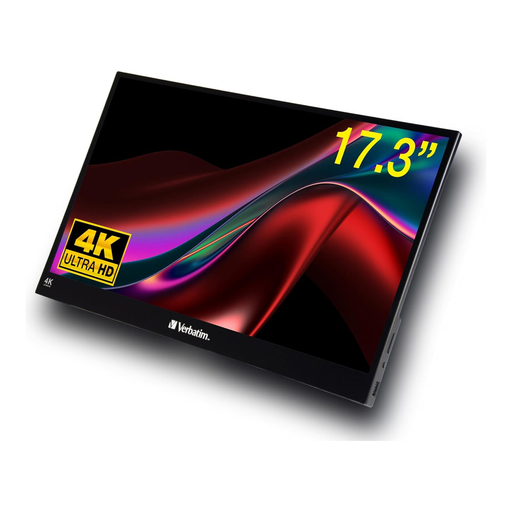
Verbatim portable touchscreen monitor, 17.3-inch, 4K HDR
The touchscreen could be a good fit for making annotations directly, provided your source device and planning software support input.
17.3-inch, 4K, HDR, USB-C and HDMI. The glossy screen finish may be a consideration if reflections are an issue in your workspace; according to the product details, a power adapter is required.
View at Joybuy
 No image available
UPERFECT portable monitor, 16-inch, 2560 × 1600, 16:10
The 16-inch display, with 2560 × 1600 pixels and a 16:10 aspect ratio, is an option if you want to review a higher-resolution view of your plan.
QLED, 1200:1, 450 Nits, 144 Hz, Mini-HDMI and USB-C.
View at Joybuy
 No image available
Arzopa Z1RC portable monitor, 16-inch, 2560 × 1600
The 16:10 aspect ratio and listed resolution may appeal if you want a higher-resolution view of your plan; check how your own file looks on the display.
IPS, 16:10, USB-C and HDMI.
View at Joybuy
 No image available
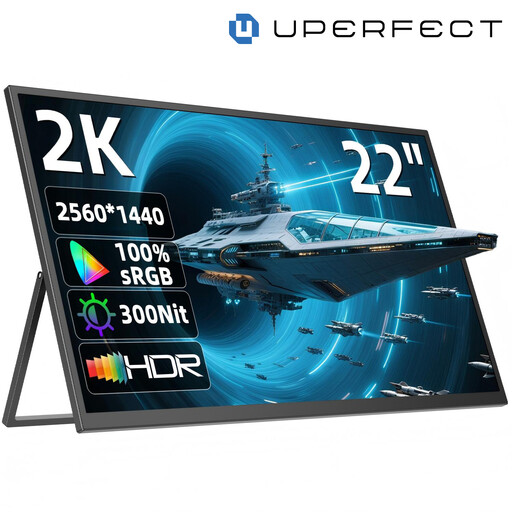
UPERFECT portable monitor, 22-inch, 2560 × 1440
The larger display may suit you if you want to see more of the plan at once; check that the screen and stand will fit in your shared workspace first.
IPS, 180° adjustable stand, USB-C and Mini-HDMI.
View at Joybuy
 No image available
Portable 15.6-inch Full HD monitor with IPS and stand
A portable second screen for viewing plans, if 15.6 inches and the listed Full HD resolution suit your file and scaling.
1920 × 1080 pixels, 60 Hz, HDMI, USB-C and built-in stand.
View at Joybuy
Frequently asked questions
Is one USB-C port enough for video and power over a single cable?
No, the connector type alone doesn’t tell you that. For the ViewSonic VA1655, the specification sheet explicitly lists DisplayPort Alt Mode for video over USB-C and distinguishes this from the port that only supplies power. Check your computer’s video output and power supply against the monitor and cable.
Can I write directly on my floor plan using touch?
Only if your whole set-up supports input. Lenovo lists touch and active pen support for the ThinkVision M14t Gen 2; Verbatim lists 10-point touch for the PMT-14. Also check your source device and planning software.
How can I reduce reflections in a shared workspace?
Position your workspace so that windows are preferably to the side and don’t cause distracting reflections. The Federal Institute for Occupational Safety and Health recommends that daylight enters from the side; an anti-glare screen may also help, but won’t necessarily prevent all reflections.
What are my rights if I buy a faulty product?
Under EU rules, consumers buying goods from a trader are generally entitled to a minimum of two years’ legal guarantee. This is different from a voluntary manufacturer’s or retailer’s guarantee; consumer protections don’t automatically apply in the same way to business purchases.
Does a monitor sold in Germany need CE marking?
Products covered by the relevant EU harmonisation rules and placed on the EU market must meet the applicable conformity requirements and carry the required CE marking. The marking is based on the manufacturer’s declaration of conformity and isn’t an independent quality mark. Check the details for the specific product offer.


