Teachers working with several documents at once
If you want to keep sources, worksheets or notes open while writing a lesson plan, consider screen format and text size together. Dell, Lenovo and AOC offer portable models in different formats.


For lesson planning in the library, first choose a screen size that suits your desk space and preferred text size, then check your laptop’s video output and power supply. A compact 14-inch model takes up less room; a larger display shows more on screen, while touch is only useful if your device and software support direct input.
If you want to keep sources, worksheets or notes open while writing a lesson plan, consider screen format and text size together. Dell, Lenovo and AOC offer portable models in different formats.
If you regularly carry your laptop and screen between locations, take the weight of your complete setup into account. The German Federal Institute for Occupational Safety and Health notes that total weight becomes more relevant when you frequently change your place of work.
If you want to mark up materials directly on the extra screen, check before buying that your laptop and software support touch input. ViewSonic says the TD1655 transfers touch signals over USB-C.
When preparing lessons in the library, it’s worth considering screen space and laptop compatibility first, followed by portability and extra features.
| Priority | What to check when buying | Who is it important to? |
|---|---|---|
| Readable screen space | Match the screen size, aspect ratio and resolution to your preferred text size. | If I want to read a lesson plan and sources side by side, I need enough screen space without overcrowding the library desk. Around 36% of consumers put document space first. |
| Video and power | Check the laptop port’s video output, the monitor input, cable and power source as one complete setup. | I don’t want to find out at the library desk that my laptop port can’t provide the right video signal; the power supply also needs to work. Around 29% of consumers prioritise connectivity and power. |
| Space and portability | Consider the dimensions, including the stand and cables, as well as the weight of the complete setup. | If I’m taking my laptop and papers with me, the setup needs to fit on a limited desk and be easy to carry. Space and portability are the main priorities for around 21% of consumers. |
| Positioning and input | Check the stand or tilt adjustment, screen finish, and whether your device and software support touch. | Touch is only useful to me if I can mark up worksheets directly; for others, the most important thing is a suitable screen position. Around 14% of consumers focus mainly on positioning or direct input. |
The shape of the port alone doesn’t confirm that your laptop can output the video signal the monitor needs. Lenovo lists DP 1.2 Alt Mode and PD 2.0 as requirements for the laptop when using the ThinkVision M14.
Before ordering, check your laptop port, monitor input, cable and power supply as one complete setup.
Depending on how you connect it, you may also need a suitable cable or a separate power source.
ASUS describes the ZenScreen OLED MQ16AH as having a glossy finish. A product review won’t necessarily tell you whether the screen finish will suit the lighting and seating position in your library.
Check the screen finish details and consider the lighting conditions at your intended workspace before choosing.
According to AOC, the 16T3EA’s Autopivot feature requires the included i-Menu software. And although the ViewSonic TD1655 has touch functionality, that doesn’t mean every application will support it.
Check the software requirements and whether you’ll actually use the feature with your teaching materials.
The portable P1425 is a 14-inch option with a 16:10 format, designed for limited desk space and working with documents.
The ThinkVision M14d is designed for working with documents on the move, with a 14-inch screen, 16:10 format and 2240 × 1400 resolution.
The ZenScreen MB16ACV is a 15.6-inch option with an anti-glare finish, giving you more room to view documents.
The 16T3EA is a 15.6-inch Full HD model with an integrated stand.
The TD1655 is a touch-enabled option for editing teaching materials directly on an extra display.
This selection includes compact 14-inch models and larger portable displays measuring 15.6 or 16 inches, giving you room to work on lesson plans alongside your sources. Before buying, check that the connections and power supply are compatible with your laptop.
 No image available
A compact option if you want to view your lesson plan and source on separate screens.
The title lists a 14-inch FHD 1080p display, 60 Hz refresh rate and IPS panel. It also lists HDMI, USB-A and USB-C, and says it’s designed for laptops measuring 14 to 16.5 inches; compatibility is listed for Windows, Mac and Android.
 No image available
The adjustable stand is useful if you want to set up the screen beside your laptop on a library desk.
The title lists a 14-inch FHD IPS display and an adjustable stand. It says the model is designed for laptops measuring 13 to 17.3 inches.
 No image available
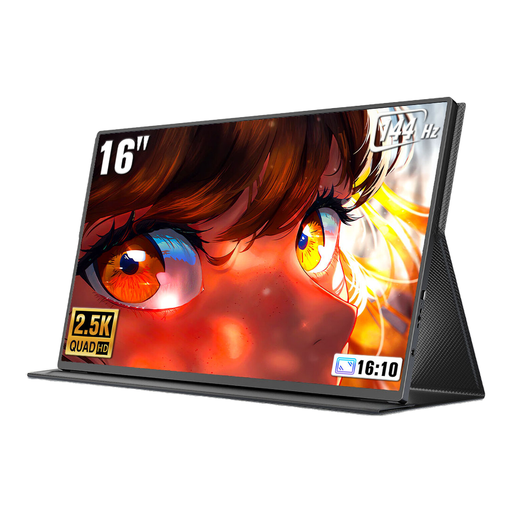
The 16-inch format gives you more screen space if you want to view documents alongside a source.
The product title lists a 16-inch screen, 16:10 format, 2560 × 1600 resolution, 144 Hz refresh rate and QLED display. The connections listed are Mini-HDMI and Type-C.
 No image available
A larger portable screen option if you have enough desk space for a 15.6-inch display.
The title lists a 1920 × 1080 resolution, IPS display, USB-C and HDMI, as well as a stand.
 No image available
The compact 14-inch format is a good option if you need to fit an extra screen on a limited desk space.
The title lists FHD, IPS, a weight of 600 g, a thickness of 4.5 mm and an integrated stand. It says the model is designed for laptops measuring 13 to 17 inches.
No. The specific port needs to support the video signal required by the monitor. Lenovo lists USB-C with DP 1.2 Alt Mode and PD 2.0 as requirements for the laptop when using the ThinkVision M14; check your device specifications and how it will be powered.
Position the screen, keyboard and your seat so that you can work comfortably. The German Federal Institute for Occupational Safety and Health recommends arranging your desk, chair, keyboard and screen to work together; also check that the stand, viewing angle and available space on the library desk are suitable.
When you buy goods as a consumer in the EU, you’re generally entitled to a legal guarantee of at least two years from the date you receive them. Your Europe distinguishes this right from a voluntary manufacturer’s warranty. Online consumer contracts generally come with a 14-day right to cancel, although the specific contract and any exceptions should be checked.
According to the German Federal Network Agency, products covered by relevant EU harmonisation legislation and placed on the EU market must carry the CE marking. The CE marking is the manufacturer’s declaration of conformity, not an independent quality mark.