What should you look for when buying?
First, check whether your laptop can output a video signal through the intended port and, if necessary, power the monitor. Then compare screen size, desk space and portability.
| Criteria |
What to look for |
Who should pay particular attention? |
| Connection compatibility |
Check that your laptop’s port supports video output, and make sure it matches the monitor’s input and cable. ASUS specifies DisplayPort Alt Mode as a requirement for a compatible direct USB-C connection. |
If I want to work with source material and flashcards side by side, I first need a video signal that my laptop can actually output. That’s why around 29% of consumers put connection compatibility first. |
| Screen space |
Compare screen size, aspect ratio and resolution with the space available. Also check how readable text is at the scaling setting you plan to use. |
If I want to keep longer source texts open alongside my flashcard app, the usable screen space on my desk matters most. Around 23% of consumers prioritise screen space. |
| Portability and stand |
Compare the monitor’s weight, protective case and stand. Also consider how much room it takes up when set up. |
If I often carry the screen with me and set it up at different library desks, weight, protection and a reliable stand are essential. Around 18% of consumers prioritise portability and setup. |
| Power supply |
Check whether your laptop can power the monitor through the intended port, and whether you’ll need a mains adapter for your planned setup. |
If I can’t count on having access to a power socket at my study space, I want to know in advance whether my laptop and monitor can both run through the intended connection. Around 18% of consumers pay particular attention to power requirements. |
| Accessories and returns |
Check exactly what’s included, and whether you may need additional cables or a power supply. Distinguish your statutory rights from any voluntary guarantees. |
If I need to budget for extra cables or a power supply, I want to know exactly what’s included before I buy. Around 12% of consumers prioritise accessory requirements and the option to return the product. |
Portable monitors at Joybuy
This selection includes portable extra screens for laptops and study spaces, from compact to larger displays, as well as a foldable dual-monitor setup.
 No image available
KEFEYA 16-inch FHD monitor with rotating magnetic stand
The rotating magnetic stand described makes it a useful setup option for changing study spaces.
16 inches; FHD 1200P; stated weight of 0.76 kg. Two full-featured USB-C ports and Mini-HDMI are listed.
View at Joybuy
 No image available
Blackview TABLE 9, 16 inches, 16:10
The 16:10 display is an option if you want room for source text alongside your flashcard app.
1920 × 1200 pixels; the description lists a rotating, extendable magnetic stand and a weight of 1.27 kg with the stand. Two USB-C ports and Mini-HDMI are listed.
View at Joybuy
 No image available
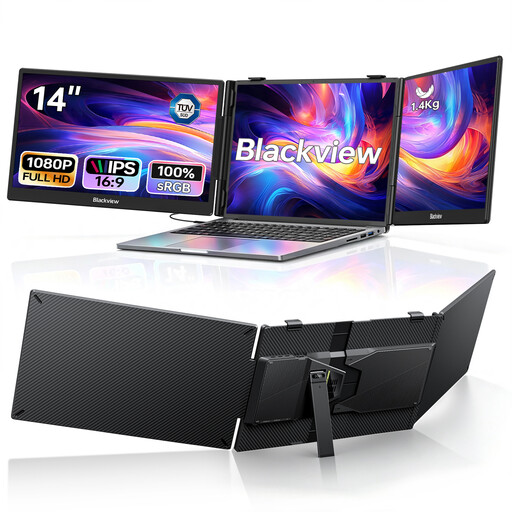
Blackview DCM5, foldable 14-inch dual monitor
This foldable setup is one way to carry two extra screens for your laptop workspace.
Two 14-inch FHD IPS screens; the title states that it is suitable for laptops from 13 to 17.3 inches. The description lists USB-C plug-and-play.
View at Joybuy
 No image available
UFYQL M156F04, 15.6 inches
This monitor is an option if you’re looking for a single extra screen with a smart cover that doubles as an adjustable stand.
FHD 1080p, IPS; USB-C and HDMI.
View at Joybuy
 No image available
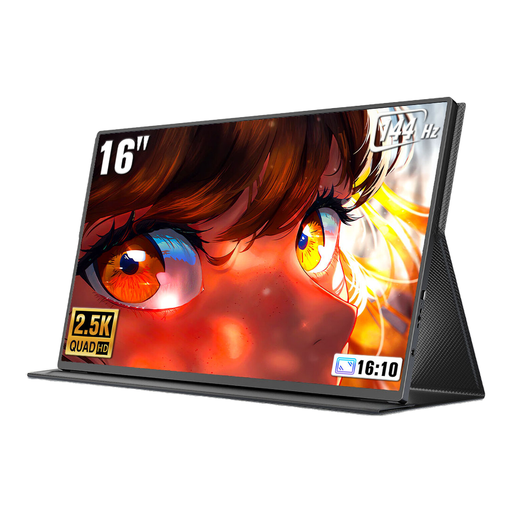
UPERFECT 16-inch monitor, 2560 × 1600 pixels
The 16:10 format may appeal to students looking for a larger extra screen for source text.
16 inches, 2560 × 1600 pixels and 144 Hz according to the product title. USB-C, Mini-HDMI and VESA compatibility are listed.
View at Joybuy
Frequently asked questions
Will any USB-C port on my laptop work for video?
No. For a direct connection to a compatible USB-C monitor, your laptop’s port must also support the required video function; ASUS specifically mentions DisplayPort Alt Mode. Check the technical specifications for your laptop’s specific port.
Can I use a monitor via HDMI without extra cables or a power socket?
Not with every model. According to the manufacturer, the Verbatim PMT-15-4K needs an additional power supply when used via HDMI; touchscreen functionality over HDMI requires another USB cable. Check the connection requirements for the monitor you choose.
How can I protect and carry my second screen?
Check whether a suitable case is included, and consider the monitor’s weight and stand. Lenovo lists a protective case for the ThinkVision M16 variant 64BFUAT1WL; LG says the cover supplied with the 16MR70 also works as a stand.
What are my rights when buying online as a consumer in Germany?
For a typical distance contract with a consumer, you generally have a right to cancel. According to information from the Federal Ministry of Justice and the Federal Office of Justice, the cancellation period is usually 14 days and, for purchases of goods, generally starts when you receive them. Statutory claims for defects in ordinary goods generally become time-barred two years after delivery; exceptions and the circumstances of the specific contract should also be considered.
Is a CE mark an independent quality or safety award?
No. For products covered by the relevant harmonised EU rules, the manufacturer uses the CE marking to declare that the product complies with those rules. According to the European Union, it is not a central EU approval. If a product that must carry the mark does not have one, check the marking and product information more carefully.


