What to look for when buying
Without mains power, your monitor, source device and video signal all need to work together as one setup.
| What matters when buying |
What to check |
Who it matters most to |
| Power supply and presentation time |
Check the power source for both devices and how long your own setup lasts at the brightness you intend to use. |
If there’s no mains socket, I want to know whether my monitor and source device will last until the end of the presentation. Around 36% of consumers prioritise power autonomy. |
| Photo display and colour |
Check the colour gamut specifications for the exact model and view a familiar file at the presentation venue. |
If I want to present colours and image details accurately, I also need to consider the settings and ambient light. Around 29% of consumers prioritise photo display quality. |
| Video signal and connections |
Check that your source device’s video output, the monitor input and any cables or adapters you need are all compatible. |
If I want to connect my existing smartphone, laptop or camera, I need to make sure the signal path will actually work. Around 21% of consumers put connection compatibility first. |
| Portability and setup |
Consider the weight of the monitor and accessories, as well as the screen area and where you’ll position it at the venue. |
If I’m carrying the setup myself and need to position it at the venue, I have to think about both luggage and space. Around 14% of consumers prioritise portability and setup. |
Joybuy products for mobile photo presentations
The portable displays below include models with built-in batteries, as well as options with USB-C and HDMI connections for image-focused presentations. Plan power for both the monitor and source device as part of your complete setup, and check the signal path before your appointment.
 No image available
Portable 23.8-inch 4K monitor
Could suit detailed portfolio presentations. For use without a mains socket, you’ll need to plan a separate power supply for both the monitor and source device.
23.8 inches; 3840 × 2160; 60 Hz; 100% sRGB; built-in stand; USB-C and Mini-HDMI.
View on Joybuy
 No image available
Portable 16-inch monitor with 2.5K resolution
The built-in battery may be useful for presentations without a mains socket. Check how long the complete setup lasts with your source device.
Built-in 8000-mAh battery; IPS; 1600p; 125% sRGB; AirPlay and Miracast.
View on Joybuy
 No image available
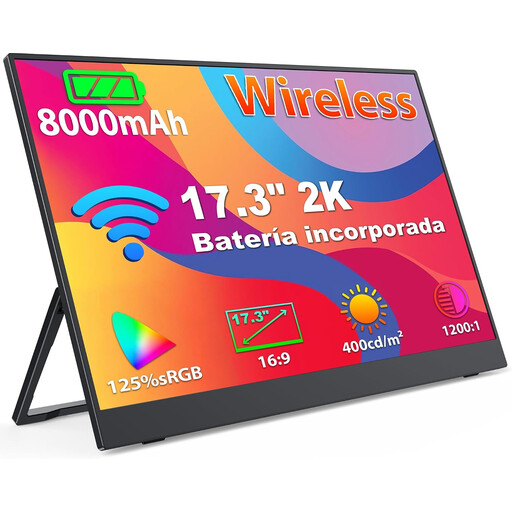
Portable 17.3-inch monitor with 2K resolution
The built-in battery may be useful for presentations without a mains socket. Test the battery life with the source device you plan to use.
Built-in 8000-mAh battery; 1440p IPS display; 125% sRGB; AirPlay and Miracast.
View on Joybuy
 No image available
UPERFECT 16-inch 2K monitor
Could suit an image-focused presentation. For use without mains power, you’ll need to arrange a suitable portable power supply.
2560 × 1600; 16:10; IPS; 123% sRGB; USB-C and HDMI.
View on Joybuy
 No image available
Arzopa Z1RC 16-inch 2.5K monitor
Could suit detailed portfolio presentations. Make sure you have a suitable power supply for both the monitor and source device.
2560 × 1600; IPS; 123% sRGB; USB-C and HDMI.
View on Joybuy
Frequently asked questions
Is a USB-C port on my laptop enough for video and power?
Not necessarily. To send video over USB-C using DisplayPort Alternate Mode, that specific output must support the feature. Your portable power source must also be able to power the monitor. ASUS explicitly lists this requirement for the ZenScreen Go MB16AHP.
Can I show photos directly from my camera?
For the VP16-OLED, ViewSonic lists Micro-HDMI for a direct camera connection and USB-C for power. Check the HDMI output and playback function on your specific camera, as well as the cable you’ll need. The model specifications don’t confirm compatibility with every camera.
Is a high colour gamut percentage enough for a colour-accurate presentation?
No. A colour gamut specification describes only one part of the image chain. EIZO Germany explains that monitors can display the same file differently, and that settings and ambient light affect how colours appear.
Who should I contact if a product develops a fault after purchase in Germany?
For a consumer purchase, contact the seller about your statutory rights. Germany’s consumer advice centre distinguishes these rights from a voluntary manufacturer’s or retailer’s guarantee; new goods are generally covered by a two-year statutory period. Consumer rules don’t necessarily apply in the same way to purchases made for a business.
Can I put an old monitor with a battery in my household rubbish?
No. Germany’s Federal Environment Agency advises that old electrical equipment must be collected separately. Only remove and recycle the battery separately if you can do so easily.


