For a colour-critical portfolio review, consider the specific monitor’s colour gamut, your file profile and your colour-management workflow together. A wide gamut alone doesn’t guarantee colour accuracy. If you often change workspaces or present in different lighting conditions, you should also consider the screen finish, space available for the monitor and suitable video and power connections.
Who might benefit from a portable monitor
Photographers reviewing colour with clients
If you discuss image colours and tonal values with clients, the monitor’s colour gamut, settings and ambient lighting should suit your workflow. EIZO points out that calibration can’t compensate for a gamut that’s too narrow or for panel uniformity issues.
Photographers using different source devices
If you sometimes connect a laptop and sometimes another device, the video output, monitor input and power supply all need to be compatible. LG lists DisplayPort Alt Mode and more than 7.5 W of output power as requirements for the 16MR70. Verbatim says that a power adapter is required to use the PMT-15-4K over HDMI.
Photographers working at different tables
If you present your portfolio in different places, you’ll need to balance visibility for your audience, the space available and the weight you’ll be carrying. Lenovo lists the ThinkVision M14d at 600 g and the M16 at 980 g; AOC describes the 16T3EA as having an integrated stand.
What to look for when choosing one
First, check that the display and colour management suit your portfolio. Then check the signal path and power supply, followed by how the monitor will be set up and carried for each workspace.
| Criterion |
What to check before buying |
Who it matters most to |
| Colour reproduction |
Check the specific model’s colour gamut and colour modes against your file profile, source device and method for checking the display. |
If I’m discussing skin tones or image colours, I want to check the settings and workflow rather than rely on a colour-gamut figure alone. Around 36% of consumers put colour reproduction first. |
| Video connection and power |
Check the source device’s video output against the suitable monitor input, power requirements, and any cables or adapters needed, using the specifications for the specific model. |
If I’m using my laptop or another device to show my portfolio, I need to know in advance that the video signal and power supply will work. Around 29% of consumers prioritise connectivity. |
| Visibility and positioning |
Check the screen finish, stand, dimensions and screen position at the actual presentation space. Specified brightness levels don’t guarantee protection against reflections. |
If windows or lights might cause problems at a shared table, I want to be able to position the screen so it’s easy for my audience to see. Around 21% of consumers prioritise visibility and positioning. |
| Portability and set-up |
Consider the weight and dimensions, as well as the cables required and whether a protective case is included with the specific model. |
If I change workspaces often, I want to be able to carry and set up the monitor easily, even if that means choosing a smaller screen. Around 14% of consumers prioritise portability. |
Avoiding buying and usage pitfalls
-
Assuming colour gamut coverage guarantees colour accuracy
A manufacturer’s stated colour-gamut coverage doesn’t replace checking the specific display or assessing it under the lighting conditions in your workspace.
If you need to approve colours, check the file profile, display mode and calibration rather than choosing solely on the basis of the largest advertised colour gamut.
Checking and fine-tuning your colour workflow may take extra time.
-
Assuming USB-C or HDMI alone confirms compatibility
The connector shape alone doesn’t confirm that the source device outputs a video signal or provides enough power. Verbatim says a power adapter is required to use the PMT-15-4K over HDMI.
Compare your source device’s specifications with the requirements of the exact monitor model, and check which cables and adapters you’ll need.
-
Choosing OLED for every presentation space based on contrast alone
ASUS lists the ZenScreen OLED MQ16FC as having a glossy finish. Displaying static, high-contrast images for long periods can also pose a risk of burn-in on OLED screens.
Check the screen finish and where you’ll position it on the table. Don’t leave static images on screen for longer than necessary, and check the protective features of the specific model.
-
Confusing similarly named Verbatim models
Verbatim describes the PMT-15 as a Full HD model with 1920 × 1080 pixels, while the PMT-15-4K has 3840 × 2160 pixels.
Before you buy, check the full model name and the resolution of the specific version.
Key brands and product ranges
The details below relate to the specified product ranges and manufacturers’ claims; they aren’t a general assessment of each brand’s entire range.
ASUS
ProArt models with creative and input features, alongside ZenScreen OLED as a portable OLED option.
- ASUS lists 100% sRGB and factory pre-calibration for the ProArt PA148CTV. For the PA169CDV, the manufacturer lists a 4K resolution and specified colour modes.
- According to ASUS, the PA148CTV’s touch function depends on the operating system. The ZenScreen OLED MQ16FC has a glossy finish, according to its specifications.
ViewSonic
The ColorPro VP16-OLED is designed for presentations, with a specified DCI-P3 colour gamut and a foldable glare hood.
- For this model, ViewSonic lists 100% DCI-P3, Delta E < 2 and a foldable hood.
- These are manufacturer’s claims; you’ll need to assess separately whether the display suits your colour workflow.
Lenovo
The ThinkVision M14d offers a lighter 14-inch set-up, while the ThinkVision M16 gives you more screen space.
- Lenovo lists the M14d at 600 g with 100% sRGB, and the M16 at 16 inches and 980 g.
- These details refer to different models. Colour specifications and other features of the M14d don’t necessarily apply to the M16.
Verbatim
The PMT-15-4K is a 15.6-inch 4K touchscreen option with USB-C and HDMI.
- Verbatim lists a resolution of 3840 × 2160 pixels and an HDMI input for the PMT-15-4K.
- The manufacturer says a power adapter is required for HDMI use. The similarly named PMT-15 is a different model, specified as Full HD.
AOC
The 16T3EA is a portable 15.6-inch Full HD IPS monitor with an integrated stand.
- AOC lists the integrated stand as a feature for positioning the monitor.
- The stated stand features don’t confirm that the monitor is calibrated for colour-critical photo reviews.
Joybuy products for presenting photography portfolios
This selection includes portable monitors for viewing photos together, from higher-resolution models to options with specified sRGB coverage. A colour-gamut figure alone doesn’t guarantee colour accuracy.
 No image available
UPERFECT 16-inch QLED monitor, 2560 × 1600
A good choice for viewing images together if you’re looking for a resolution above Full HD and a 16:10 format.
16 inches, 2560 × 1600 pixels, QLED, 16:10, Mini-HDMI and Type-C.
View on Joybuy
 No image available
UPERFECT 18.5-inch Full HD monitor, matt IPS
If you’re looking for a matt screen for a shared table, also check the monitor’s position in the available light.
18.5 inches, 1920 × 1080 pixels, matt IPS display, USB-C and Mini-HDMI.
View on Joybuy
 No image available
Blackview SCM6, 14-inch FHD IPS monitor extender
If you often change workspaces and want to expand your laptop set-up, weight and the stated compatible laptop size are important factors to consider.
14 inches, Full HD, IPS, 600 g, 4.5 mm and an integrated stand. Specified as an extender for 13- to 17-inch laptops.
View on Joybuy
 No image available
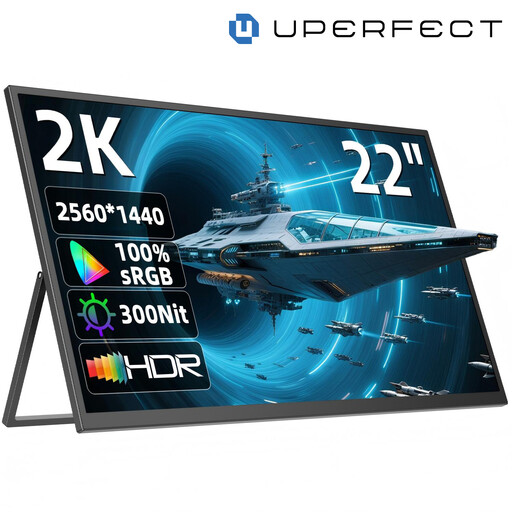
UPERFECT 22-inch QHD monitor, 2560 × 1440
If several people will be looking closely at details together, the stated screen size gives you more room to work with. Make sure you have enough space on the table.
22 inches, 2560 × 1440 pixels, QHD IPS, adjustable stand with a 180° angle, USB-C and Mini-HDMI.
View on Joybuy
 No image available
UPERFECT 15.6-inch Full HD monitor, 100% sRGB
If your portfolio is designed for sRGB, the stated colour-gamut coverage may be a useful factor to consider. On its own, it doesn’t guarantee colour accuracy.
15.6 inches, Full HD, 100% sRGB according to the product description, adjustable integrated stand, USB-C and Mini-HDMI.
View on Joybuy
Frequently asked questions
Is a USB-C port on my laptop enough for both video and power?
No. The connector shape alone isn’t enough to confirm compatibility. For the 16MR70, LG requires DisplayPort Alt Mode and more than 7.5 W of output power. Verbatim also specifies a power adapter for using the PMT-15-4K over HDMI. Check the requirements of the specific monitor against your source device’s specifications.
Does stated colour-gamut coverage mean the display is ready for colour proofing?
No. Colour-gamut coverage alone doesn’t guarantee colour accuracy. EIZO explains that calibration can’t correct a gamut that’s too narrow or panel uniformity issues. For colour-critical decisions, assess the display, file, settings and lighting conditions together.
How can I keep the monitor clean for my next presentation?
ASUS recommends using a soft microfibre cloth for its LCD and OLED panels. If needed, apply a small amount of clean water to the cloth, not directly to the display. Always follow the care instructions for the specific model.
What should I do if a monitor bought privately in Germany is faulty?
For a consumer purchase, your statutory rights are generally claims against the seller and are not the same as a voluntary manufacturer’s warranty. The Verbraucherzentrale explains that faulty goods are generally covered by a two-year period (as at 24 November 2025); whether the conditions apply in a specific case needs to be checked separately. Consumer rules shouldn’t automatically be assumed to apply to a purchase for business use.
Can I show identifiable people’s photos freely in an open-plan workspace?
There’s no general answer without knowing more about the photos, the people involved and the purpose. The Federal Commissioner for Data Protection and Freedom of Information explains that processing personal data requires a legal basis, and that the exception for purely personal use is limited. For a professional presentation, check that you have the necessary permission and prevent others from viewing the images unintentionally.


