What should you look for when buying?
Start by comparing the space it takes up and how easy it is to carry, then check the connections and power supply. Once these suit your seat on the train and your laptop, choose the resolution, aspect ratio and, if needed, touch functionality to match the way you work.
| Priority |
What to check before buying |
Who is this important to? |
| Space and portability |
Monitor dimensions including the stand, and weight; also consider the seat and table setup you expect to use. |
If my laptop and monitor need to fit on a small train table at the same time, and I have to carry the monitor regularly, the overall size including the stand matters to me. Around 31% of consumers put space and portability first. |
| Connections and power |
Video output from the specific laptop port, compatible monitor inputs and power requirements. |
If I want the screen to work reliably on the go, I check more than just the connector type: I also check video output and power. Around 31% of consumers prioritise connections and power. |
| Plan readability |
Check the screen size, resolution and aspect ratio against a typical document and your software’s scaling settings. |
If you want to compare floor plans, measurements and quotes side by side, check that details and text remain legible in your preferred view. Around 23% of consumers put plan readability first. |
| Direct input |
Touch or pen functionality on the exact model, and whether your laptop, operating system and planning software support it. |
If I want to mark up plans directly, I need an input method that works with my entire workflow. Around 15% of consumers prioritise touch or pen input for annotations. |
Joybuy products for use on the go
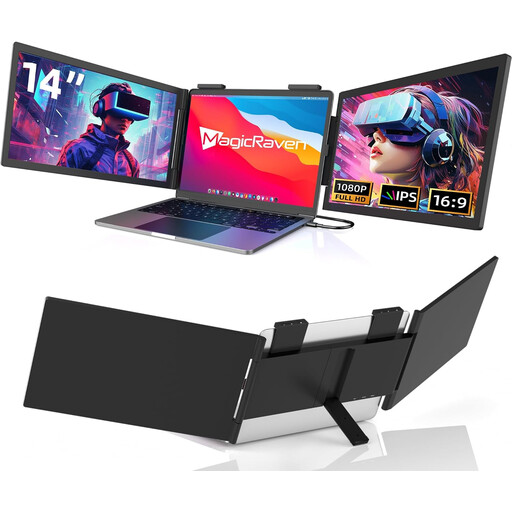
The Joybuy products below are portable, compact second-screen options for use alongside a laptop.
 No image available
Portable 14-inch Full HD monitor, 60 Hz
A compact second screen to use alongside a laptop; the title states compatibility with 14- to 16-inch laptops.
14 inches; Full HD (1080p); 60 Hz; USB-C, with no HDMI according to the title. Built-in speakers are listed.
Joybuy
 No image available
Portable 14-inch IPS monitor, Full HD, 60 Hz
A compact second screen if you want to check that the connections listed in the title match your laptop.
14 inches; Full HD (1080p); 60 Hz; IPS. HDMI, USB-A and USB-C are listed as ports. The stated laptop compatibility ranges from 14 to 16.5 inches.
Joybuy
 No image available
Blackview DCM6 PRO, 14-inch monitor
A compact second screen; the title says the model is designed for laptops from 13 to 17.3 inches.
14 inches; Full HD; IPS; 1920 × 1080 pixels. The product description specifies a clamp-on design.
Joybuy
 No image available
Blackview SCM6, portable 14-inch IPS monitor
For use on the go if a built-in stand and the weight stated in the title are important to you.
14 inches; Full HD; IPS; 600 g; 4.5 mm. Built-in stand. The stated laptop compatibility ranges from 13 to 17 inches.
Joybuy
 No image available
Blackview DCM5, 14-inch IPS LCD monitor
A compact second screen if the 16:9 format suits the way you view plans.
14 inches; IPS LCD; 16:9. The stated laptop compatibility ranges from 13 to 17 inches. At the same pixel width, 16:9 offers less vertical screen space than 16:10.
Joybuy
Frequently asked questions
Will any USB-C port on my laptop work with a portable monitor?
No. Check your specific laptop’s specifications to see whether the port supports video output, and make sure the power supply is suitable for the monitor. ASUS specifically advises checking display output for the ZenScreen MB16AHV; the USB-C connector shape alone doesn’t confirm compatibility.
Can I count on having a table and my own power socket on an ICE train?
No. Don’t assume that every seat has a particular table or socket arrangement. Deutsche Bahn says that fixed or fold-down tables are available at many seats. It generally lists one socket per pair of seats in second class, and one per seat on selected train series. Take your specific seating situation into account, and don’t plan to power your monitor based solely on the assumption that you’ll have your own socket.
What should I know about faulty goods or cancelling an online purchase in Germany?
Your statutory rights against the seller are separate from any voluntary manufacturer’s warranty. According to the Verbraucherzentrale, online purchases generally come with a 14-day right to cancel; exceptions and the exact start of the cancellation period depend on the circumstances.
What should I know about CE marking and disposing of the monitor later?
Relevant CE requirements may apply to electrical and electronic equipment. The European Union describes the marking as a manufacturer’s declaration, not an individual EU product inspection. In Germany, you must not dispose of an old monitor in household waste. The Umweltbundesamt lists separate return options, such as recycling centres and participating retailers.


