What should you look for when buying?
14-inch, non-touch
A good fit if: you mainly want to display reference material and notes on an extra screen while saving space on the train table. Dell lists the P1425 as a 14-inch monitor with a tilt-adjustable stand.
The trade-off: its smaller diagonal gives you less physical screen space than a 15.6-inch model; Dell says the P1425 does not have a touchscreen.
15.6-inch with USB-C
A good fit if: you need more room for side-by-side windows and have enough space to set it up. ASUS lists USB-C with DP Alt Mode for the MB16ACV.
The trade-off: the larger screen takes up more space. ASUS notes that your laptop’s port must support the right type of video output.
Touch for direct annotation
A good fit if: you want to edit your study notes directly on the extra monitor and touch works with your device. Lenovo lists 10-point touch for the ThinkVision M14t Gen 2.
The trade-off: touch support depends on the device. ViewSonic lists limitations on iOS/iPadOS and an additional software requirement on macOS for the TD1655.
When choosing a portable monitor for taking study notes on the train, your main priority may depend on your seat and how you work. Deutsche Bahn notes that tables are available at many, but not all, ICE seats.
| Priority |
What to check before buying |
Who is likely to care most |
| Space and portability |
Compare the overall dimensions, including the stand, and the weight; consider the space available at your usual seat. |
If I want to set up my laptop and monitor on a small train table, I pay particular attention to compact dimensions and light luggage. Consumers whose main priorities are space and portability are likely to account for around 31 %. |
| Video connection and power |
Check the video output from your laptop’s port, the monitor’s requirements and how it will be powered. ASUS requires suitable video output for the MB16ACV with DP Alt Mode. |
If I rely on a working video connection and a suitable power supply while travelling, I check both with my specific laptop. Consumers who care most about connectivity and power are likely to account for around 31 %. |
| Note readability |
Consider the diagonal, aspect ratio and native resolution together. Dell lists the P1425 as 14 inches, with a 16:10 aspect ratio and 1920 × 1200 pixels; ASUS lists the MB16ACV as 15.6 inches with Full HD resolution. |
If I want to read lots of text and sources side by side, I compare the format and the text scaling I prefer. Consumers who put easy-to-read material first are likely to account for around 25 %. |
| Touch for annotation |
Check touch support for the monitor and operating system separately from the video connection. ViewSonic lists macOS requirements and says there is no touch feedback on iOS/iPadOS for the TD1655. |
If I want to enter notes directly on the second screen, I check in advance whether my device supports touch input. Consumers whose main priority is direct annotation are likely to account for around 13 %. |
Portable monitors at Joybuy
The selection below includes portable 14- and 15.6-inch laptop monitors that give you extra space for notes and reference material. Connectivity and features vary by model.
 No image available
Portable laptop monitor, 15.6 inches, Full HD, 60 Hz
An extra screen for displaying study notes and reference material alongside your laptop.
Features listed in the product name: Full HD (1080p), 60 Hz, IPS, HDR, built-in speakers, HDMI, USB-C and stand.
View at Joybuy
 No image available
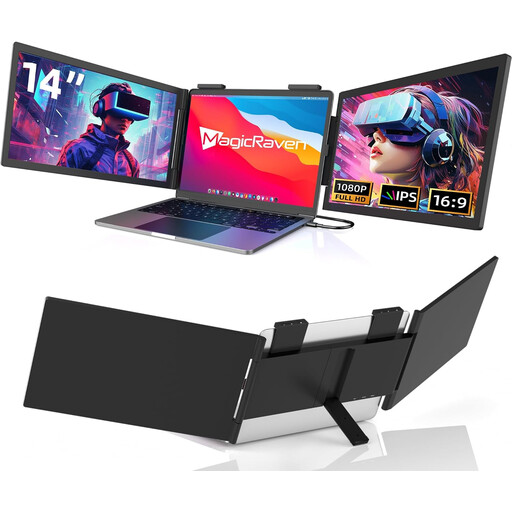
Portable laptop monitor, 14 inches, FHD, USB-C
The 14-inch screen is an option if you’re looking for a smaller display than a 15.6-inch model.
Features listed in the product name: FHD (1080p), 60 Hz, IPS and built-in speakers. It has a USB-C connection; HDMI is explicitly not included. Listed as compatible with 14- to 16-inch laptops.
View at Joybuy
 No image available
Portable 14-inch FHD IPS laptop monitor with HDMI, USB-A and USB-C
For students who want to view reference material and notes side by side on a smaller extra display.
Features listed in the product name: FHD (1080p), 60 Hz, IPS, HDMI, USB-A and USB-C. Listed as compatible with laptops from 14 to 16.5 inches.
View at Joybuy
 No image available
Blackview DCM6 PRO, portable 14-inch Full HD monitor
A 14-inch option for an extra laptop screen while organising study materials.
Features listed in the product name: 14 inches, Full HD and compatibility with laptops from 13 to 17.3 inches.
View at Joybuy
 No image available
ARZOPA A1, portable monitor, 15.6 inches, 1920 × 1080
For a larger extra view of study notes and reference material, provided there’s enough space at your seat.
Features listed in the product name: 15.6 inches, 1920 × 1080 pixels, FHD, IPS, USB-C and HDMI.
View at Joybuy
Frequently asked questions
Is a USB-C port on my laptop enough to connect a portable monitor?
No, the connector shape alone isn’t enough. If a monitor expects video over USB-C with DP Alt Mode, your laptop’s port must support the right video output. ASUS distinguishes this connection from USB solutions that use a DisplayLink driver; check the specifications for both devices.
How can I show notes and reference material on separate screens?
On Windows, once you have a working video connection, select ‘Extend’ as the display mode if you want each screen to show different content. Microsoft also explains how to detect and arrange displays.
Can I count on having a table and a power socket on an ICE train?
No, not at every seat. Deutsche Bahn describes fixed or fold-down tables at many seats and, in 2nd class, generally one power socket per pair of seats; selected train series have one per seat. You can’t assume the same facilities are available on other types of train.
What should I test before using my monitor on the go?
Test the monitor, laptop, cables and power setup together, then arrange the displays as you want them. If you have a touchscreen model, test touch input as well as the video output; ViewSonic lists specific operating system requirements for the TD1655.
What rights apply when buying online in Germany?
For a typical online purchase from a business seller, the European Union’s consumer information says you generally have 14 days from delivery to cancel; exceptions may apply. If goods are faulty, you have at least two years of statutory rights against the seller from the date you receive them. These rights are separate from a voluntary manufacturer’s warranty.


