Households with an essential 230 V device
If you want to power a specific, non-hardwired device as well as mobile phones and lights, compare its power consumption and the runtime you need with the portable power station’s specifications.


For mobile phones, lighting and information, charged batteries, power banks and a battery-powered or wind-up radio are often a good first step. Germany’s Federal Office of Civil Protection and Disaster Assistance (BBK) lists these as possible emergency-preparedness essentials. A portable power station may also be worth considering if you need to power a specific mains-powered device: compare its energy consumption over the planned usage time with the station’s capacity, and check its continuous output and any start-up surges. Solar charging can provide an additional option, but during a prolonged power cut it can’t guarantee sufficient output or a functioning communications network.
If you want to power a specific, non-hardwired device as well as mobile phones and lights, compare its power consumption and the runtime you need with the portable power station’s specifications.
If your main priorities are mobile phones, lights and official information, first check whether charged batteries, a power bank and an independent radio will meet your needs. The BBK lists power banks and battery-powered or wind-up radios as possible emergency-preparedness essentials.
If you’re planning for a longer power cut, you could consider adding a solar charging solution. Don’t assume that sunlight, a compatible solar input or external communications networks will be available.
Worth considering if: your emergency plan includes a specific mains-powered device that can’t be powered by a power bank.
Bear in mind: capacity and output are limited, so they need to match the device and the planned runtime.
Worth considering if: your priorities are mobile phones, smaller battery-powered devices, lights and information.
Bear in mind: a power bank isn’t a substitute for a suitable AC output; powering a router won’t guarantee an internet connection during a network disruption.
Worth considering if: you have a suitable spot and the panel, cable and charging input are compatible.
Bear in mind: actual output depends on factors including the sunlight available; the maximum input rating doesn’t guarantee a certain amount of recharging.
First, decide which devices take priority during a power cut. The BBK recommends charged batteries, power banks and a battery-powered or wind-up radio as possible emergency-preparedness essentials.
| Priority | What to check before buying | Who should pay particular attention |
|---|---|---|
| Powering a 230 V device | Note the power consumption in W, planned runtime, suitable output and any start-up surge. Compare W and Wh separately. | If I want to power a specific mains-powered device, the station needs to meet its requirements. Around 36% of consumers put this device first. |
| Communication, lighting and information | Check which charging ports you need, and plan for independent light sources and a battery-powered or wind-up radio. | If mobile phones, lights and information matter more than a 230 V device, I don’t want to choose a larger solution than necessary. Around 29% of consumers prioritise communication and information. |
| Recharging during a prolonged power cut | Check that the specific model’s solar input is compatible with the panel connector, and have a plan for days with little usable sunlight. | If I want to recharge without mains power during a prolonged power cut, the solar solution needs to suit both the location and the device. Around 21% of consumers put recharging first. |
| Keeping a specific appliance cool | Check its energy consumption over the planned period and the possible start-up behaviour of the fridge or freezer; also consider any other priority devices. | If I want to power a specific cooling appliance, I need its actual specifications rather than a runtime figure for a different model. Around 14% of consumers prioritise keeping things cool. |
Wh describes the nominal energy capacity, while W measures power. A high capacity alone doesn’t tell you whether the output can supply the power you need.
First, work out how much energy your chosen devices will need over the planned usage time. Then check capacity and simultaneous continuous output separately.
Manufacturers’ runtime figures are based on specific example appliances. Your cooling appliance’s energy consumption and start-up behaviour may be different.
If you’re planning to keep food cool, check the specifications of your actual appliance and the available energy reserve. Don’t rely solely on an advertised runtime to keep food safe.
The maximum input rating can’t predict the output at your location or the weather during a power cut.
Check that the panel and input are compatible, charge the station in advance and have a plan for times when solar power isn’t available.
Powering individual devices won’t prevent disruption to external communications networks. A battery can’t provide independent information or cover other emergency-preparedness needs.
Plan to use the station only for specific devices, and keep a radio, lights and charged small devices ready separately.
The C300 and C800 models listed here offer different capacity and output levels.
According to the manufacturer, the DELTA 2 is designed to power several devices connected individually.
The manufacturer lists the AC70 with 768 Wh and a rated output of 1,000 W.
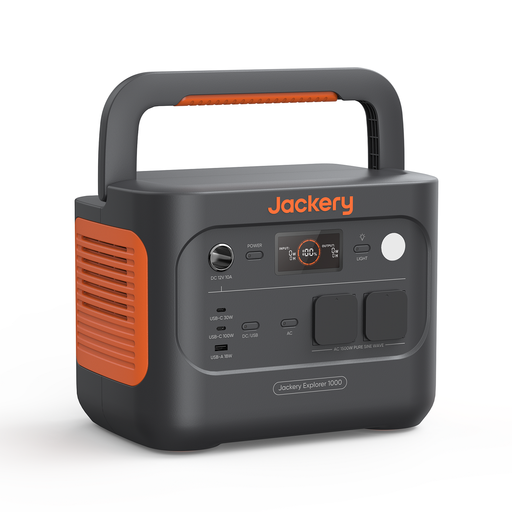
Jackery lists the Explorer 1000 v2 with 1,070 Wh and 1,500 W.
This selection features portable power stations to compare against specific devices you’ve chosen in advance and their energy requirements.
 No image available
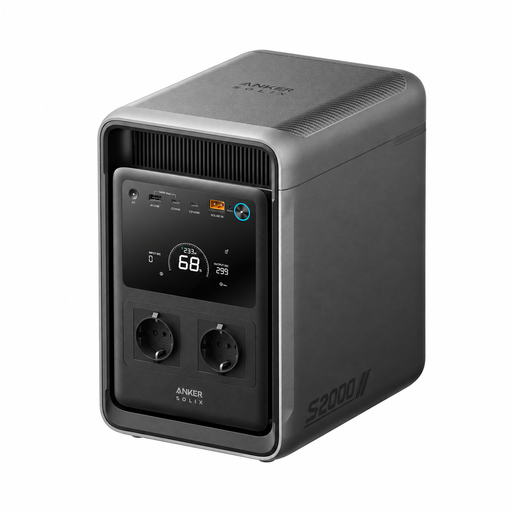
For a specific appliance or a number of selected devices, provided their requirements are within the output limits. Listed specifications include a capacity of 2,000 Wh, continuous output of 1,500 W and solar input of up to 400 W.
 No image available
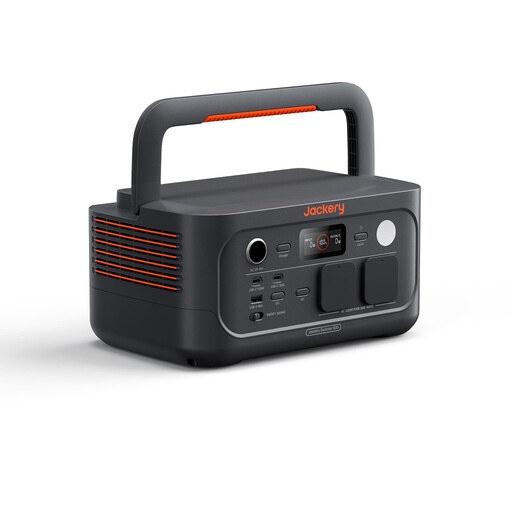
For selected appliances whose power requirements match the rated output. Listed specifications include 512 Wh, a 500 W rated AC output, two 230 V outlets, plus USB and 12 V outputs; any start-up surges must also remain within the device limits.
 No image available
For a priority appliance with higher energy requirements, provided its power consumption and start-up behaviour are within the output limits. Listed specifications include 1,070 Wh, a 1,500 W rated AC output, two 230 V outlets, and USB-C and USB-A outputs.
 No image available
For a smaller appliance selected in advance, provided the capacity and output suit the planned use. Listed specifications include 288 Wh, a 300 W rated AC output, solar charging of up to 100 W and a USB-C output of up to 140 W; the 600 W peak output shouldn’t be confused with the rated output.
 No image available
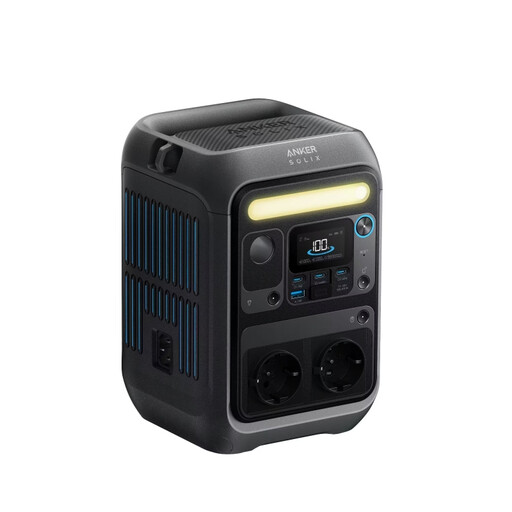
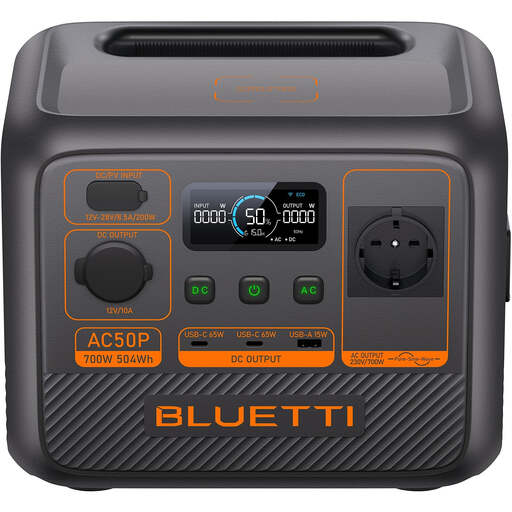
For a single AC device, provided its power consumption and planned runtime match the specifications. Listed features include 504 Wh, a 700 W rated AC output, two USB-C outputs, plus USB-A and 12 V outputs; remember to allow for the device’s possible start-up surge.
Plan to have charged batteries for mobile phones and other selected devices, as well as independent light sources and a battery-powered or wind-up radio. Then decide whether an additional device really needs a 230 V output. The BBK lists power banks and solar-powered battery chargers as possible emergency-preparedness essentials, but doesn’t recommend a particular portable power station.
For each priority appliance, note its power in watts and the number of hours you want it to run; watts multiplied by hours gives the calculated energy requirement in watt-hours. Also compare the power needed by all devices running at the same time with the continuous AC output. The nominal battery capacity doesn’t guarantee the amount of energy delivered to a connected device, so runtimes need to be checked against the specific appliance and operating conditions.
No. Powering your router can compensate for the loss of power to the device, but it can’t prevent a disruption to your internet connection or mobile network. Make sure you also have a way to get information that doesn’t rely on the internet.
Connect only the individual devices the station is designed to power, and use suitable outputs. Follow the operating, charging and storage instructions for the exact model. A safety feature or advertised peak output doesn’t replace checking that the output is suitable for the device’s power requirements. This guide doesn’t cover feeding power into household circuits.
Check whether the specific offer includes a solar panel, connection cable and any adapters you need, and compare the warranty terms for the exact model. Jackery lists the Explorer 1000 v2 on its German product page as a standalone model and in versions with a solar panel; this doesn’t mean other offers come with the same items.