
Lieferung heute & morgen

Qualitätsgarantie

Willkommens-Angebote freischalten: KOSTENLOSE Lieferung | Bis zu 80 % RABATT | Kostenlose 30-Tage-JoyPlus-Testphase
App herunterladen
A big-screen experience like the cinema, but with the flexibility to enjoy it in your own home or even in the garden—that's a dream for many. A conventional television is often tied to a fixed location and limited in screen size. A mini projector offers a modern alternative: compact, portable, and capable of projecting an impressive image onto almost any free wall.
However, the market is diverse, and the technical specifications can be overwhelming. This guide is designed to help you navigate it. We'll explain the most important features and present a selection of models to help you make an informed purchasing decision.
To find the right device for your needs, a few technical aspects are crucial. The following three points will help you correctly interpret the specifications.
A projector's image quality depends heavily on two values: brightness, measured in ANSI Lumens, and resolution.
A modern smart projector often makes external source devices like laptops or TV sticks redundant. Thanks to an integrated operating system (e.g., Android TV or Google TV) and Wi-Fi connectivity, you can access streaming services directly.
Compactness is the main advantage of a mini projector. A portable projector can be easily moved from room to room or taken to a friend's house for a movie night.
Based on the criteria mentioned, we have compiled a selection of devices that cover different requirements.
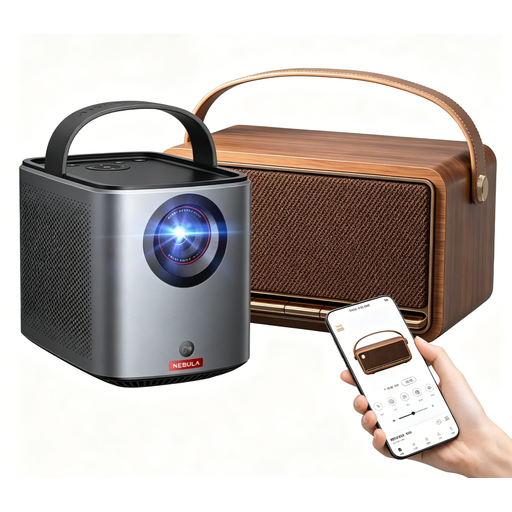
Why it stands out: This kit is designed as an all-in-one solution for mobile entertainment. With Google TV, an integrated battery, and powerful speakers, the Nebula Mars 3 Air has everything you need for a spontaneous movie night. The included carrying case and additional speaker complete the package.
Pros:
Who is it for? This model is ideal for users looking for a hassle-free and highly portable all-in-one solution. Perfect for use in the garden, on holiday, or for flexible movie nights in different rooms.
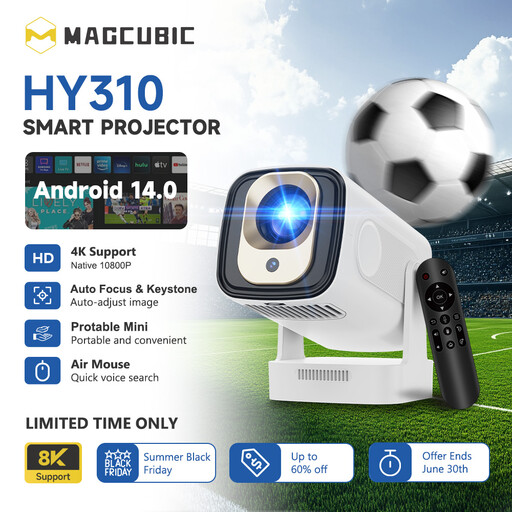
Why it stands out: The MAGCUBIC HY310 is distinguished by its intelligent automatic features and intuitive operation. Auto-focus and automatic vertical keystone correction ensure a sharp, straight image without manual adjustments. The air mouse remote with voice control further simplifies navigation.
Pros:
Who is it for? This device is aimed at users who appreciate maximum convenience and quick setup. It's a great choice for use in the bedroom or for occasional movie nights where hassle-free operation is a priority.
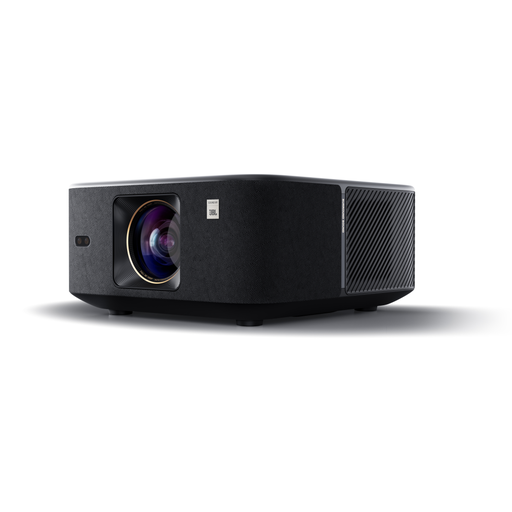
Why it stands out: The Yaber K3 positions itself as a powerful entertainer with its high brightness and high-quality sound system. With 1000 ISO Lumens (an alternative brightness metric) and two 15-watt JBL speakers, it delivers a compelling audio-visual experience even in brighter environments.
Pros:
Who is it for? The Yaber K3 is designed for users who value high image brightness and superior sound quality. It serves well as a flexible TV replacement in the living room, where complete darkness isn't always possible or desired.
A great picture deserves equally impressive sound. While the models presented here already have built-in speakers, an external sound system can complete the cinema experience. Discover suitable speaker accessories to take your setup to the next level.
The required brightness depends on the location. For a darkened room, 300 to 500 ANSI lumens can be sufficient for a good picture. If you want to use the projector in a room with some ambient light, models with 500 ANSI lumens or more are recommended to avoid a washed-out image.
Although some models are advertised as daylight projectors, projection in direct daylight is a challenge for any device. Models with very high brightness (e.g., over 800 ANSI lumens) can produce a visible image, but a darkened room is always recommended for optimal contrast and colours.
No, a smart projector with an integrated operating system like Google TV or Android TV does not need an external stick. Apps for streaming services like Netflix, Amazon Prime Video, or YouTube are either pre-installed or can be downloaded directly from the device's app store. This makes operation particularly simple and convenient.