For local costume photos, a portable projector is only a direct USB solution if the specific model supports the image formats you need and identifies its USB port as a reader. Connecting a laptop via HDMI is a different way to play content. Aurzen lists JPEG, BMP, GIF and PNG support for the BOOM Mini, while BenQ describes the GP100’s USB-A-1 port as a “Reader” – but test your files in advance all the same. You’ll also need to make sure the ambient light, distance and power supply suit your chosen location.
Which projector is right for you?
For showing photos directly from USB
If you want to show costume photos without a laptop or internet connection, check which image formats are supported and whether the specific model’s USB port is explicitly identified as a reader. Aurzen provides these details for the BOOM Mini; BenQ identifies one of the GP100’s USB-A ports as a “Reader”.
For presentations in a brighter room
If you can’t make the room completely dark, compare the stated brightness and its unit with your planned image size and setup location. Manufacturer specifications can help you narrow down your options, but you should test the image at the intended location to see how clearly it can be viewed.
For use without a mains socket
If you’ll be moving between locations or won’t have access to a socket, check the battery life for the mode you’ll use and the planned duration of your presentation. Also check separately how your local files can be played on the model you’re considering.
What should you look for when choosing?
First, decide whether the projector needs to play your files directly or whether a laptop will send the image via HDMI. Then check the lighting, power supply and available distance from the projection surface.
| What you need |
What to check before buying |
Who is this important for? |
| Playing local files |
Check the supported image formats and whether the USB port is identified as a reader; alternatively, plan to use an HDMI input and laptop. |
If I want to show my costume photos directly without a laptop, the projector needs to be able to read those exact files. Around 36% of consumers prioritise playing local files. |
| Image quality in ambient light |
Consider the stated brightness and unit, whether the room can be darkened and your planned image size; test it at the location. |
If the room won’t be completely dark, I want the group to be able to make out the costume details. For around 29% of consumers, a clear image in ambient light is the main priority. |
| Presentations without a mains socket |
Compare the battery life in the stated operating mode with the length of your presentation; check the playback method separately. |
If there’s no power socket where I’m setting up, I need enough battery life for my presentation. Around 21% of consumers prioritise battery power. |
| Positioning the image at your chosen location |
Check the distance, stability, adjustment range and image size at the intended location. |
If space and projection angle are limited, I want to be able to position the image correctly. Setup is the main priority for around 14% of consumers. |
Assumptions that can lead you astray
-
“Has USB” doesn’t automatically mean it can display photos
A USB port can serve different purposes depending on the model. Without the right reader function and support for your image format, you may not be able to open the photos you want directly on the projector.
Check the supported formats and the function of the specific port, then play your own files before the event. If your laptop will be playing the slides, check the HDMI connection instead, including which cable or adapter you’ll need.
-
The stated battery life won’t necessarily apply to every setting
Battery life figures may apply to a specific operating mode. An independent review describes a significantly dimmer image when the XGIMI MoGo 4 Laser is running on battery; this observation shouldn’t be applied to the MoGo 4 without “Laser” in its name.
Compare the length of your presentation with the battery life stated for the relevant operating mode, and test whether your preferred image settings are compatible.
-
Models and bundles with similar names aren’t necessarily the same
A difference in the model name can be crucial when choosing a projector. The MoGo 4 and MoGo 4 Laser are different models; be sure to check for “Laser” in the Capsule 3’s name, too.
Check the full model name and the connections you’ll need for your chosen playback method before making a decision.
Key brands to consider
Aurzen
The BOOM Mini is worth considering if you may want to display local photos without a laptop.
- Aurzen lists support for JPEG, BMP, GIF and PNG, two USB ports, 500 ANSI lumens and mains power.
- These specifications don’t guarantee that every storage device or ready-made slideshow will work. Test your files in advance; no battery is listed for this model.
BenQ
The GP100 and GV50 have different connection and power specifications.
- BenQ lists 1,000 ANSI lumens, 1080p and a USB-A-1 port identified as a “Reader” for the GP100. The GV50 is listed with a USB-A reader and a built-in battery.
- The connection specifications alone don’t confirm support for particular photo files. Check the formats and test playback using your own images.
XGIMI
The MoGo 4 is a battery-powered option for presentations at different locations.
- XGIMI lists 1080p, 450 ISO lumens and up to 2.5 hours of battery life for the MoGo 4.
- These specifications don’t confirm playback of local USB photos or the brightness you’ll get throughout the presentation. The MoGo 4 and MoGo 4 Laser are different models.
Epson
The Lifestudio Pop EF-61G is a portable smart projector for locations with a suitable power supply.
- Epson lists Full HD, 700 lumens and a Projection Studio app.
- App features don’t confirm direct playback of local USB photos. Check the connections on the specific version and make sure they support your playback method.
Anker Nebula
The Capsule 3 Laser is worth considering for different presentation locations, thanks to its compact, battery-powered design.
- Anker lists 300 ANSI lumens, 1080p and 2.5 hours of battery life in Eco mode.
- The battery life figure applies to Eco mode; it doesn’t confirm direct playback of the photo files you want to use.
ViewSonic
The M1XE is worth considering for locations where an adjustable projection angle matters.
- ViewSonic lists a stand that allows 360° positioning, a weight of less than 1 kg and up to four hours of battery life.
- These specifications don’t confirm that the model can play your local image files directly. Check how you’ll play your photos.
Projectors and bundles at Joybuy
The Joybuy products below include portable projectors and bundles with different setup and playback options. For local costume photos, check whether each model can read your files directly; HDMI playback and screen mirroring are different methods.
 No image available
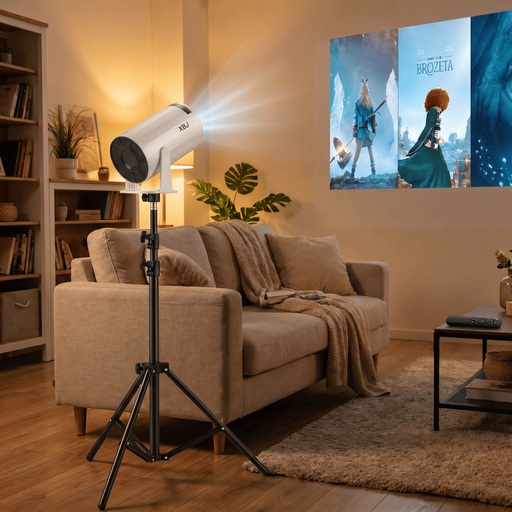
XBJ Portable Projector, white, with 1.7 m stand
This bundle includes a portable white projector and a 1.7 m stand. Check which file formats it supports to find out whether the projector can play your photos directly.
View at Joybuy
 No image available
XBJ 360° Portable Projector with 1.7 m stand
If you’re playing slides from a laptop via HDMI, this connection is listed as a playback option. The specifications also mention 360° projection and USB drives as playback sources; this alone doesn’t confirm that it can play photos from USB.
View at Joybuy
 No image available
Aurzen Tri-Fold DLP Mini Projector
The product description mentions screen mirroring from a mobile phone or laptop without a network connection. The title lists a built-in 5000-mAh battery and up to 1.5 hours of battery life; check whether that’s enough for your presentation.
View at Joybuy
 No image available
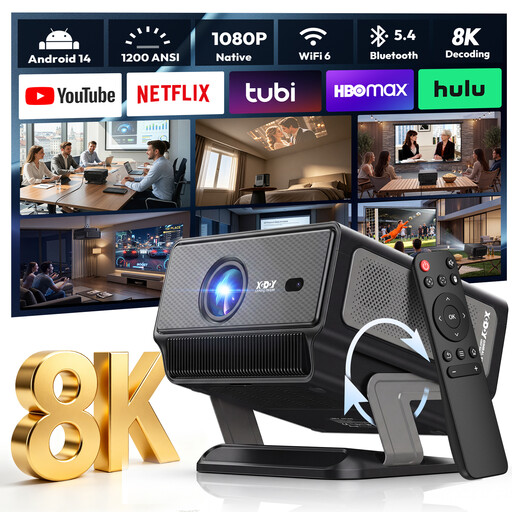
XGODY Gimbal A8 Projector
The title lists HDMI for connecting a laptop, while the product description mentions 1200 ANSI lumens and a gimbal stand with 0–90° adjustment. Check the projection distance and make sure the playback method works with your files.
View at Joybuy
 No image available
XGIMI Vibe One Match Night Collection
If you need a projection surface and stand, the product description lists a 70-inch screen with stand. The projector is listed with 1080p, 250 ISO lumens, a built-in battery and HDMI; check separately whether it can play local photos directly.
View at Joybuy
Frequently asked questions
Is a USB port enough to show my costume photos directly?
No. What matters is whether the specific model has a reader function and supports your image formats. Aurzen lists JPEG, BMP, GIF and PNG support for the BOOM Mini; BenQ describes the GP100’s USB-A-1 port as a “Reader”. Try your storage device and photo sequence before the event.
How should I set up the projector for my presentation?
Measure the distance to the projection surface and check that the projector is stable. BenQ lists a throw ratio of 1.2 for the GP100; ViewSonic lists an adjustable stand for the M1XE. Test the image size and position at your chosen location.
What are my rights if an item bought online is faulty or unsuitable?
For consumer purchases made at a distance, you generally have a statutory 14-day right to cancel; the conditions, when the period starts and any exceptions depend on the specific purchase. If an item is faulty, your statutory rights are against the seller and are separate from any voluntary manufacturer’s guarantee. The consumer advice centre explains both rights.
Can I publicly project photos showing identifiable carnival-goers?
Under § 22 KunstUrhG, images of people may generally only be shared or shown publicly with the consent of the person depicted. Whether a particular screening is public or an exception applies depends on the circumstances. For other people’s protected works or music, you should also consider the right of public communication under § 15 UrhG.
Is the CE mark an independent quality seal?
No. The Federal Network Agency explains that by applying the CE marking, the manufacturer confirms on its own responsibility that the relevant requirements have been met. For the specific device offered in Germany, also check that the required accompanying documentation is provided.


