Club teams with film files
If you need to play anniversary films without an internet connection, choose a playback method that’s confirmed to work with the specific model. Test the original files, including their sound, before the event.


For anniversary films stored locally, a portable projector is a good fit if you test the exact playback method with the original files in advance. Use USB directly only if player and file-format support are confirmed; otherwise, use a tested source device connected to the right video input. Room lighting, image size, projection distance and sound also matter. A battery is useful when there’s no power socket nearby, but depending on the model and operating mode, it may limit the brightness you can use.
If you need to play anniversary films without an internet connection, choose a playback method that’s confirmed to work with the specific model. Test the original files, including their sound, before the event.
If there’s ambient light or you’re planning a large projection, consider brightness, screen and distance together in the context of the venue.
If you’ll be setting up the projector in different places or won’t always have access to a power socket, factor in positioning, power supply and battery life at the settings you’ll actually use.
First, work out how to play your local film files reliably. Then match the projection surface, distance, room lighting and sound to the venue.
| Buying priority | What to look for | Who is this important to? |
|---|---|---|
| Playing local files | Check whether the specific model has a file browser and supports your file formats, or plan to use a suitable video input with your own source device. Test the original files offline. | If I want to play the films without internet access and without any surprises, I’ll test the picture and sound in advance. Around 29% of consumers consider reliable playback of local files their top priority. |
| Keeping the image visible in the hall | Consider the stated brightness and its measurement standard, planned image size, room lighting and projection surface together, under the conditions you’ll have at the event. | If there’s ambient light or a large audience, I want the film to be easy to see. Around 29% of consumers focus on visibility in the hall. |
| Positioning and image size | Before buying, check the projection distance, desired image width, clear line of sight and stand height at the venue. Consider using a tripod if needed. | If the projector will be used in different or confined spaces, the planned image size needs to be achievable with the space available. Around 18% of consumers consider finding the right position for the room their top priority. |
| Power supply | Compare the film’s runtime and required brightness with the battery life quoted for the specified operating mode. Remember to factor in the power needs of a source device, too. | If there’s no reliable access to a power socket where I’m setting up, I want to be able to show the film without interruption. Around 12% of consumers prioritise being able to operate without reliable mains power. |
| Sound for the audience | Listen to the finished film from further back in the room. If needed, plan to connect existing speakers using a connection method that’s confirmed to work. | If speech and music need to be clear throughout the room, sound quality at the seats matters. Around 12% of consumers put sound coverage in the hall first. |
A USB port or card reader doesn’t confirm that the projector has a file manager or can play your film formats. XGIMI notes that the MoGo 4 series doesn’t have a built-in file manager and recommends installing one from the Play Store.
Test the entire film offline on the exact device, and have a source device you’ve already tested ready if needed.
The battery life quoted by XGIMI for the MoGo 4 applies to Eco mode. A battery-life figure doesn’t automatically tell you how visible the image will be with your settings in your venue.
Check battery life and visibility together in the operating mode you plan to use, and don’t assume figures will be the same across different models.
The available projection distance affects the image width you can achieve from the projector’s position. Autofocus and automatic keystone correction won’t make an unsuitable position work.
Decide on the distance, image width, stand height and room lighting before choosing a model. TCL says a separate tripod may be available for the PlayCube to adjust its height.
Owning a file doesn’t automatically give you the rights to screen it or use the music in the film. Germany’s Federal Ministry of Justice describes a screening under Section 15 of the German Copyright Act (UrhG) as public if it is intended for a number of members of the public; whether this applies depends on the circumstances.
Check the audience, rights holders and music used for your specific event. GEMA also points out that separate permission may be needed for music used when making the film.
According to its German specifications, the GV50 offers several possible ways to set up playback with local media.
The MoGo 4 is a compact battery-powered option for different locations, provided you can install your own file manager.
The Lifestudio Pop EF-61W is a portable mains-powered option if picture and sound are important factors in your choice.
According to TCL, the PlayCube offers set-up features for different positions.
The CineBeam Q PU600U is a compact option if you want high native resolution and plan to use a separate device to play your films.
The following Joybuy models are listed for portable set-ups using your own source device connected via HDMI. Test your film files, including their sound, with the specific source device and projector in advance.
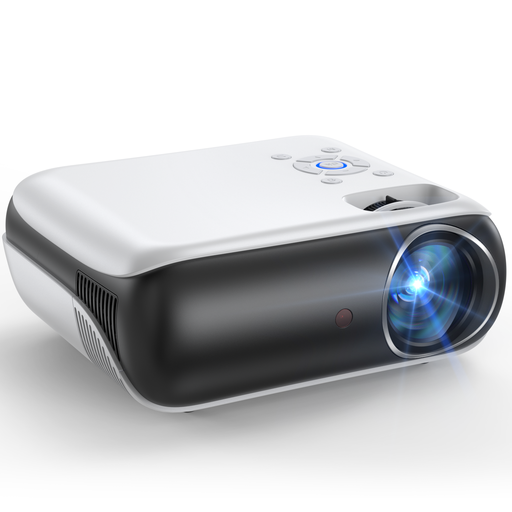 No image available
The product title lists HDMI for connecting your own source device. Test your film files with this set-up before the event.
Native 1080P resolution and integrated speakers are listed in the product title.
 No image available
The product title lists HDMI for connecting your own source device, as well as autofocus and automatic keystone correction for different set-up locations. Test the complete set-up with your files.
Native 1080P and 700 ANSI lumens are listed in the product title.
 No image available
HDMI is listed as a connection in the product title, so you can use your own source device. Whether your club films play will also depend on the playback method you’ve tested.
1080p, 1200 ISO lumens and two 5 W speakers are listed in the product title.
 No image available
The product title lists HDMI and a design that rotates through 360°. Plan where you’ll position it and test the source device with the original files.
Full HD 1080P, 500 lumens and automatic and manual keystone correction are listed in the product title.
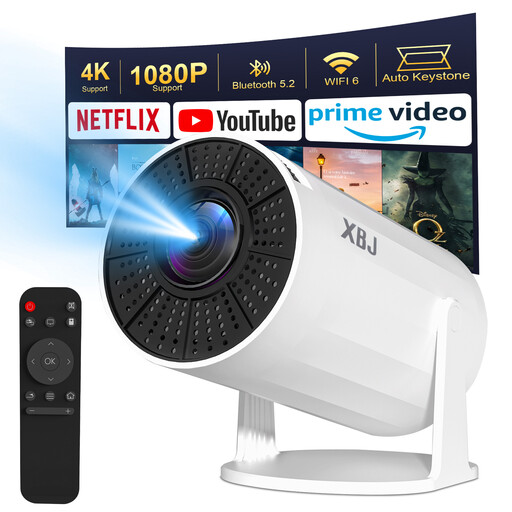 No image available
The product description lists HDMI as a connection for use with a source device. Test in advance whether your specific set-up can play your film files with sound.
1080P HD and 200 ANSI are listed in the product title. The product description lists automatic keystone correction; the title specifies a 180° rotation.
No. A USB port alone doesn’t guarantee direct playback. XGIMI notes that the MoGo 4 series doesn’t have a built-in file manager and recommends installing one from the Play Store. Test the original files, including their sound, on the specific device. Alternatively, you could use a tested source device connected to a suitable video input.
At the venue, measure the available projection distance and the image width you want, then compare these with the model’s throw ratio. Also check the stand height, line of sight and space for a screen. Autofocus won’t correct an unsuitable position.
Follow the device-specific guidance on ventilation and cleaning, and keep your proof of purchase and warranty terms. The consumer advice centre distinguishes the statutory guarantee against the seller from a voluntary manufacturer’s warranty. If there’s a fault, the usual first step is for the seller to provide a remedy through repair or replacement. If you’re buying on behalf of a club, check the terms of the contract, too.
Not just because the club owns the film files. Under Section 15 of the German Copyright Act (UrhG), whether a screening counts as a public performance depends on the circumstances, including whether it is intended for a number of members of the public. Check the relevant film rights and, where applicable, music rights for your specific event. GEMA also points out that separate permission is needed for music used when making a film; its Tariff T covers music at individual film screenings and doesn’t replace this check.