Key buying criteria
Plan the image size and viewing distance together. Then check that the projector can fill the screen from your chosen position and is suitable for the lighting, power supply and film playback setup.
| What matters |
What to check before buying |
Who is it important to? |
| Image size and visibility from the back |
Measure the distance to the seats, the image height you want and the distance between the lens and the screen. Check the image size for the specific model. Small on-screen captions need more careful planning than straightforward video content. |
If guests in the back row need to make out names and details in the picture, visibility on the planned screen is especially important. Around 36% of consumers put this first. |
| Visibility in ambient light |
Note the image size and how much you can darken the hall. Only compare brightness ratings once you know how they’re measured, such as ANSI lumens versus other lumen ratings. |
If light from the hall or windows needs to stay on, I want to know whether the picture will remain visible at the planned size. Around 29% of consumers rank ambient light as their top buying concern. |
| Transport and power supply |
Check the position of power sockets, where the projector will go and how cables will be routed. Find out whether the specific model has a battery or needs to be plugged into the mains. |
If I’m screening at different venues, I want to be able to use the projector in a way that suits the setup and power supply. For around 21% of consumers, transport and power supply are the main concerns. |
| Film playback and sound |
Test the film file with the planned playback device and check the video and audio connections. Make sure speech is clear from the seats at the back. |
If the film and speech need to play without interruption, I want to test playback with the device I’ll actually be using. Around 14% of consumers focus on playback and sound. |
Joybuy products
These portable projectors are options to consider for club film screenings. Compare their stated resolutions and brightness ratings with your planned image size. ISO lumens and ANSI lumens aren’t directly comparable.
 No image available
XGIMI Elfin Flip Laser, 1080p, 1,600 ISO lumens
An option to consider if you’re looking for a portable 1080p projector for your club film.
The product title states 1080p and 1,600 ISO lumens. ISO lumens aren’t directly comparable with ANSI lumens.
Joybuy
 No image available
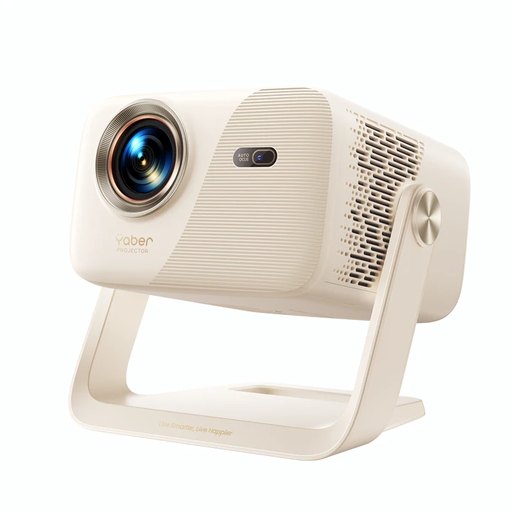
Yaber L2, native 1080p, Google TV
An option to consider if you need native 1080p resolution and flexible positioning for your screening.
The product title states 520 ISO lumens, Google TV, two 5 W speakers and a 360° gimbal.
Joybuy
 No image available
XGODY N7 Cine, native 1080p, 1,000 ANSI lumens
An option to consider if you want native 1080p resolution and the image size suits the venue.
The product title states 1,000 ANSI lumens. Assess the picture at your planned screen size and in the available ambient light.
Joybuy
 No image available
XGODY Gimbal N6 Pro, native 1080p, 700 ANSI lumens
An option to consider if a portable model with native 1080p resolution suits your planned venue.
The product title states 700 ANSI lumens and HDMI and USB compatibility. Assess the picture at your planned screen size and in the available ambient light.
Joybuy
 No image available
XBJ A5Pro, native 1080p, 900 ANSI lumens
An option to consider if native 1080p resolution and flexible positioning suit your screening venue.
The product title states 900 ANSI lumens and automatic focus and keystone correction. Check the picture at your chosen position.
Joybuy
Frequently asked questions
Does ‘long distance’ mean the distance to the guests or the distance from the projector to the screen?
These are two different measurements. Viewing distance helps you plan the image height for your audience, while projection distance affects the image size you can achieve from the projector’s position. Measure them separately. If names will appear on screen, allow for the shorter viewing distance recommended by Epson Germany for detail-heavy content.
Is automatic image correction enough if the projector is positioned to one side?
Not necessarily. For the BenQ GP100, the manufacturer describes automatic side projection as working within limits on distance and correction. Check the requirements for your specific model and position, and align the projector with the screen as closely as possible.
What should the screening team test before the event?
Play the complete film file on the intended playback device and check the framing, power supply and speech clarity from the seats at the back. For the EB-L260F, Epson Germany rates the laser light source for up to 20,000 hours. This is a manufacturer figure for a specific model, and it doesn’t replace testing the connections or playback.
What other equipment and service arrangements should you plan for?
Check that you have a screen, suitable playback and audio connections, and a PA system for the hall if needed. Find out about the warranty and service options for the specific device. Epson offers a support page for the EB-FH54 with warranty checks and manuals.
Can a club show its anniversary film to the public without any further checks?
There isn’t a straightforward yes or no. Under Section 15 of the German Copyright Act (UrhG), whether a screening is public depends on the relationships between those attending; calling it a club celebration doesn’t settle the question. Section 52(3) of the UrhG requires the rights holder’s consent for public screenings of a film work. Check the rights for the specific film and audience. You may also need to make separate arrangements for music. GEMA Tariff T covers music at individual sound-film screenings and doesn’t replace film rights.


