What should you look for when buying?
If your guests will be sitting at the sides, first check the view from the outer seats and the screen’s position. Horizontal keystone correction only helps if the projector itself is set up at an angle.
When buying a portable projector to watch garden project videos together in Germany, consumers tend to have one main concern.
| Concern |
What to check when buying |
Who is most affected? |
| View from the side seats |
Check the screen’s viewing angle and gain; view the image from the furthest seats you plan to use. |
If guests will be sitting at the sides, I want to assess the screen from those seats and plan the seating and screen together. Around 29% of consumers are likely to prioritise the side view. |
| Image in ambient light |
Compare the brightness figure and its measurement standard with the image size and actual lighting conditions; don’t treat ANSI and ISO values as equivalent. |
I want the image to be clear even in ambient light, so I check the image size and lighting on site. Around 23% of consumers are likely to prioritise ambient-light performance. |
| Battery life away from a mains socket |
Compare the video length with the battery life in the stated operating mode; check whether any extra accessories you need are included. |
Without a mains socket, the battery needs to last for my whole programme. Around 18% of consumers are likely to prioritise battery life away from mains power. |
| Playing your own videos |
Check the file format, connection and planned playback device for the exact model, and test the file in advance. |
When playing my own files, I want to make sure the connection and playback device actually work. Around 18% of consumers are likely to prioritise playing their own videos. |
| Flexible positioning |
Position the projector as straight as possible; if it needs to sit to one side, check the horizontal correction available on the specific model. |
If the projector has to sit to one side, I want to position it properly without mistaking image correction for a better view for the audience. Around 12% of consumers are likely to prioritise flexible projector placement. |
Joybuy products for portable screenings
These portable projectors are options for screenings on the go. Choose brightness, battery life and a screen to suit your garden evening.
 No image available
XGIMI MoGo 4 Match Night EU Edition, Full HD 1080p, with EA SPORTS FC 26 game code
Designed for portable screenings away from a mains socket; the product title lists a built-in battery with up to 2.5 hours of use.
The product title also lists Google TV, 450 ISO lumens and Harman Kardon audio.
View at Joybuy
 No image available
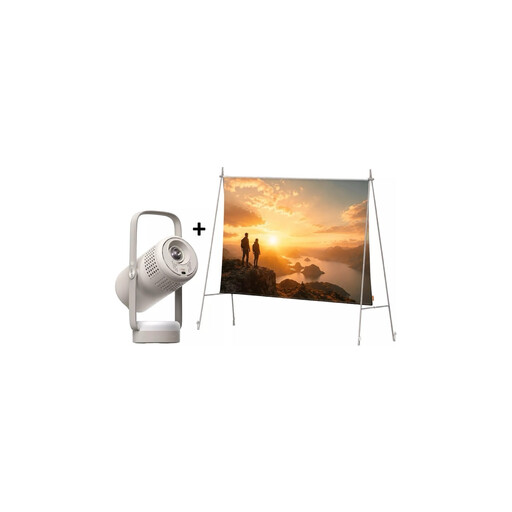
XGIMI Vibe One Match Night Collection, Full HD 1080p, with screen and stand
The set includes a built-in battery and a projection screen with stand, making it suitable for a portable setup with its own screen.
The product description lists 250 ISO lumens and 1920 × 1080 pixels. Battery life for video playback in Eco mode is quoted at up to 1.2 hours; it decreases at higher brightness.
View at Joybuy
 No image available
XGIMI Vibe One Portable Mini Projector, 1080p, with integrated 160° stand
The integrated 160° stand, autofocus and keystone correction are useful if you need a flexible setup.
The product title lists 250 ISO lumens and 1080p. Battery life for video playback in Eco mode is quoted at up to 1.2 hours; it decreases at higher brightness.
View at Joybuy
 No image available
XGIMI Elfin Flip Laser 1080P Smart Mini Projector
Its foldable design and stated suitability for indoor and outdoor use make it a good fit for portable screenings with changing setups.
The product title lists 1600 ISO lumens, RGB triple laser and autofocus.
View at Joybuy
Frequently asked questions
Does horizontal keystone correction help if guests are sitting to the side?
No. It corrects a distorted image when the projector is set up at an angle; it doesn’t change the audience’s viewing angle. For side seating, the screen and the view from the outer seats are what matter.
Can I play my own project videos without Wi-Fi?
That depends on how you connect your playback device. An HDMI input is documented for the BenQ and Anker models researched, but that doesn’t mean they can play any video file directly from USB. Test the file, audio and any adaptors you may need before the screening.
Can I simply use an extension lead to run a projector outdoors?
Follow the instructions for your specific projector and protect the device and connections from moisture. The VDE recommends using extension leads and cable reels suitable for outdoor use in gardens; this does not mean the projector itself is approved for use in the rain.
Can I screen project videos publicly at an allotment?
That depends on the content and whether the screening is public. Under § 52 UrhG, public screenings of a film work require the rights holder’s consent. If your own videos include protected films or music belonging to others, check which permissions you need for the specific occasion.
How can I check whether the image will still be clear in ambient light?
Assess brightness, your planned image size and the ambient light together. BenQ Germany identifies ambient light and the desired image size as factors when choosing the right brightness. Also, only compare figures that use the same measurement standard.


