What should you look for when buying?
First, check that subtitles are readable from the furthest seat and consider your room lighting. Then look at power, streaming and sound.
| What matters when buying |
What to look for |
Who is this important for? |
| Subtitles from a distance |
Play a scene with subtitles from the spot where you plan to sit. Check the focus in the centre and at the edges, and make sure the text is readable from the furthest seat. |
When several people are watching from different distances, they’ll want to assess the text and picture from their actual seats. Around 36% of consumers put subtitle readability first. |
| Picture quality with the lights on |
Assess the room lighting and planned screen size together. Only compare brightness figures when they use the same measurement and operating mode. |
If you’d like to leave some lights on while watching, check that the text and picture are still easy to see. Around 29% of consumers prioritise watching with some room lighting. |
| Moving the projector and battery use |
Check the space available and how the projector can be positioned at each location. Compare the stated battery life with the specified operating mode and how long you plan to watch. |
If you’ll move the projector between rooms or sometimes use it without a mains socket, positioning and battery life in the relevant mode matter. Flexible use is the main priority for around 21% of consumers. |
| Streaming and sound |
Check that your chosen series and subtitles work with the app or streaming device you plan to use, and listen to the sound from the seating area. |
If you want to play a particular series easily with the right subtitles, check the options available on your chosen service and device. Around 14% of consumers prioritise playback and sound. |
Projectors to explore at Joybuy
This selection includes portable projectors for watching series together: battery-powered models for changing locations, as well as devices with built-in streaming features or mains power.
 No image available
ETOE Dolphin 2 RGB laser projector
The built-in battery is useful for TV nights without a mains socket. Check that subtitles are readable from your planned seat.
Native 1080p resolution; 800 ANSI lumens; Google TV; built-in battery with 2 hours of runtime.
View at Joybuy
 No image available
XGIMI MoGo 4, Match Night EU Edition
The battery and Google TV make this a flexible choice for a TV night. Check subtitles on the device you plan to use and in your preferred picture mode.
Full HD 1080p; 450 ISO lumens; Harman Kardon audio; stated battery life: 2.5 hours.
View at Joybuy
 No image available
XGIMI Elfin Flip Laser
The folding design and autofocus make it easy to position flexibly. It needs to be connected to a power supply to operate.
Full HD 1080p; 1600 ISO lumens; RGB triple laser; Harman Kardon; autofocus; folding design.
View at Joybuy
 No image available
XGODY Gimbal N6 Pro
The listed Netflix app and autofocus may be useful for streaming and changing the projector’s position. Check the subtitle options for your series.
Native 1080p resolution; 700 ANSI lumens; official Netflix apps; autofocus; automatic keystone correction.
View at Joybuy
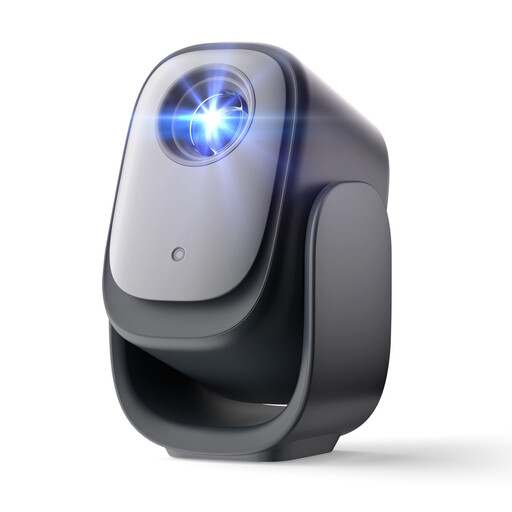 No image available
Dangbei N2 mini projector
Netflix licensing and autofocus are useful for streaming and changing the projector’s position. Check subtitles on the device you plan to use.
1080p; officially licensed Netflix; autofocus; automatic keystone correction; obstacle detection.
View at Joybuy
Frequently asked questions
Can I make subtitles larger directly on the projector?
Not necessarily. On Netflix, the font size and style depend on the app and the device you’re using. Check the settings on the specific streaming device you plan to use, as some devices don’t support every option.
How do I set up the picture for several seats?
Set up the projector and screen where you plan to use them, then watch a scene with subtitles from the furthest seat. An adjustable stand can make positioning easier, but you’ll still need to check the focus, picture edges and subtitle readability.
Will the stated battery life last for a TV night?
Compare how long you plan to watch with the battery life stated for the mode you’ll actually use. XGIMI quotes up to 2.5 hours of video playback in Eco mode for the MoGo 4 Laser; COMPUTER BILD reports that this model produces a significantly dimmer picture on battery power.
How can I check that subtitles work for my series?
Start the series you plan to watch in the app or on the streaming device you intend to use, then check the subtitle language, size and appearance. The Netflix Help Centre notes that the available adjustments also depend on the device you’re using.


