Which projector is right for you?

Group screenings in daylight

If you’re watching theatre recordings with several people and tall windows brighten the room, what matters is how the picture looks from the planned projection position. In particular, check whether sunlight falls directly on the screen.

Different rehearsal spaces

If you regularly set up the projector in different locations, the throw distance, picture size and source device need to suit each room. Measure the available space and check which connections your recording source requires.

Screening without a mains socket

If there’s no mains socket where you’re screening, a battery-powered model could be an option. It’s a better fit if you can also darken the room or choose a time when there’s less daylight.

What should you look for when buying?

What matters What to check before buying Who is it important to?
Picture visibility in window light Compare the measurement terms and operating modes used for brightness figures; check whether light falls directly on the screen. If I want to review dark stage scenes with others in a bright room, I pay particular attention to how the picture looks in the intended position. Around 33% of consumers prioritise visibility in daylight.
Set-up and picture size Measure the throw distance and clear space needed for your preferred picture size; plan where people will sit and how cables will run. If I set up the projector in different rehearsal spaces, I want to be able to arrange the picture size and seating to suit each one. Around 27% of consumers prioritise set-up and screen area.
Portability and power Check the projector’s weight and dimensions; assess battery life in relation to the specified operating mode. If I move between rehearsal spaces or there’s no mains socket where we’re screening, having a suitable plan for carrying and powering the projector matters to me. Around 20% of consumers prioritise portability and power.
Source device and sound Check that the connections work with your laptop or player; test your own recording and make sure dialogue is clear in the room. If several people are going to discuss the recording, I want to be confident that my existing source device will play both the picture and dialogue reliably. Around 20% of consumers put source connections and clear sound first.

Avoid common buying mistakes

  • Assuming portable means suitable for daylight

    A compact projector isn’t automatically suited to a brightly lit screen. For the GV50, BenQ recommends shade or a cloudy time of day when using it in daylight; window light can affect contrast.

    First, check how much light will fall on the screen during your viewing. If possible, test a dark scene in the same conditions the group will be watching in.

  • Comparing differently labelled lumen figures directly

    ANSI lumens and other lumen figures may refer to different measurements, so a higher number doesn’t automatically mean a brighter picture.

    Only compare figures that use the same measurement terms, and check the operating mode for each one.

  • Assuming the stated battery life applies to every picture mode

    According to Anker Germany, the Mars 3 Air’s stated battery life of up to 2.5 hours is for Eco mode.

    Compare the length of your planned screening with the battery life in the mode you’ll actually use, and allow for discussion breaks or access to a power source.

  • Treating a bundle as a standalone product

    Differences in what’s included can make product comparisons misleading, even when the model names look similar.

    Before buying, check the full model name and which accessories are included with that particular offer.

Key brands at a glance

Epson

For screenings in bright rooms, two different models are worth considering: a mains-powered projector and a portable option.

  • Epson Germany lists 4,000 lumens of white and colour brightness and two HDMI inputs for the EH-TW840.
  • For the portable EF-61W, Epson Germany lists 700 lumens. The manufacturers’ figures don’t show how the picture will look in a particular spot by a window.

Acer

The H6542BDK is a mains-powered Full HD option for portable set-ups.

  • Acer lists 4,000 ANSI lumens in Standard mode and a weight of 2.6 kg.
  • The model is listed with a replaceable lamp; its stated brightness doesn’t tell you how the picture will look in direct window light.

BenQ

The portable GV50 is a battery-powered option for locations where a mains socket isn’t always available.

  • BenQ lists 500 ANSI lumens and battery life of up to 2.5 hours for the GV50.
  • For daylight use, BenQ recommends shade or a cloudy time of day for this model; its stated battery life shouldn’t automatically be assumed to apply to other operating modes.

soundcore Nebula

The Mars 3 Air is a portable battery-powered projector for screenings where a mains socket isn’t readily available.

  • Anker Germany lists Full HD, 400 ANSI lumens and up to 2.5 hours of battery life in Eco mode.
  • These figures don’t confirm battery life in another mode or guarantee sufficient contrast in full window light.

Aurzen

The BOOM Mini is a mains-powered Full HD projector for rooms with a power socket.

  • Aurzen lists 500 ANSI lumens and an HDMI input.
  • The stated brightness alone doesn’t tell you how clearly you’ll see dark scenes in light coming from a nearby window.

Joybuy projectors for mobile screenings

The following Joybuy models are portable options for playing your own recordings. Check the brightness figures, connections and power supply against your room set-up; product specifications can’t replace testing a projector in your own window light.

XGIMI Elfin Flip Laser 1080P projector

XGIMI Elfin Flip Laser 1080P

For playing Full HD recordings on the go; the brightness figure alone doesn’t show how clearly you’ll see the picture in window light.

Listed in the product title: 1080P, 1,600 ISO lumens, RGB triple laser, autofocus and a foldable design.

View at Joybuy
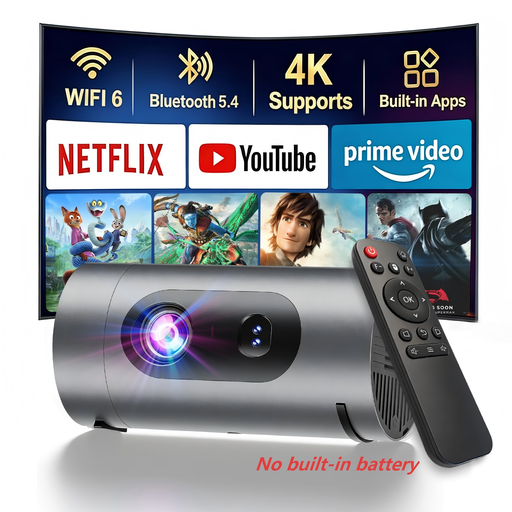
XBJ 1080P Smart Mini Projector

XBJ 1080P Smart Mini Projector

Could be an option if you need a portable projector that can run from a power bank; the brightness figure doesn’t prove it will be clearly visible in window light.

Listed in the product title: 1080P and 800 lumens. A separate power bank is required for power bank use.

View at Joybuy
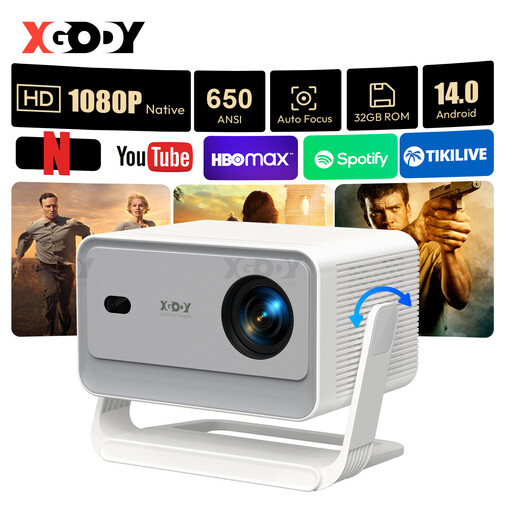
XGODY Gimbal A6 Pro projector

XGODY Gimbal A6 Pro

For Full HD recordings; check in advance that the connections suit your source device and that the picture looks good enough in your room.

Specifications listed for the model: native 1080P, 650 ANSI lumens, HDMI and USB, autofocus and automatic keystone correction.

View at Joybuy

XGODY Gimbal N6 Pro projector

XGODY Gimbal N6 Pro

A portable option for Full HD recordings; test playback in the actual lighting conditions rather than treating the stated brightness as a test of how it will perform in your room.

Specifications listed for the model: native 1080P, 700 ANSI lumens, HDMI and USB, autofocus and automatic keystone correction.

View at Joybuy

Magcubic HY350Max projector

Magcubic HY350Max

For playing your own recordings on the go; check the connections and picture quality with your recording and intended screen.

Specifications listed for the model: native 1080P, 900 ANSI lumens, HDMI and USB, autofocus and automatic keystone correction.

View at Joybuy

Frequently asked questions

How can you check whether a projector is bright enough for a rehearsal space?

Play one of your own recordings at the usual screening time and from the intended projection position, ideally including some dark stage scenes. Check whether window light falls directly on the screen. Manufacturer specifications and tests in other rooms can’t guarantee how the picture will look in your space.

Will the battery last for a full screening?

Compare the length of your recording, including discussion breaks, with the battery life in the picture mode you’ll use. According to Anker Germany, the Mars 3 Air’s stated battery life of up to 2.5 hours applies to Eco mode and shouldn’t automatically be assumed to apply to a different setting.

What should you connect and test before watching together?

Play one of your own files using the laptop or player you plan to use, check the picture format and sound, and listen to the dialogue from the seats people will use. Check that the specific projector’s connections match your source device; the term Smart Projector doesn’t automatically confirm that it’s compatible with a particular file.

What rights apply when buying for a theatre group?

If an individual buys as a consumer, they generally have statutory rights against the seller if new goods are faulty; a guarantee is separate from these rights. Many online purchases by consumers usually come with a 14-day right to cancel. If a club or another organisation makes the purchase, don’t assume it will be treated as a consumer purchase without checking. The Verbraucherzentrale explains these rights for the German market.

Can theatre recordings be shown publicly or shared online?

Not simply because the group owns the recording. Whether a screening is public depends, among other things, on who it is shown to; the Copyright Act covers public communication and making works available to the public online. Under § 22 KunstUrhG, consent is generally required to distribute or publicly display recognisable images of people. Check the rights for the specific use before showing or publishing a recording publicly.