Daytime presentations without much blackout
If you want to see movement despite light coming through tall windows, pay particular attention to whether direct light falls on the projection surface and how much you can darken the room.


If you can’t reduce the light coming through tall windows enough, first check how much light reaches the screen and whether you have a suitable projection surface. An especially small battery-powered projector isn’t automatically the right choice. If you can darken the room or position the projector in a darker area, battery life, weight and quick set-up may matter more. Also check how your recordings connect and measure the distance to the projection surface before choosing a model.
If you want to see movement despite light coming through tall windows, pay particular attention to whether direct light falls on the projection surface and how much you can darken the room.
If you take the projector to different rooms, consider its weight, power supply and how easy it is to set up at your destination. Also check whether you can protect the projection from window light there.
If you want to show recorded dance videos, make sure the output on your playback device matches an input on the projector, and check which audio connection you need.
For dance videos during the day, first check how light falls on the projection surface. Only then can you weigh up mains power, battery operation and a compact design.
| Criterion | What to check before buying | Who should pay particular attention? |
|---|---|---|
| A visible picture in daylight from windows | Check whether window light falls directly on the projection surface and whether you can adjust the position or block the light. Compare brightness figures only when you know which measurement standard each one uses. | If I want to see dance movements during the day and can do little to darken the room, I check how light falls on the projection surface first. Around 36% of consumers make a clear picture in daylight from windows their top buying priority. |
| Portability and power supply | Compare the weight and power supply required. For battery-powered models, check the battery life in the picture mode you’ll actually use. | If I often carry the projector between rooms, its weight and the power supply available at my destination matter most. Around 29% of consumers make portability and suitable operation at the presentation location their top priority. |
| Playing your own dance videos | Check that the file format and output on your playback device are compatible with the inputs on the specific projector. Also check how you want to play the audio. | My own recordings need to play from the playback device through the projector; pre-installed apps alone don’t answer that question. Around 21% of consumers make playing their own videos their top priority. |
| Set-up and picture size | Measure the distance to the projection surface and compare it with the model’s throw ratio. Check that the stand and image correction features suit your intended set-up. | If space is limited or tall windows restrict the available surfaces, I need to plan the set-up in advance. Around 14% of consumers place particular importance on a suitable picture size and location. |
Window light falling directly on the projection surface can affect contrast. A high figure on its own doesn’t tell you how clearly you’ll see dance movements in your room.
First choose where the picture will go and how large it needs to be, then check how much light actually reaches the surface.
Depending on the room, you may need additional light blocking or a suitable screen.
Labels such as ANSI lumens and ISO lumens don’t automatically refer to the same measurement. Comparing the figures directly can therefore give you the wrong impression of the differences between models.
For each model, note the figure and its measurement standard. Don’t rank models using figures defined in different ways.
Battery life and available apps don’t confirm that a projector supports your file format or has a suitable connection for your playback device.
Check the file, device output, projector input and battery life in the picture mode you need separately.
Depending on the equipment you already have, you may need an additional playback device or connection cable.
The details below apply to the specific models or product lines named. They aren’t a general assessment of the entire brand.
The HORIZON S Max is a mains-powered option for different set-ups, where an adjustable stand may come in handy.
The compact EF-12 and portable EF-71 range offer different options for mains-powered projection.
The GV50 is designed for mobile set-ups where a battery and connections for your own playback devices are useful.
The Mars 3 Air and Capsule 3 cater to different needs when it comes to portability and size.
According to the manufacturer, the M1 Max combines portable features with Full HD projection.
The Joybuy options below include portable projectors with different set-up and playback features. In daylight, pay particular attention to how light falls on the projection surface; for your own recordings, check the specific connection route.
 No image available
For presentations in different locations, the integrated battery may let you operate the projector without a mains socket. Check the stated video playback time against the mode you plan to use.
The title lists a 5,000-mAh battery and up to 1.5 hours of video playback. It also describes ToF autofocus and automatic vertical keystone correction. Google Cast isn’t supported; according to the product description, screen mirroring with Google Pixel and Motorola phones, as well as Chromebooks, isn’t possible.
 No image available
If you want to play your own recordings from an external device or USB stick, check that the listed connections match your source and that the projector supports the specific files.
The product title lists HDMI, USB stick, Wi-Fi 6, Bluetooth, automatic image correction, 50–100% digital zoom and 180° rotation. These details don’t guarantee playback of every file format.
 No image available
Its portable design may be useful if you move between locations. The brightness figure alone doesn’t tell you how much contrast the picture will retain in direct window light.
The product title lists 1,600 ISO lumens, RGB triple laser, autofocus and a foldable design.
 No image available
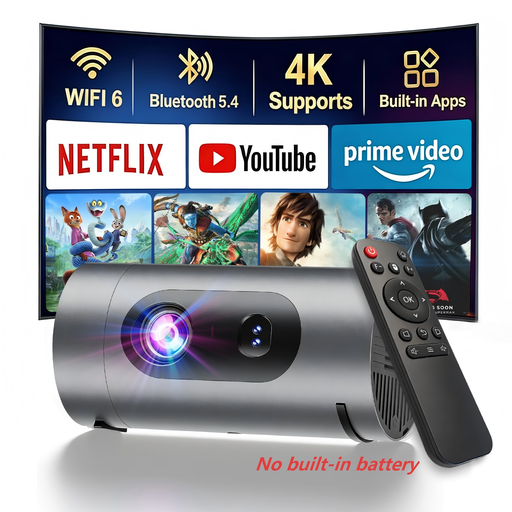
For presentation locations without a mains socket, the product title says this projector can run from a power bank. You’ll need to supply your own power bank.
The product description lists native 1080P and 800 ANSI lumens. Autofocus and automatic keystone correction are also included. The brightness figure alone doesn’t prove it’s suitable for direct window light.
 No image available
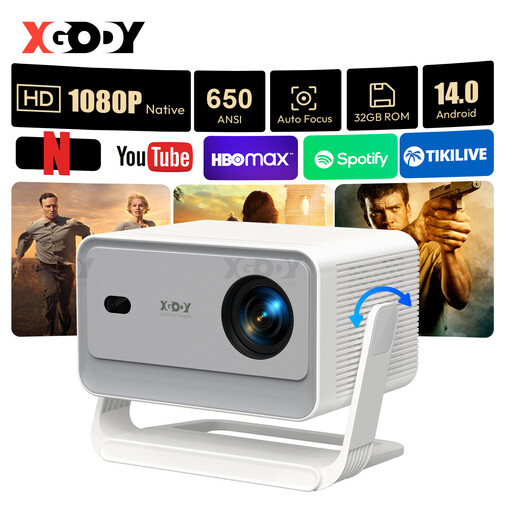
If you want to play your own recordings from a playback device, HDMI and USB may be useful connection options. Check that your files and device are compatible.
The product title lists native 1080P, 650 ANSI lumens, autofocus and automatic keystone correction. The product description also lists a stand adjustable through 135°. The brightness figure doesn’t guarantee a high-contrast picture in direct window light.
No, check the measurement too. BenQ explains that different lumen labels can measure different aspects of brightness. Also check how much light reaches the projection surface where you plan to use it.
Measure the available distance to the projection surface and compare it with the throw ratio of the specific model. For example, BenQ lists a fixed ratio of 1.2 for the GV50. Also check that your chosen position meets the stated conditions for image correction.
That depends on the model and the file. BenQ documents a USB-A reader and HDMI for the GV50, but that doesn’t mean it supports every file format or codec. Check that it supports your specific recording, or use a suitable playback device connected via HDMI.
The Verbraucherzentrale distinguishes between your statutory rights against the seller and a voluntary guarantee. Online purchases in Germany generally come with a 14-day right to cancel. Check the conditions and act within the applicable time limit.
EU consumer information states that CE rules apply to products covered by the relevant harmonised EU regulations. According to the EU, missing marking required for a specific product may indicate a safety or compliance issue. The CE marking alone doesn’t replace checking the rest of the product information.